To ensure secure and fast withdrawals, it’s important to add your preferred payment method correctly. Below is everything you need to know.
Skrill and Neteller and Bank cards are added automatically
If you deposit using a bank card, Skrill or Neteller, the same method will be automatically available for withdrawals — no extra setup is needed.
Please note that the list of available payment methods may vary depending on your country of residence. To view all available deposit methods, click here. For withdrawal methods, click here.
How to add details for other payment methods?
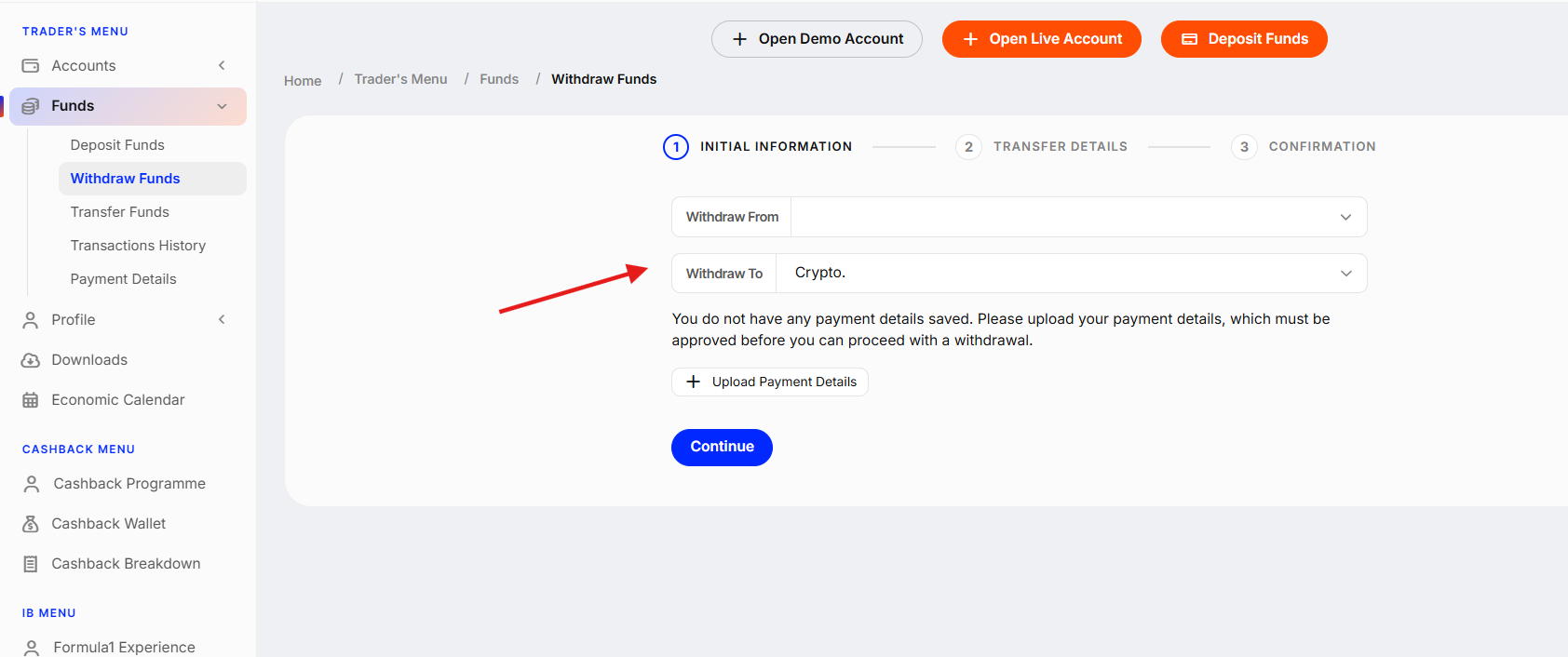
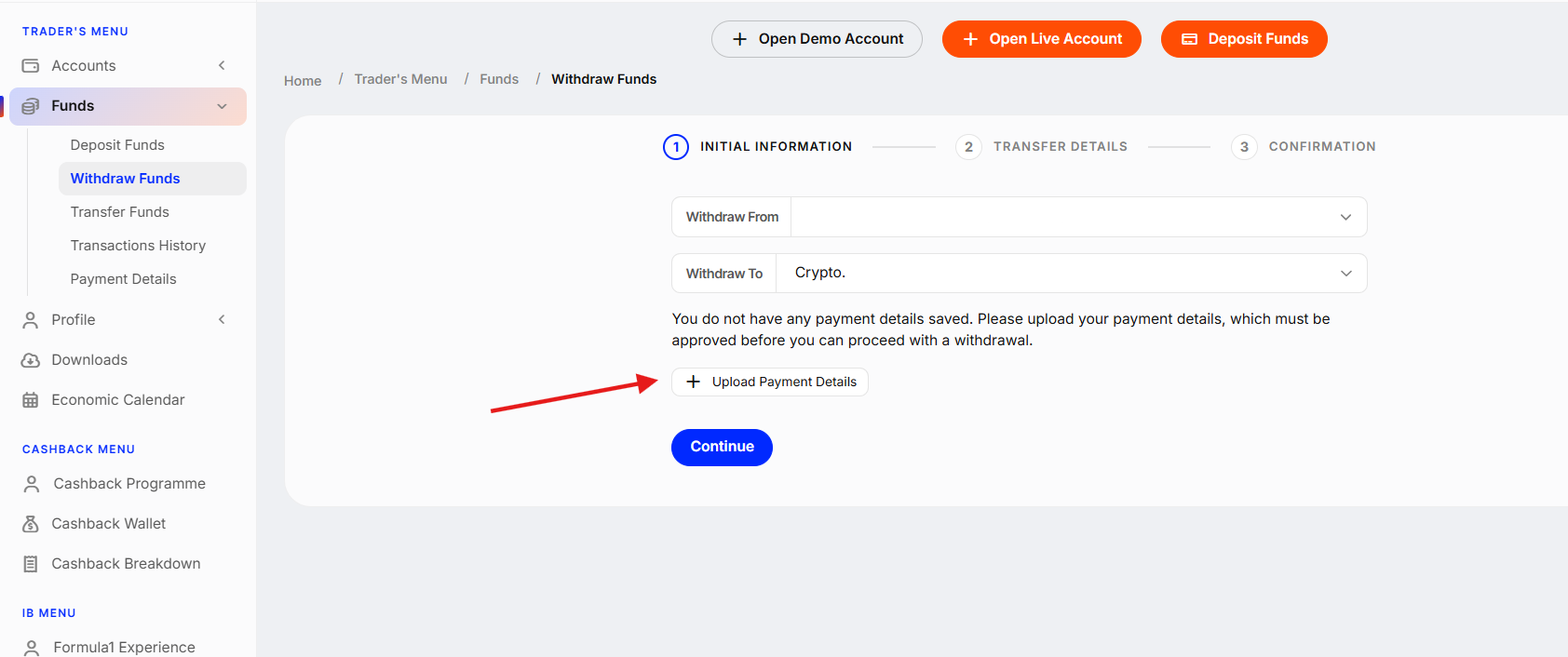
If you're using another withdrawal method (such as crypto or a local bank transfer), you'll need to add your payment details manually and complete a short verification. Here’s how to do it:
Crypto Payment Details
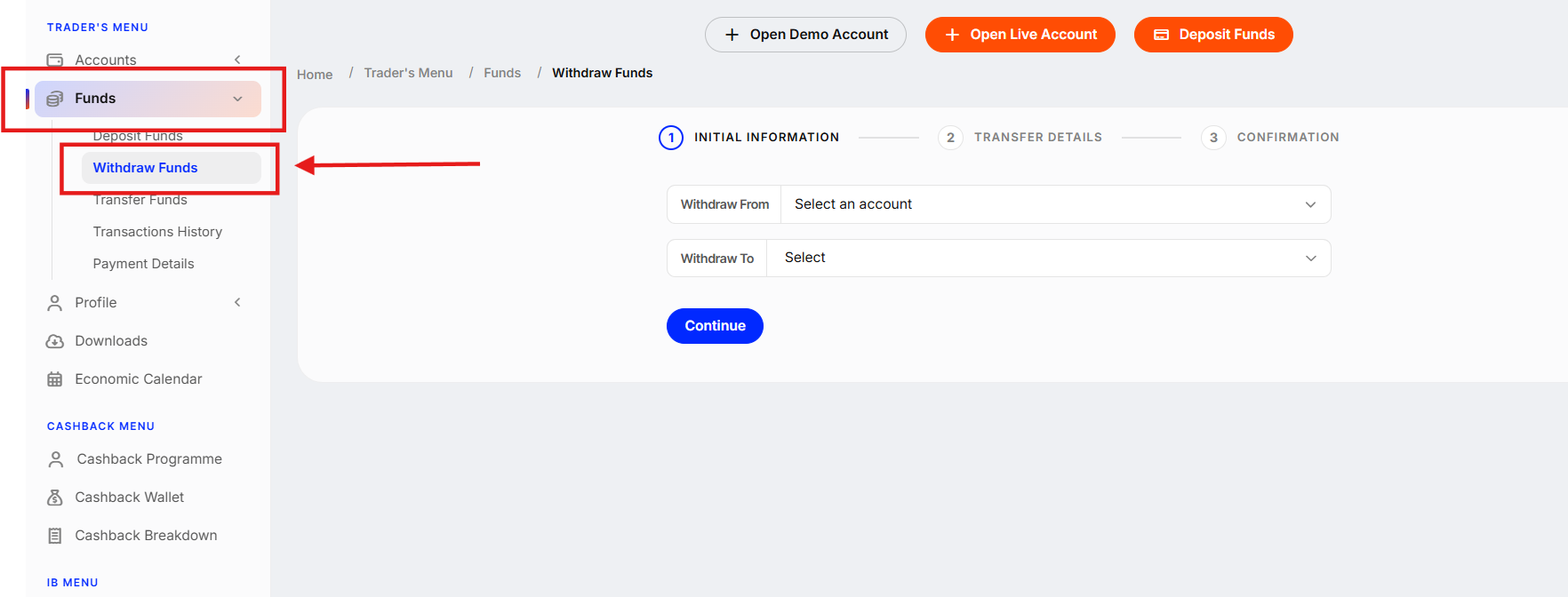
1. Go to the "Funds" section and click "Withdraw Funds".
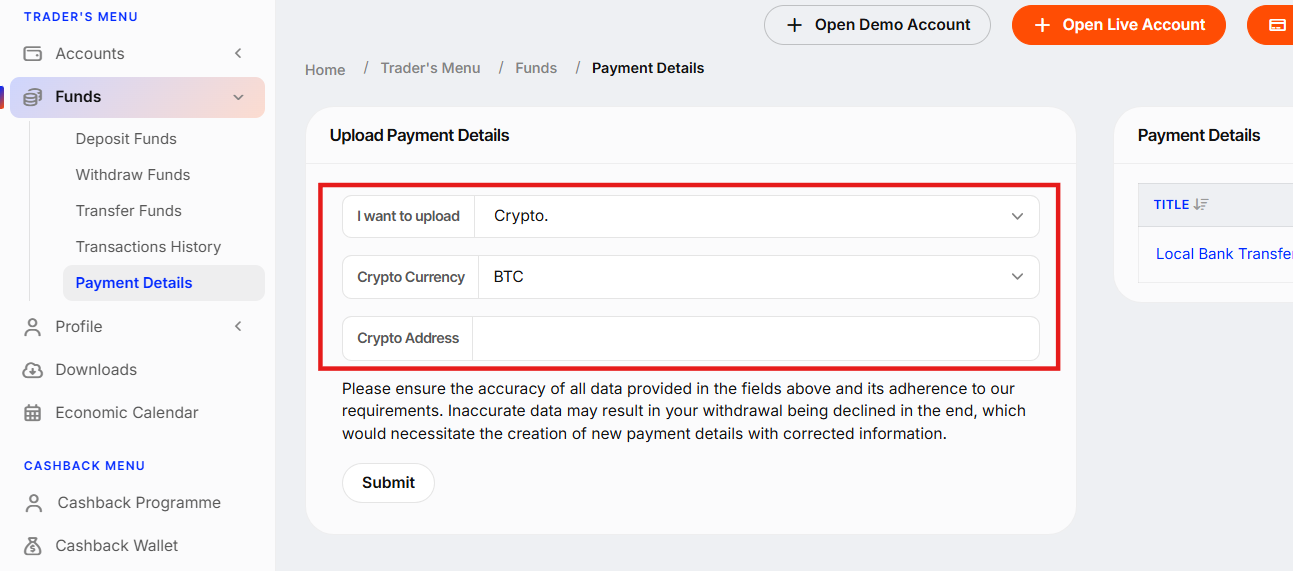
5. Once you click "Submit", the verification process will start. Click "Continue" to proceed.

6. You will be asked to perform a liveness check for verification. Click "Continue on this device" or "Continue on phone".
7. Select your country of residence.
 8.
8. 
8. Click "Continue" to perform the liveness check. Please read the tips and guidelines carefully to ensure a successful verification.

9. Once completed, you will see the message "Your profile has been verified".

Local Payment Method (e.g., Bank Transfer or QR)
1. Go to the "Funds" section and click "Withdraw Funds".
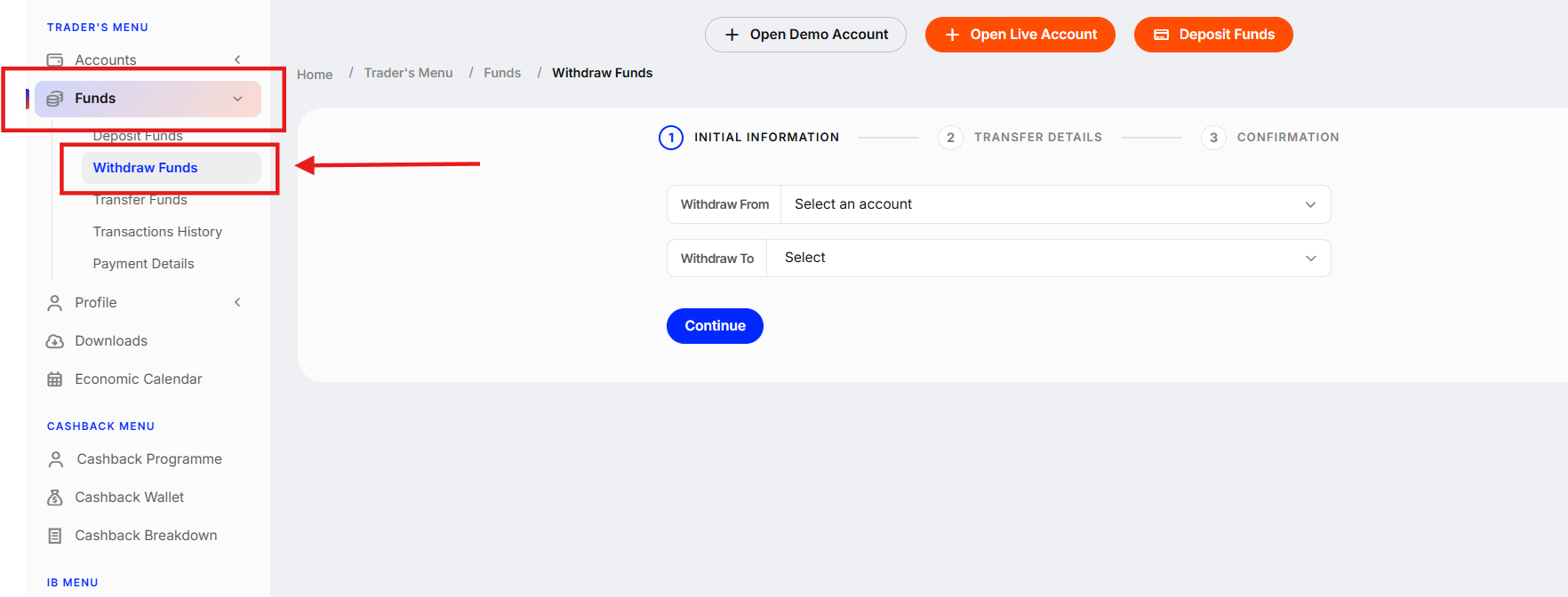
2.Choose the wallet to withdraw from, and select local payment option (e.g., Bank Transfer, QR Wallet) as the withdrawal method.
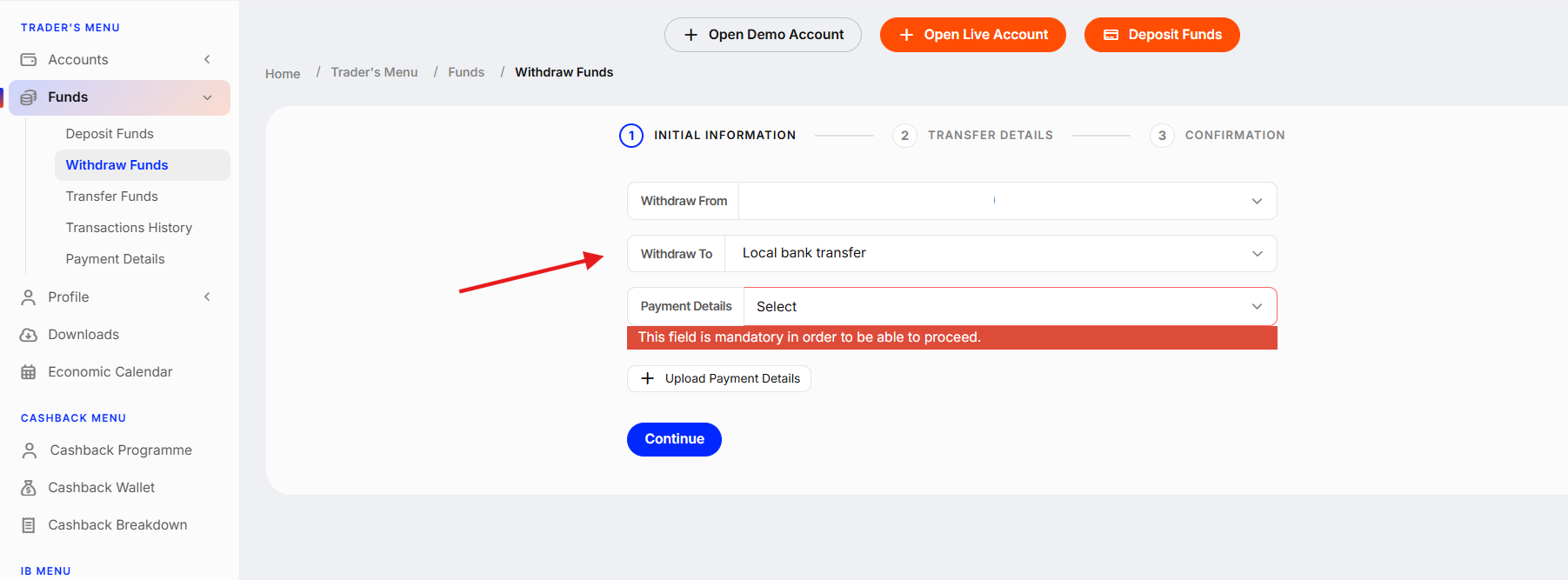
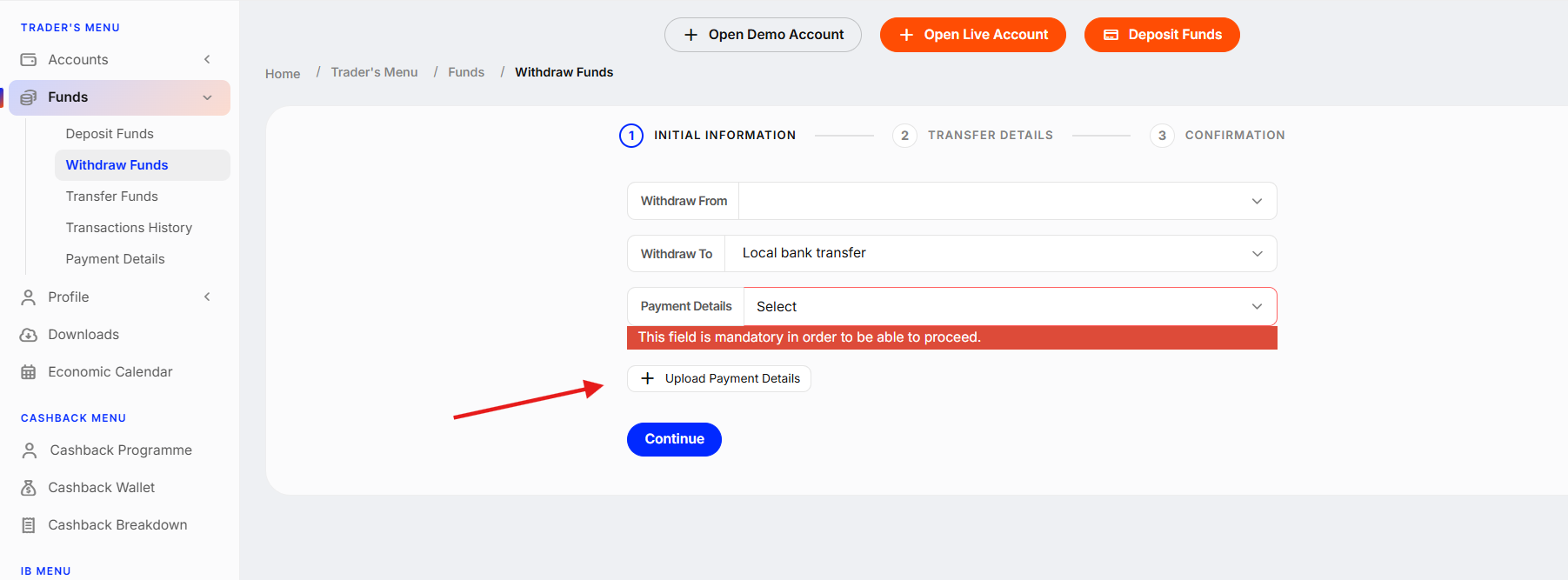
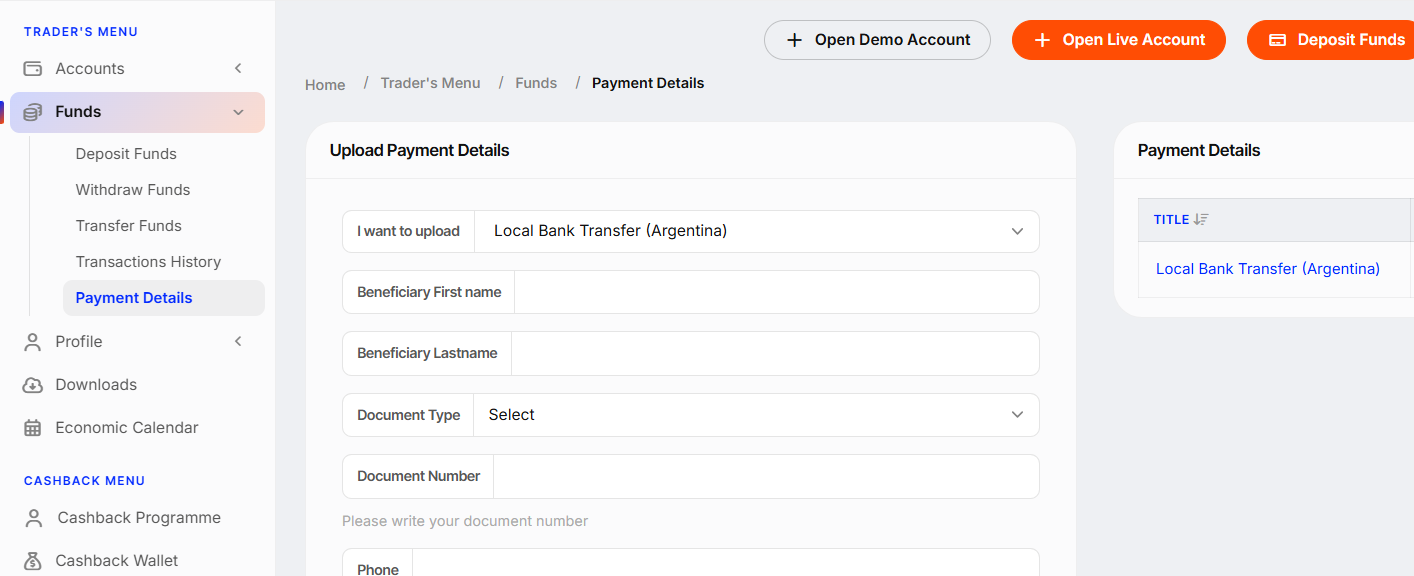
3.Click "Upload Payment Details".
Approval time
Please note that all newly added payment requisites are subject to review and will be approved within 1–3 business days.
Important note
For security reasons, third-party payments are strictly prohibited. All payment methods must be in the same name as your LBX account. Otherwise, your request will be rejected.
Was this article helpful?
That’s Great!
Thank you for your feedback
Sorry! We couldn't be helpful
Thank you for your feedback
Feedback sent
We appreciate your effort and will try to fix the article