Note: The list of available withdrawal methods may vary depending on your country of residence. To view all available methods, click here.
Video guide
How to withdraw
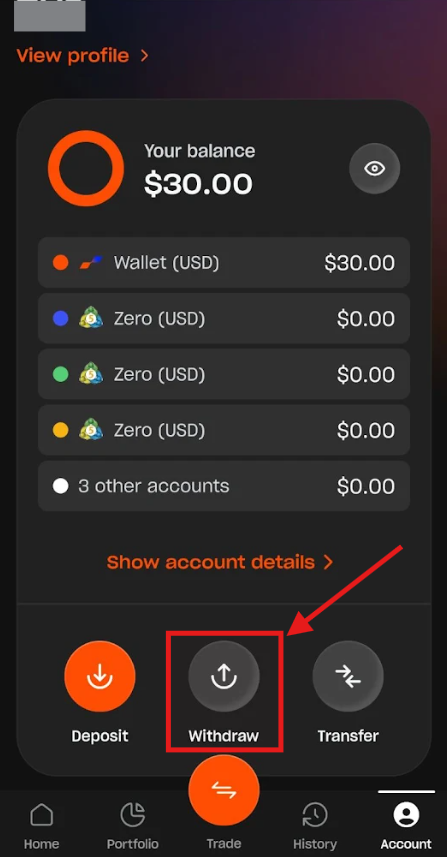
1. Go to the Account section and tap the "Withdraw" button.
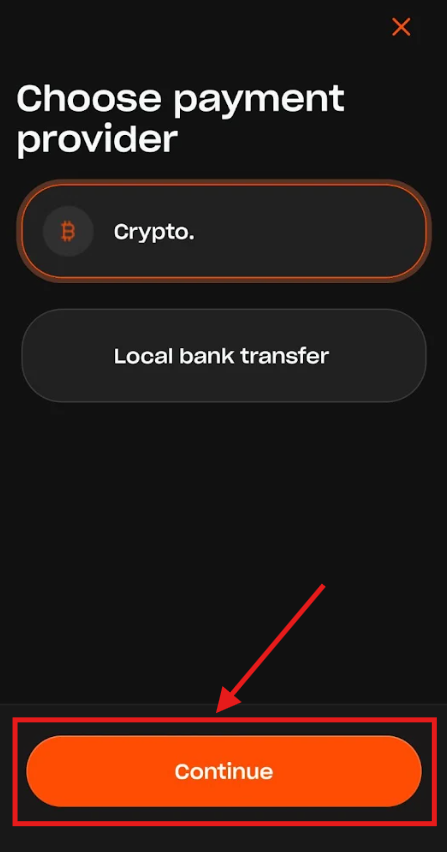
2. On the Choose payment provider screen, select your preferred withdrawal method and tap "Continue".
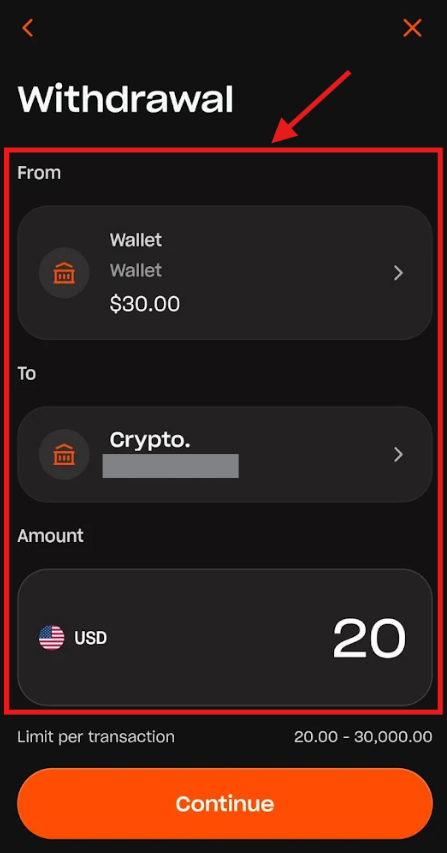
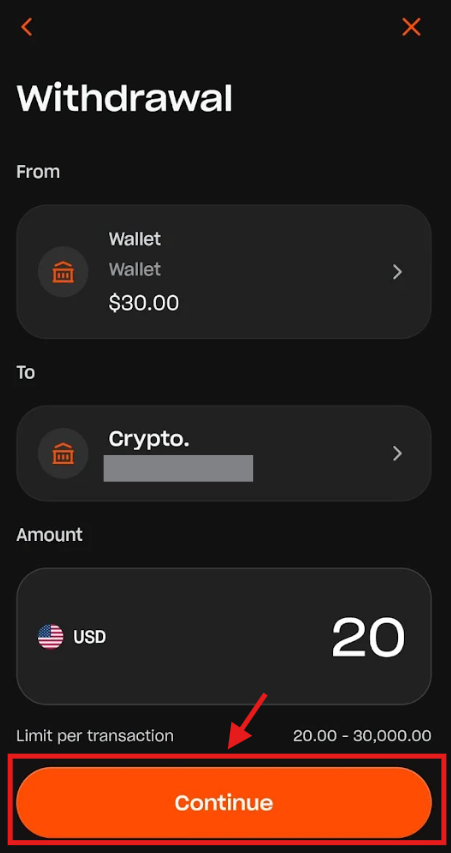
3. On the Withdrawal screen, select the source trading account or wallet (From), choose the recipient (To), and enter the amount you wish to withdraw (Amount).
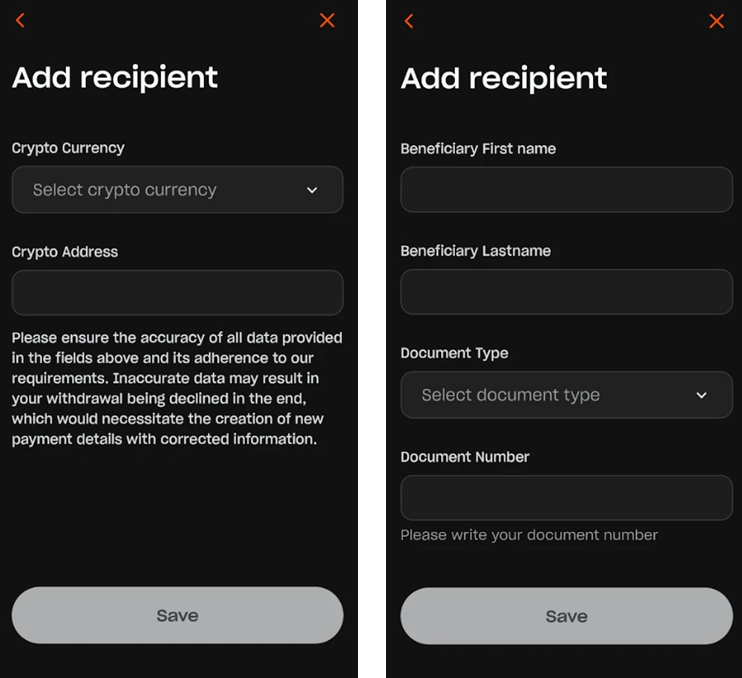
4. (Optional) If you do not have any saved payment details or wish to add a new recipient account/wallet, tap "To" and select "Add new recipient" on the Select recipient screen.
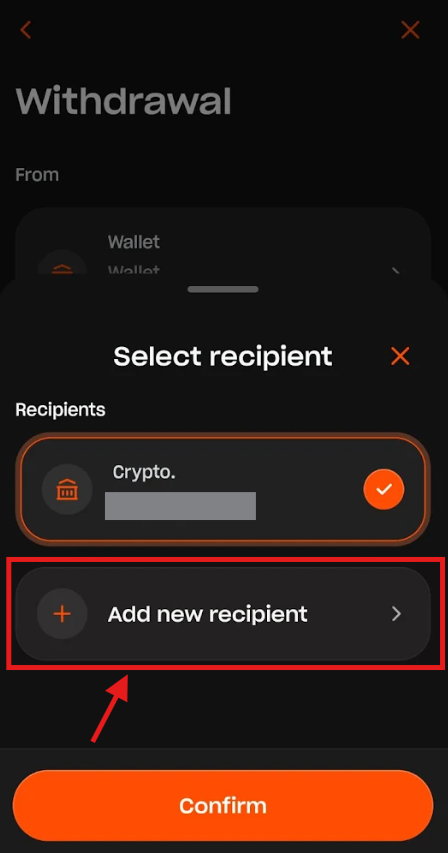
Then, enter the required information depending on the method selected (see examples below for Crypto and Local bank transfer) and tap "Save". Please keep in mind that approval of new payment details can take up to 1 business day.
5. Once you're set, tap "Continue" to finalize the withdrawal.
Was this article helpful?
That’s Great!
Thank you for your feedback
Sorry! We couldn't be helpful
Thank you for your feedback
Feedback sent
We appreciate your effort and will try to fix the article