A demo account allows you to experience live market conditions and test your trading strategies using virtual funds.
1. Click on "Accounts" and select "Open Demo Account" from the dropdown list.
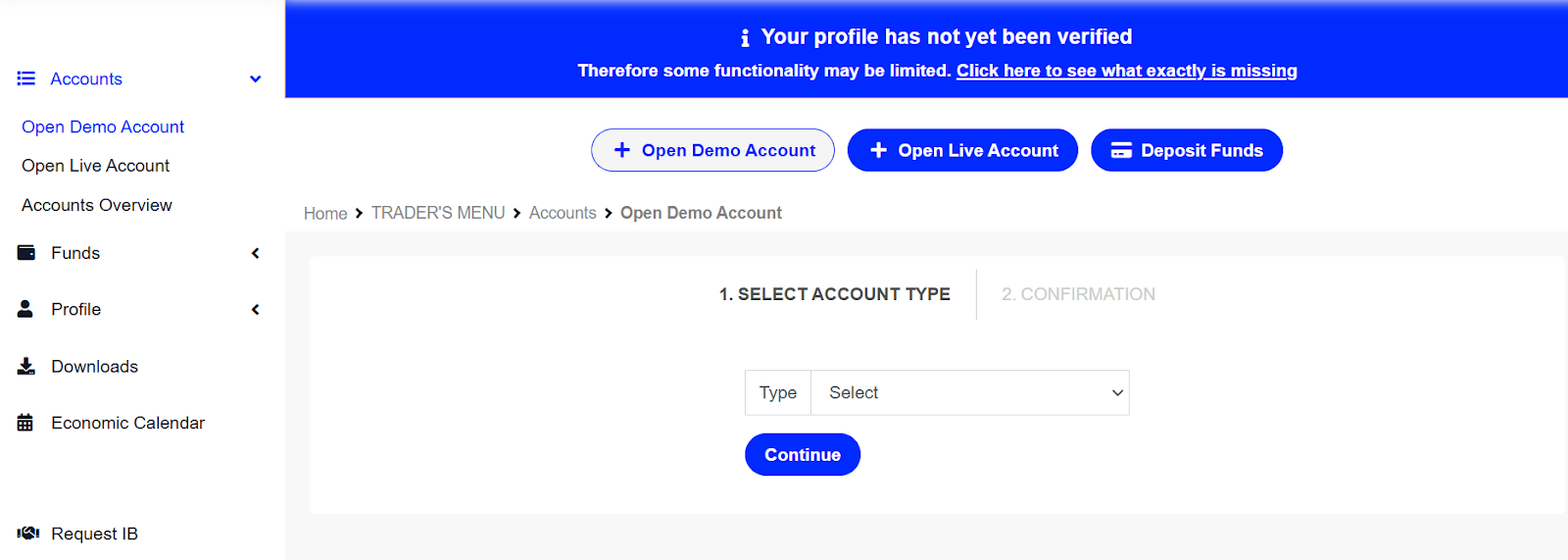
2. Select the preferred account type (Zero Spread Demo / Standard Demo).
3. Choose the preferred account settings, including Leverage, Currency, Initial Balance, and click "Continue".


4. Double-check all information and click "Continue".

5. You will see all the details for your new Demo account after the account is created. These details will also be sent to your email address.

Was this article helpful?
That’s Great!
Thank you for your feedback
Sorry! We couldn't be helpful
Thank you for your feedback
Feedback sent
We appreciate your effort and will try to fix the article