Once you log in, you will see the "Home" screen. This section includes the following features:
- Account switching button
- Notifications button
- Top up/Deposit section
- Cashback
- Top movers
- News (with filters)
- Upcoming economic events (with filters)
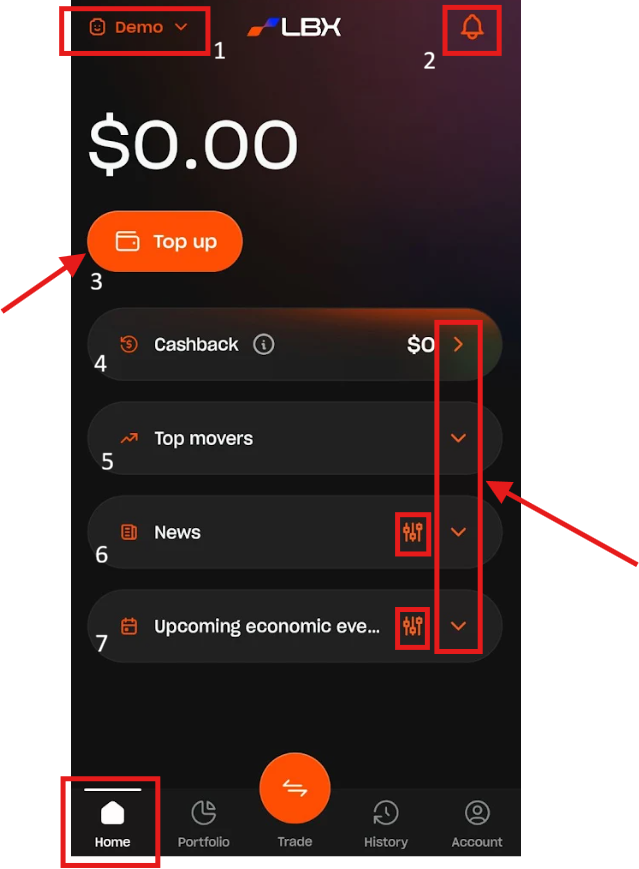
Account switching button
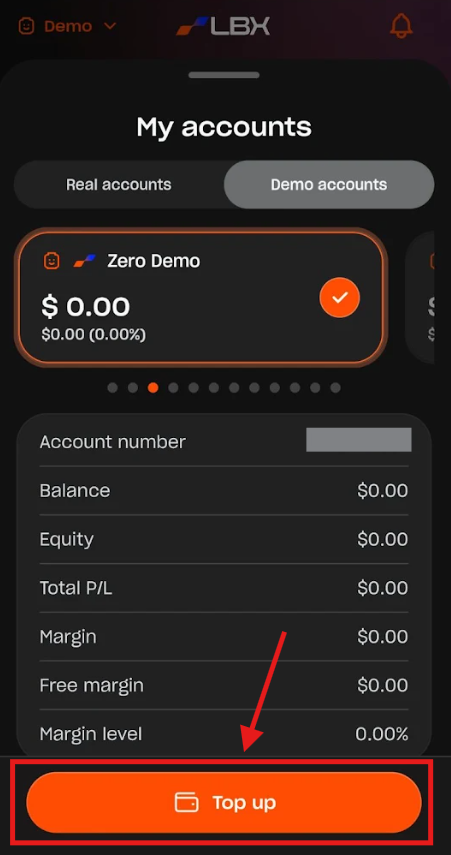
This feature allows you to switch between Real and Demo accounts, as well as create new trading accounts. From here, you can also close all positions on the selected account or top up your Real and Demo accounts.
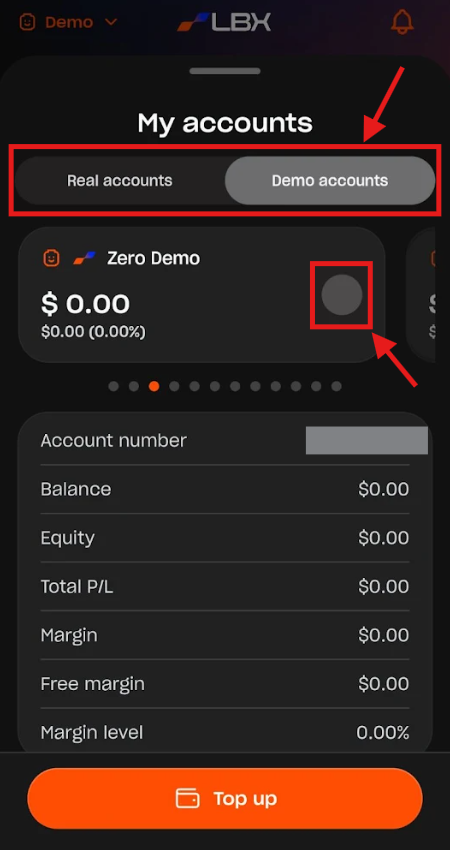
1. Switch accounts: Tap the "Real accounts" or "Demo accounts" button and choose the necessary account.
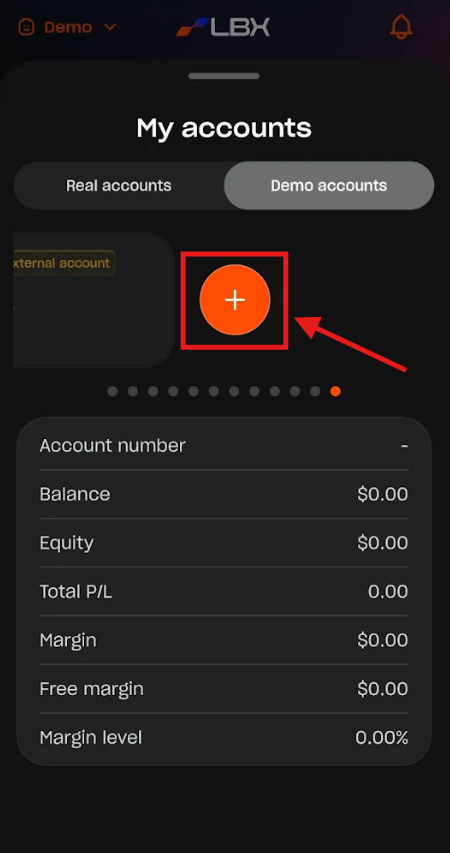
2. Create a new trading account: Swipe the account list to the right and tap the "+" button.
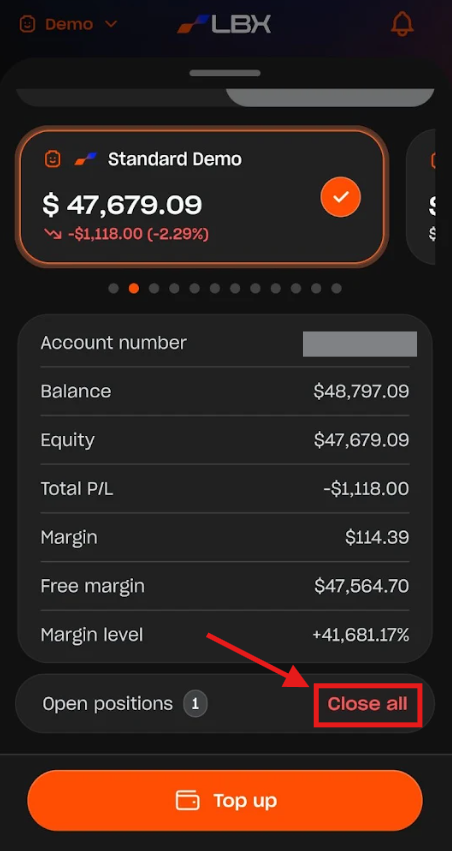
3. Close all positions: Find the "Open positions" field and tap "Close all".
4. Top up accounts: Choose the necessary account and tap the "Top up" button (for Demo accounts) or the "Deposit" button (for Real accounts).
Notifications section
This is a key section where all your account and trading notifications are located. It is vital to stay updated so you don't miss any important alerts or useful updates.
Top up/Deposit section
The Top up/Deposit section allows you to add funds to both your Demo and Real accounts. Before proceeding, make sure you have selected the correct account type.
If you select a Demo account, the "Top up" button will be displayed. Tap it to proceed. On the next screen, you can change the deposit account, if desired, and specify the amount. Tap "Continue" to complete the process.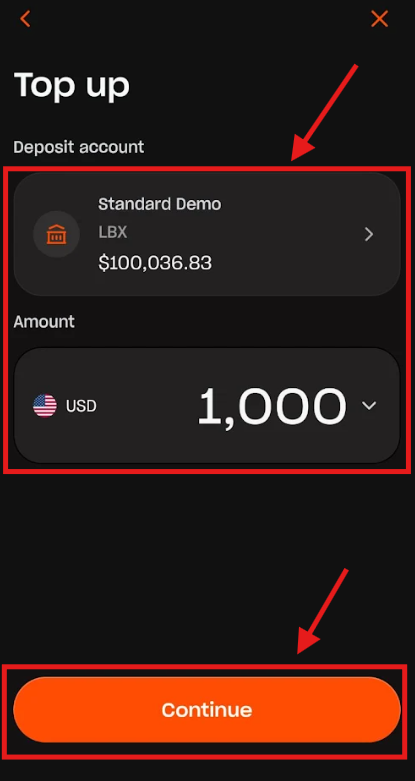
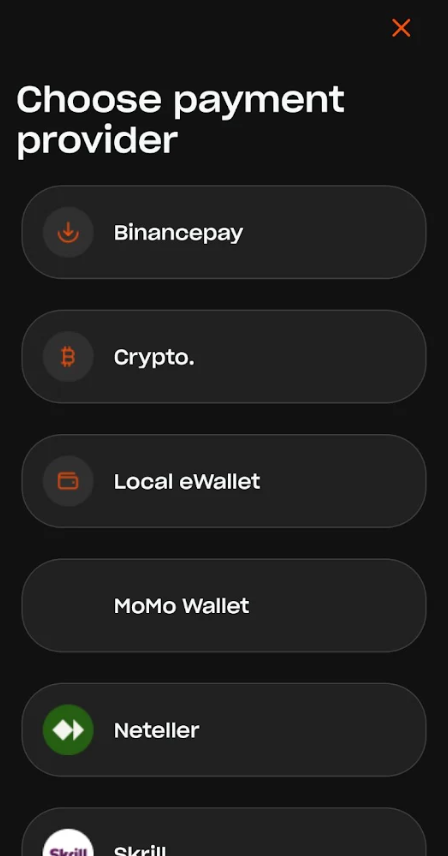
If you select a Real account, the "Deposit" button will be displayed. Tap it to proceed. Then, choose your preferred payment method and follow the on-screen instructions.
Cashback
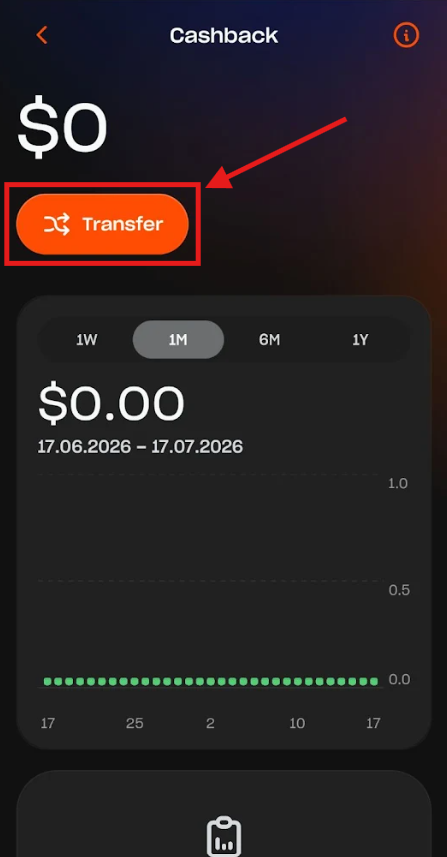
The Cashback section displays your Cashback balance and enables you to transfer funds from the Cashback Wallet to your Trading accounts or main Wallet. To proceed, just tap the "Transfer" button. Then, select the source and deposit accounts, specify the amount, and tap "Continue".
Top movers
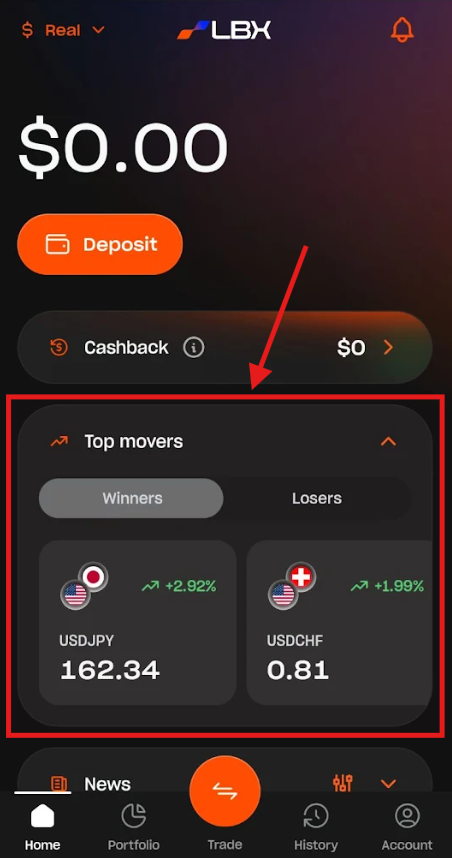
The Top Movers section displays trading pairs with the most significant price increases (Winners) and decreases (Losers). This can be a highly effective tool when identifying potential opportunities for your trading strategy.
News
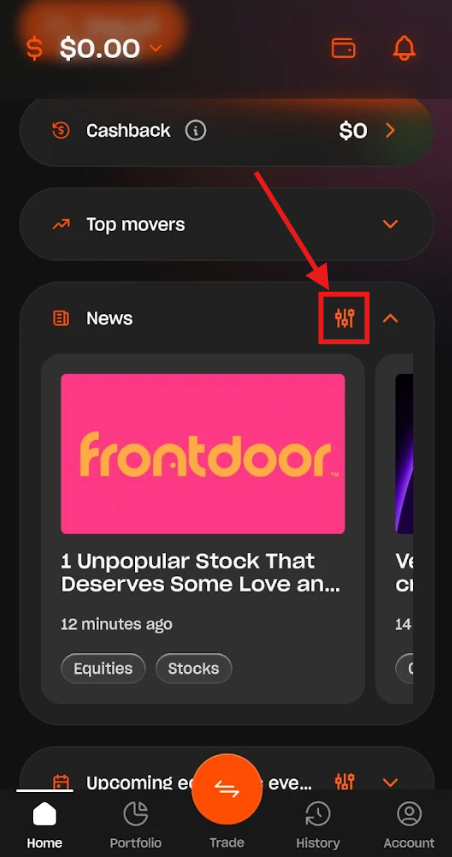
The News section provides global news and insights that can impact the trading world and asset prices. You can customize your feed by type or asset class by tapping the filter icon.
Upcoming economic events
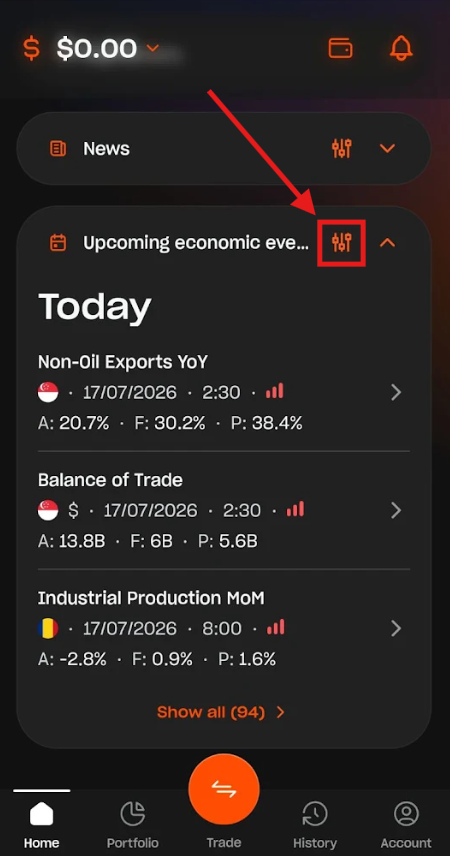
The Upcoming economic events section highlights key global events that can impact your instruments and positions. Staying informed allows you to manage your trades effectively and adjust your strategy accordingly. You can also filter events by date range, region, and importance by tapping the filter icon.
Was this article helpful?
That’s Great!
Thank you for your feedback
Sorry! We couldn't be helpful
Thank you for your feedback
Feedback sent
We appreciate your effort and will try to fix the article