The Account section allows you to manage all account settings, view or update personal data, access account credentials, and handle payments.
1. Personal information
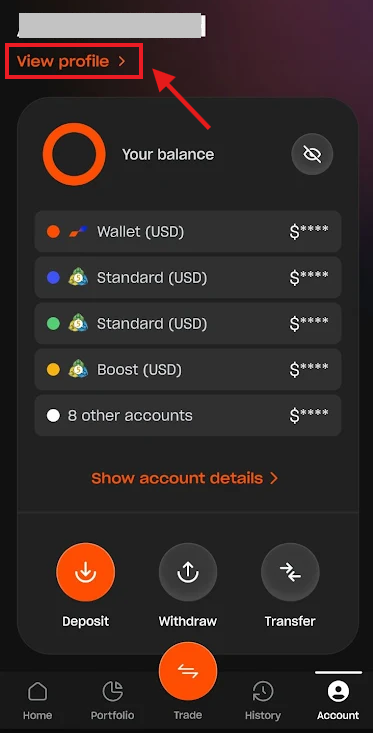
To view your personal information, tap "View profile" at the top of the screen.
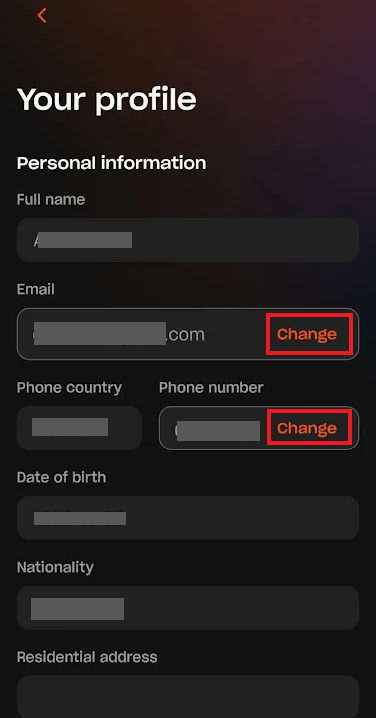
Here, you can update email address and phone number associated with your account.
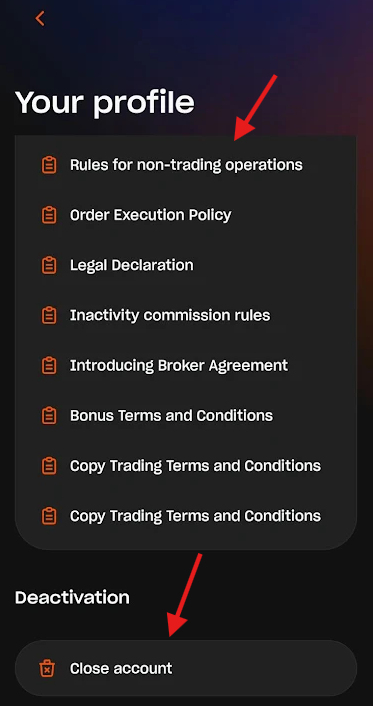
Additionally, this section provides access to all legal documentation, including our Terms and Conditions. You may also request to close your account from here.
2. Account details and Credentials
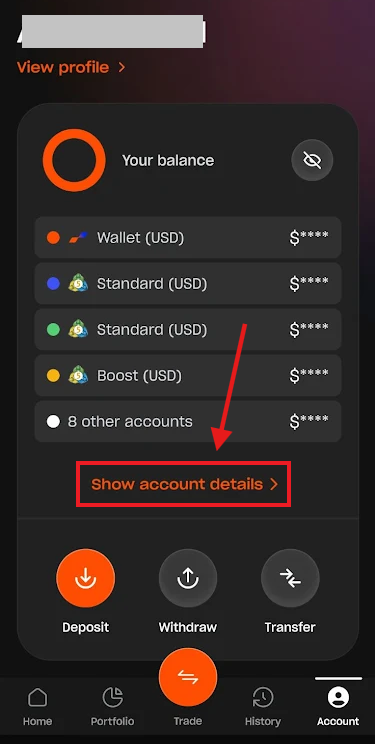
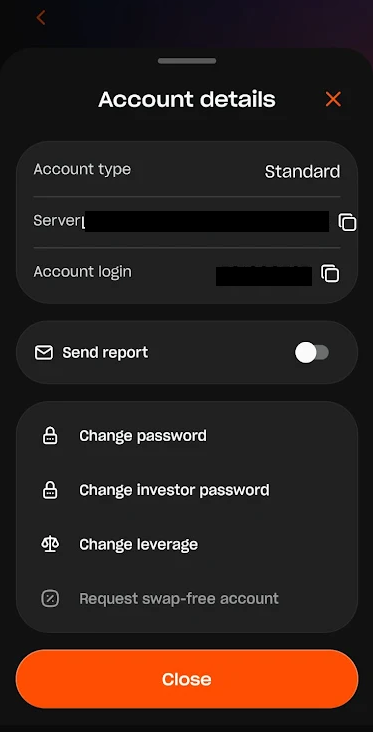
Tap "Show account details" to view a list of all your accounts and select the one you wish to view.
Here, you can view and copy your account credentials, change your main or investor password (for MetaTrader accounts), and adjust your account leverage.
3. Managing payments
You can deposit, withdraw, or perform internal transfers between accounts. Tap the corresponding button to initiate the process.
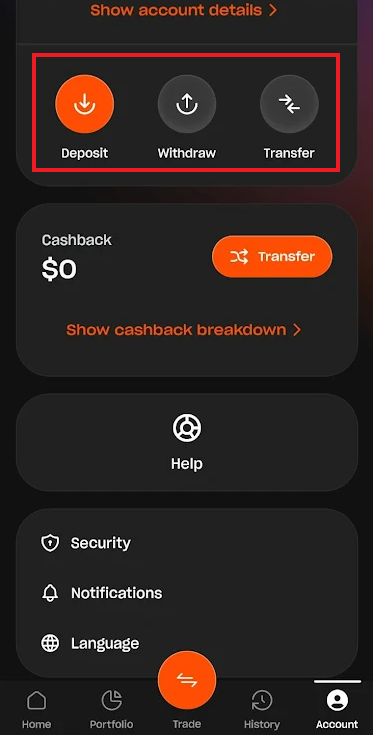
The Cashback tab allows you to transfer your accumulated cashback to your Cashback Wallet. Full rules for our LBX Cashback & Boosted Cashback Campaign are available at this link.
4. More settings
The Help button redirects you to our Help Center, where you can find comprehensive guides and useful information.
In the Security Center, you can enable biometric login (fingerprint), change your app PIN, and manage Two-factor authentication (2FA).
The Notifications section allows you to choose which alerts you want to receive, including updates on your Applications, Documents, Payment Details, etc.
You can change the language by clicking the Language button. We are constantly working on adding more languages for your convenience.
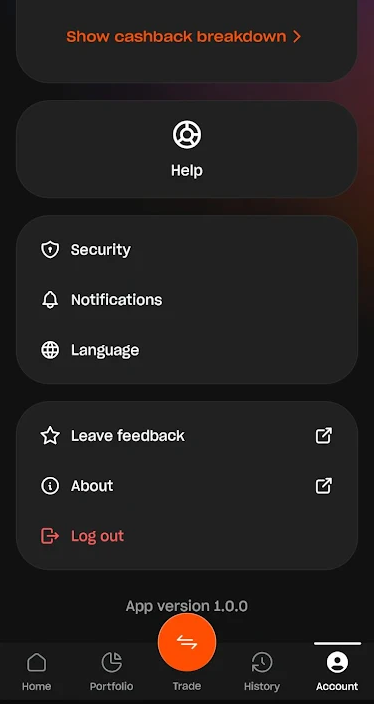
You can also leave feedback or search our website by clicking the corresponding buttons at the bottom of the page.
Was this article helpful?
That’s Great!
Thank you for your feedback
Sorry! We couldn't be helpful
Thank you for your feedback
Feedback sent
We appreciate your effort and will try to fix the article