Follow these steps to log in to your MT4 or MT5 trading account using your mobile device:
Step by step guide for MetaTrader 4:
1. Download the MetaTrader 4 app.
2. Launch the MetaTrader app: On the main screen, tap "Login to an existing account".
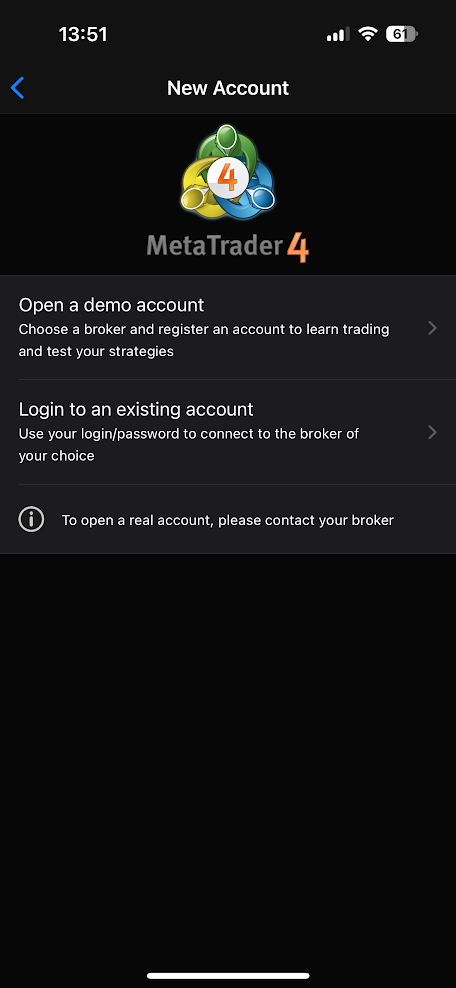
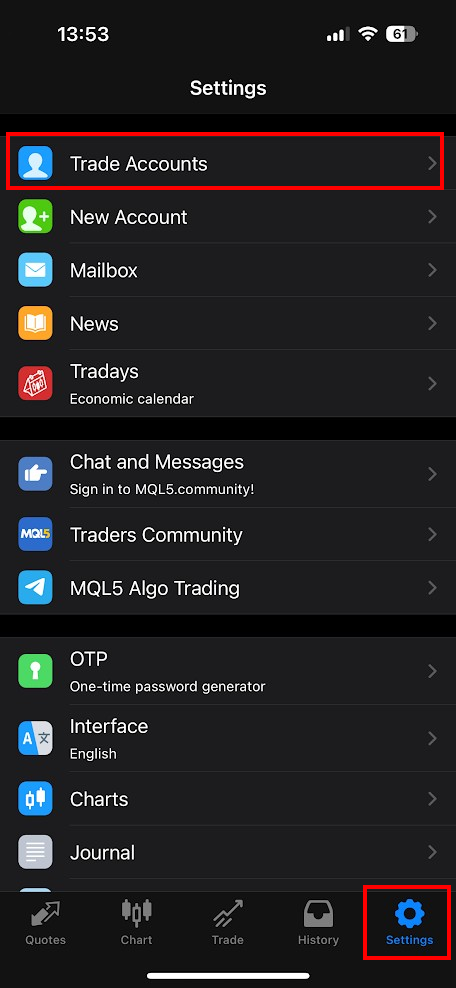
Or tap Setting > Trade Accounts > "+" to add an account
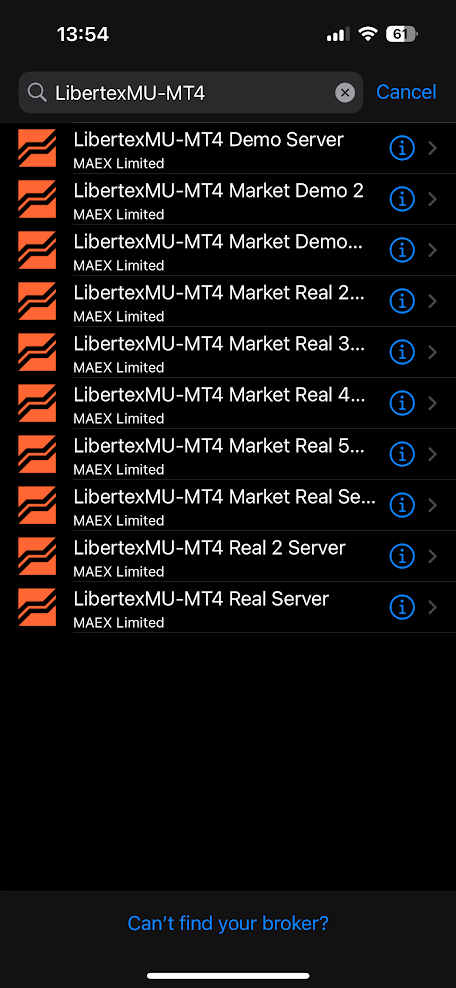
3. Search for your broker’s server
In the search bar, type the name of your broker’s server as shown in your LBX account under the "Accounts" section.
Example: LibertexMU-MT4 Market Real 1 or LibertexMU-MT4 Market Demo 2 (Replace with the exact server name from your LBX account)
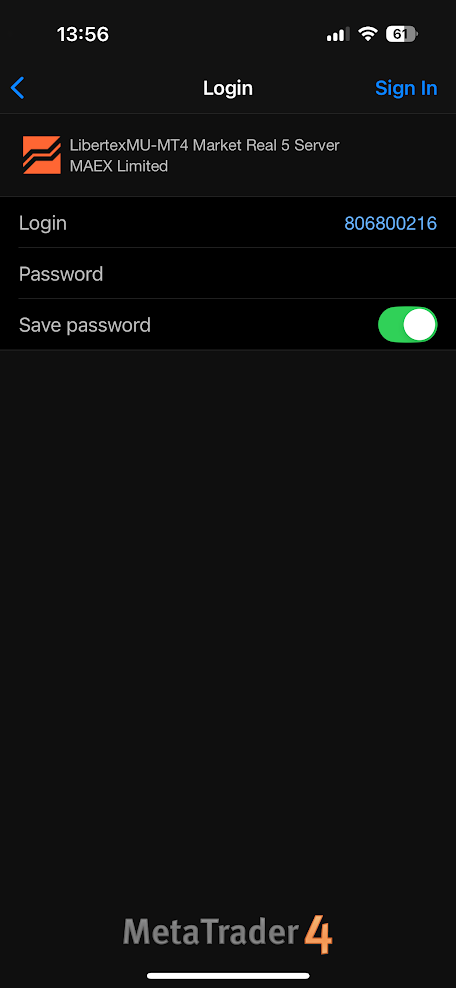
4. Enter your account details
After selecting the correct server, enter:
Login: Your trading account number
Password: Your trading account password
Tap "Sign In".
Step-by-step guide for MetaTrader 5:
1. Download the MetaTrader 5 app.
2. Launch the MetaTrader App: On the main screen, tap Setting > Trade Accounts → "+" to Add an Account
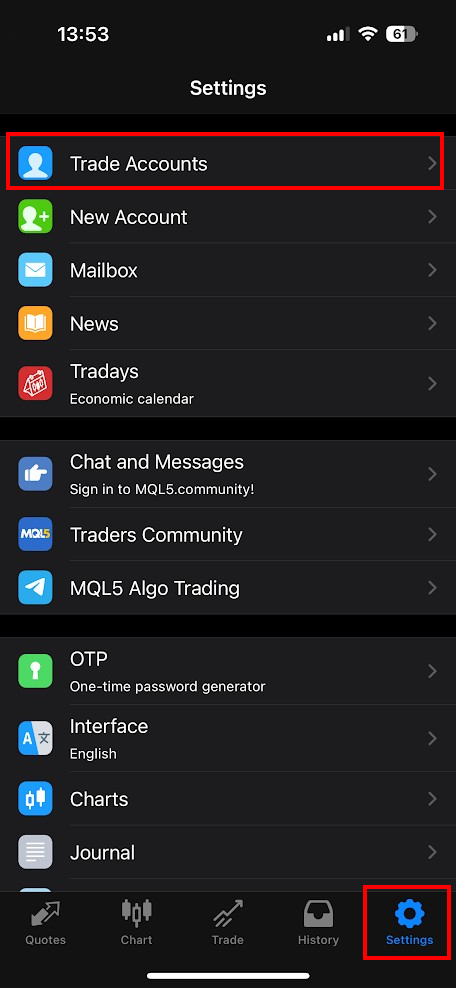
3. Search for your broker’s server
In the search bar, enter the name of your broker's server as provided in your LBX account under the "Accounts" section.
For example: LibertexMU-MT5 Market Real 2 or LibertexMU-MT4 Market Demo 2 (replace with your actual server name)


4. Enter your account details
After selecting the correct server, enter:
Login: Your trading account number
Password: Your trading account password
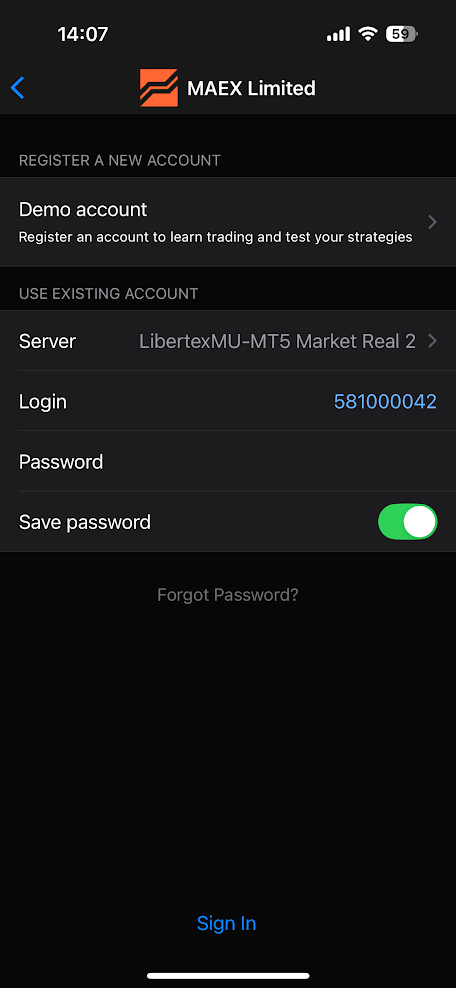
5. You're connected!
If login is successful, you’ll see your balance and live market prices.
Tips:
Make sure you're using the correct MT4 or MT5 app that matches your account type.
If you can't log in, double-check your account number, password, and server name — most login issues are due to incorrect details.
You can always find your credentials in your LBX Personal Area, under the "Accounts" section.
Was this article helpful?
That’s Great!
Thank you for your feedback
Sorry! We couldn't be helpful
Thank you for your feedback
Feedback sent
We appreciate your effort and will try to fix the article