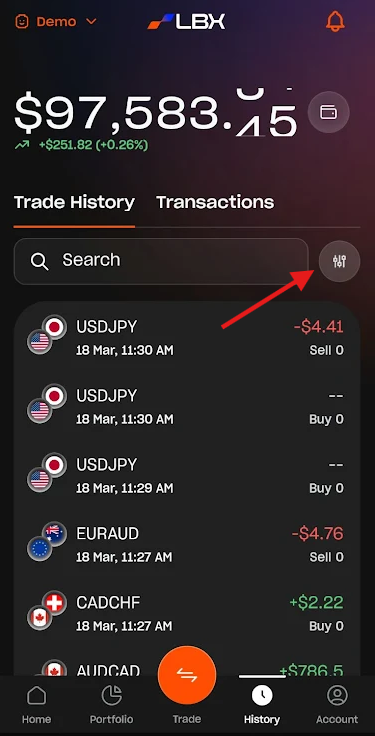
The History section is divided into Trade History and Transactions History.
The Transactions History displays all fund movements, including deposits, withdrawals, and transfers between your accounts.
The Trade History allows you to track all positions for the selected account. You can also filter positions by trade direction (Buy/Sell), profitability (winning or losing trades), and asset class by tapping the filter icon.
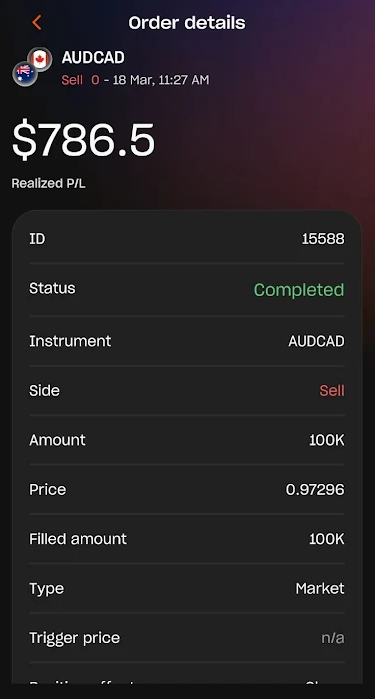
Tap on a specific trade to expand and view all order details.
Was this article helpful?
That’s Great!
Thank you for your feedback
Sorry! We couldn't be helpful
Thank you for your feedback
Feedback sent
We appreciate your effort and will try to fix the article