In the Trade section, you can search for your preferred instruments and execute trades.
Trading instruments
The Trade section features all available trading instruments. You can browse the list or find a specific instrument by tapping the search icon.
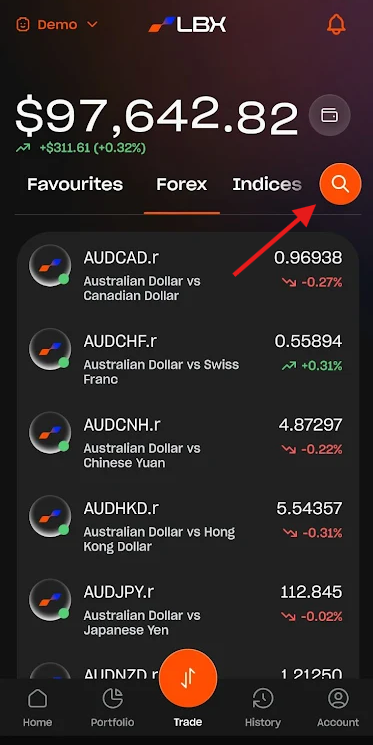
Instrument view and Favourites
Any selected instrument can be added to your Favourites. Once marked, it will appear in the Favorites tab of the main Trade section for quick access.
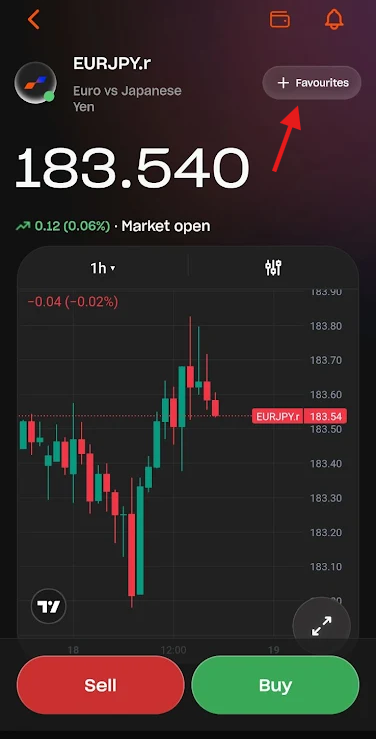
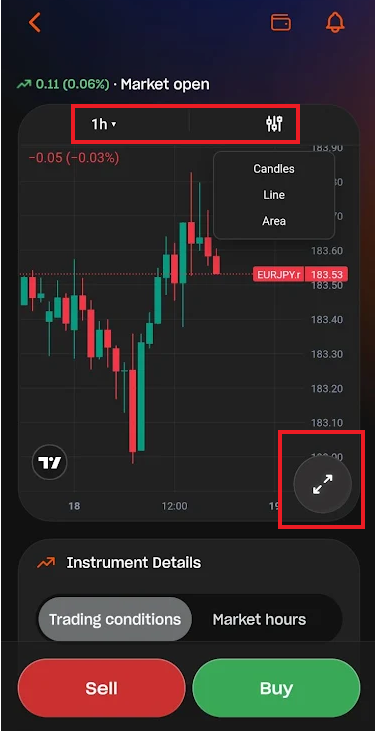
Chart settings
The Instrument view features a chart that can be customized by time frame and display method. You can also expand the chart to access all available technical settings and tools.
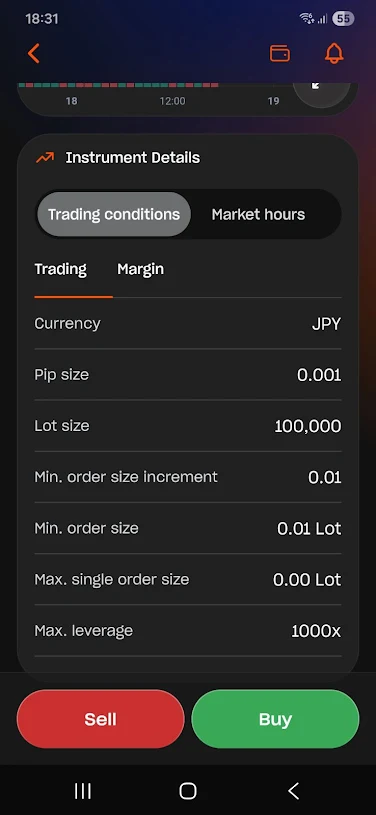
Instrument Details
Below the chart, you can find the Instrument Details section, which shows the trading conditions and market hours for the selected instrument.
Opening a trade
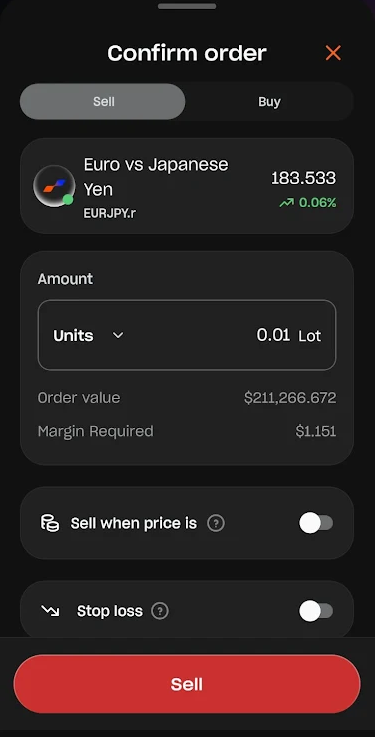
Tap Sell or Buy to prepare your trade. Configure your trade settings and confirm the order.
Was this article helpful?
That’s Great!
Thank you for your feedback
Sorry! We couldn't be helpful
Thank you for your feedback
Feedback sent
We appreciate your effort and will try to fix the article