Video guide
Walkthrough
1. Log in to your account with your account credentials.
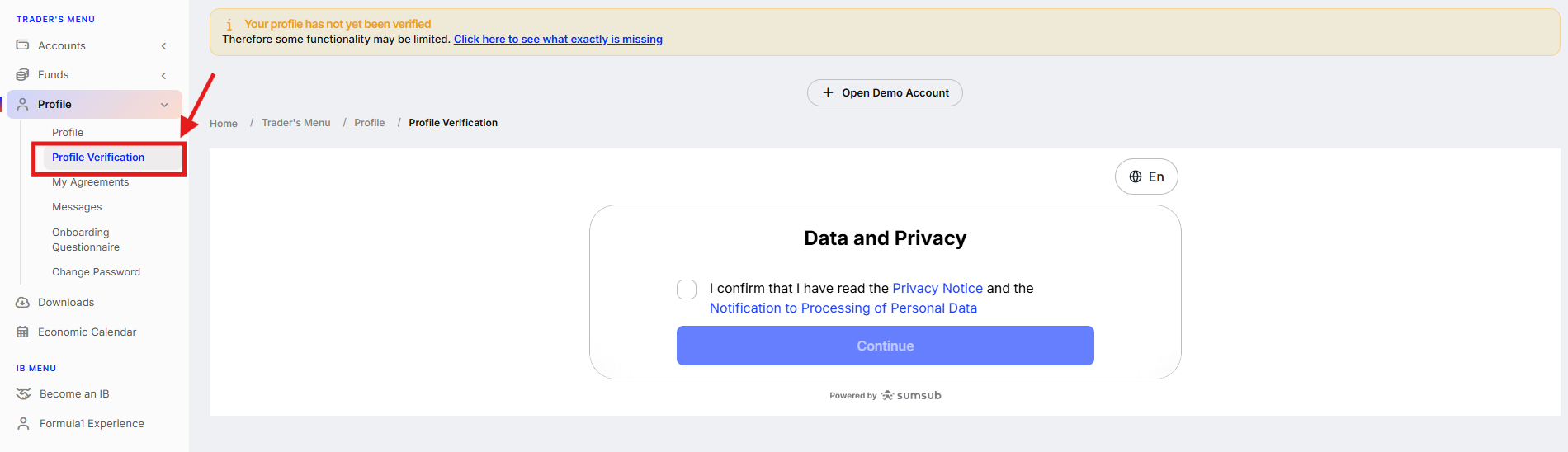
2. Open the "Profile" section and click "Profile Verification". Then, check the box to agree to the Data and Privacy notice and click "Continue".
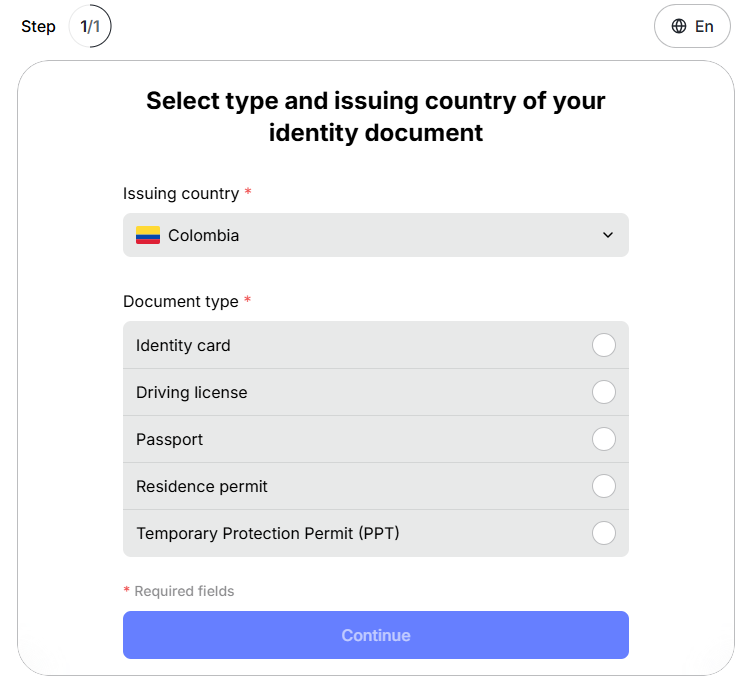
3. Select the issuing country from the list and choose the type of the document to be verified. Click "Continue".
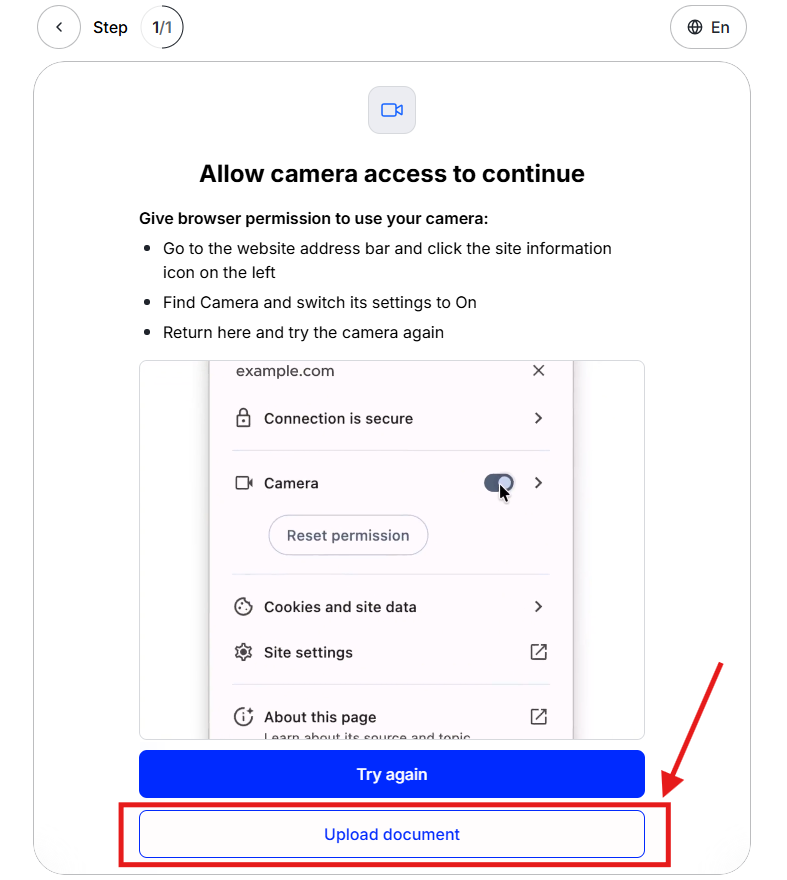
4. Click "Upload document". Upload the front and back sides of your document. Click "Continue".
As soon as your document is reviewed, you will receive an email, confirming that your account has been successfully verified.
Was this article helpful?
That’s Great!
Thank you for your feedback
Sorry! We couldn't be helpful
Thank you for your feedback
Feedback sent
We appreciate your effort and will try to fix the article