We strive to make the client verification process as fast and convenient as possible. All documents are processed by the automated SumSub system, which significantly shortens the verification period for your personal account. However, we understand that difficulties may arise during any automated process.
This article provides guidance on how to proceed should you encounter specific issues.
1. The document upload window has disappeared
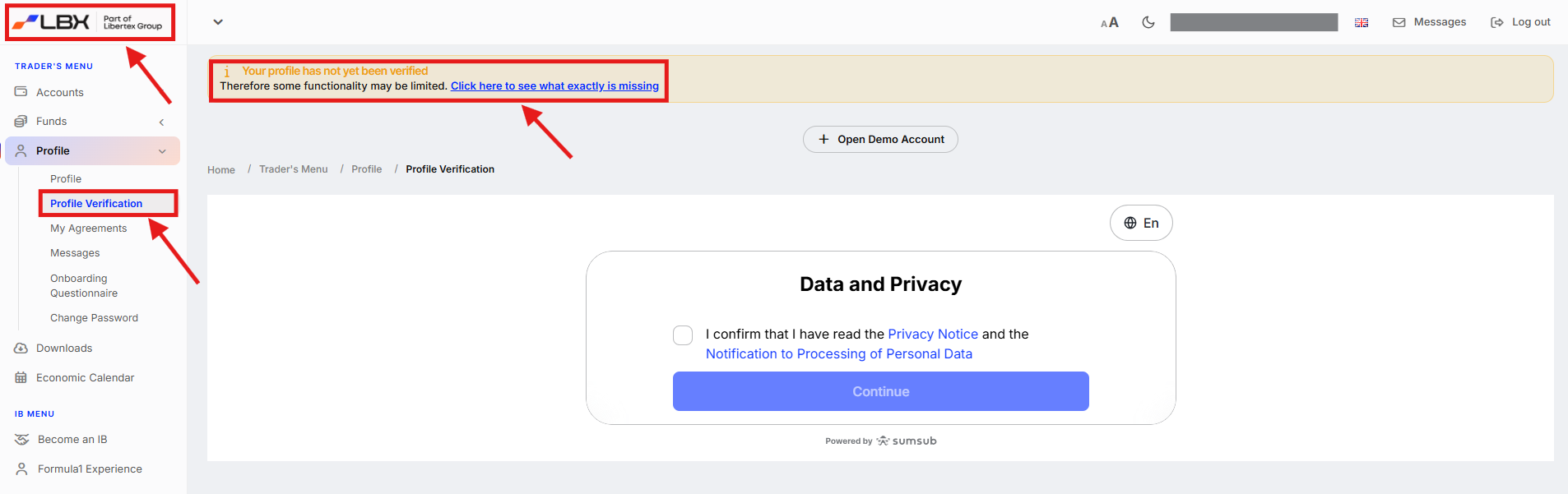
Simply log out of your account and log back in. Upon re-entry, you will be prompted to continue the process. You will see a large banner at the top of the page, and you’ll be able to proceed by clicking "Profile" > "Profile Verification". Alternatively, you can click on the LBX logo in the top left corner.
2. The uploaded document was rejected
Please review the specific comment left by the system. 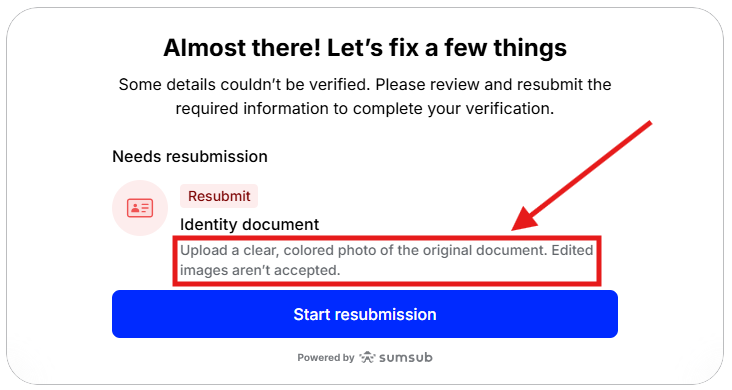
To ensure your document passes verification, it must meet the following criteria:
- Image quality: The quality must be sufficient for the system to recognize it. We recommend photographing the document in good lighting.
- Visibility of edges: All edges of the document must be clearly visible. We recommend placing the document on a contrasting surface and photographing it from above. Ensure the background surface is visible around every edge to prove the document is not cropped.
- Document age: Address confirmation documents must not be older than 3 months. The system will automatically reject older documents.
- Account holder name: The address confirmation document must explicitly contain the client’s name.
- No digital copies: We do not recommend taking a photo of a document from another screen (mobile device, tablet, or computer). The system will not accept these images.
In most cases, taking new photos following the instructions above and re-uploading them will resolve the issue. Otherwise, please contact our Support Team.
3. Documents were successfully checked, but the verification process shows as incomplete
Please reach out to our Support team. Under normal circumstances, your account status updates automatically upon a successful check. If this hasn't happened, let us know via any convenient channel, and we will resolve the matter as soon as possible.
Was this article helpful?
That’s Great!
Thank you for your feedback
Sorry! We couldn't be helpful
Thank you for your feedback
Feedback sent
We appreciate your effort and will try to fix the article