Need to adjust your account leverage? You can easily request a change through your Personal Area.
Steps to request a leverage change:
1. Log in to your personal profile.
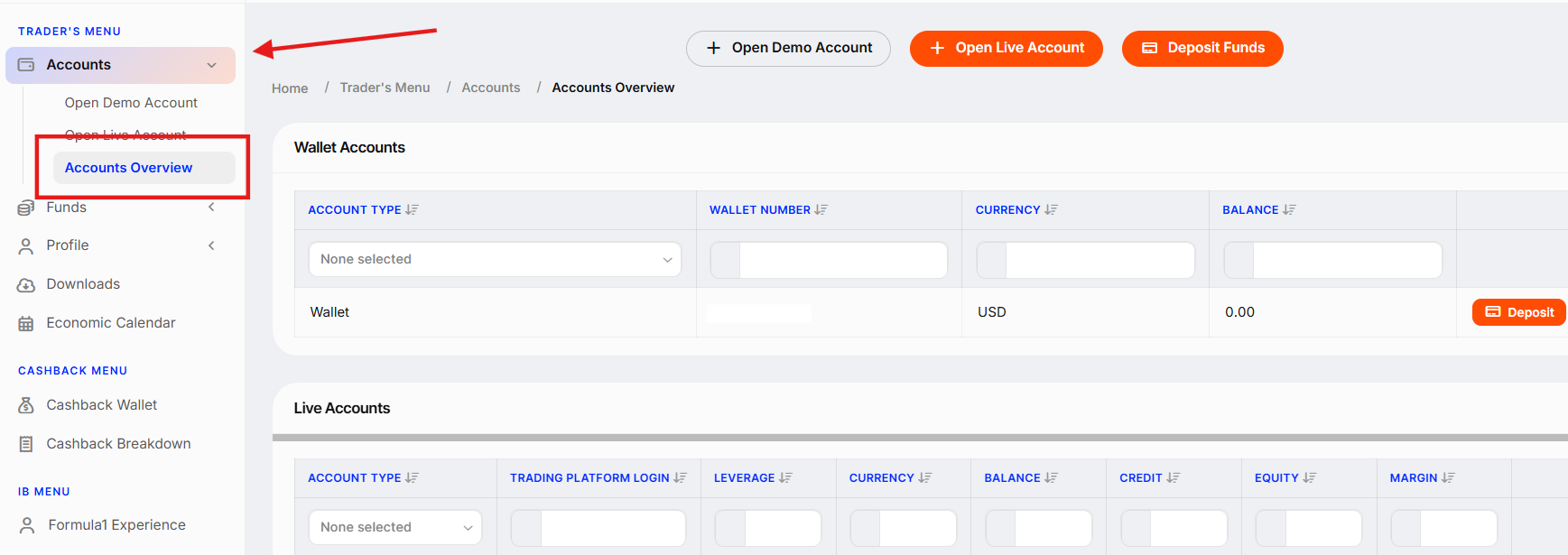
2. Go to the "Accounts" section and select "Accounts Overview".

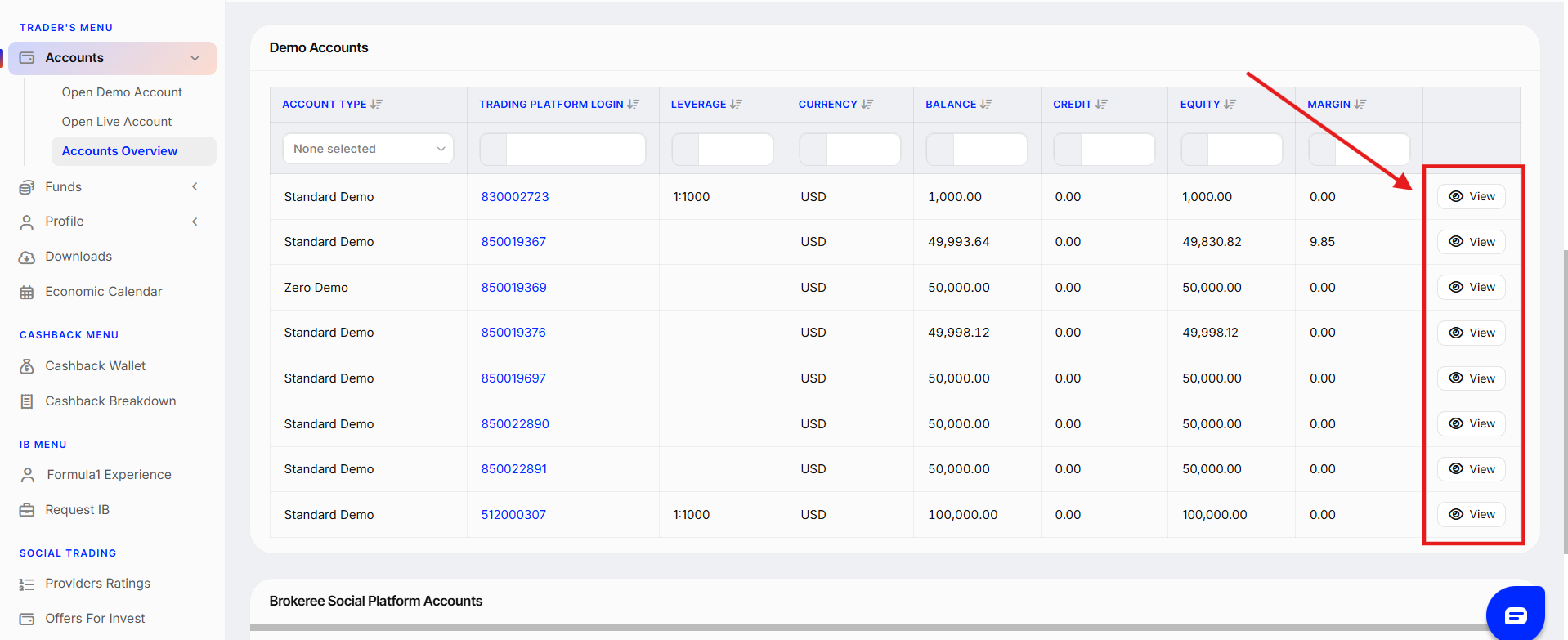
3. Click "View" next to the account you’d like to update.
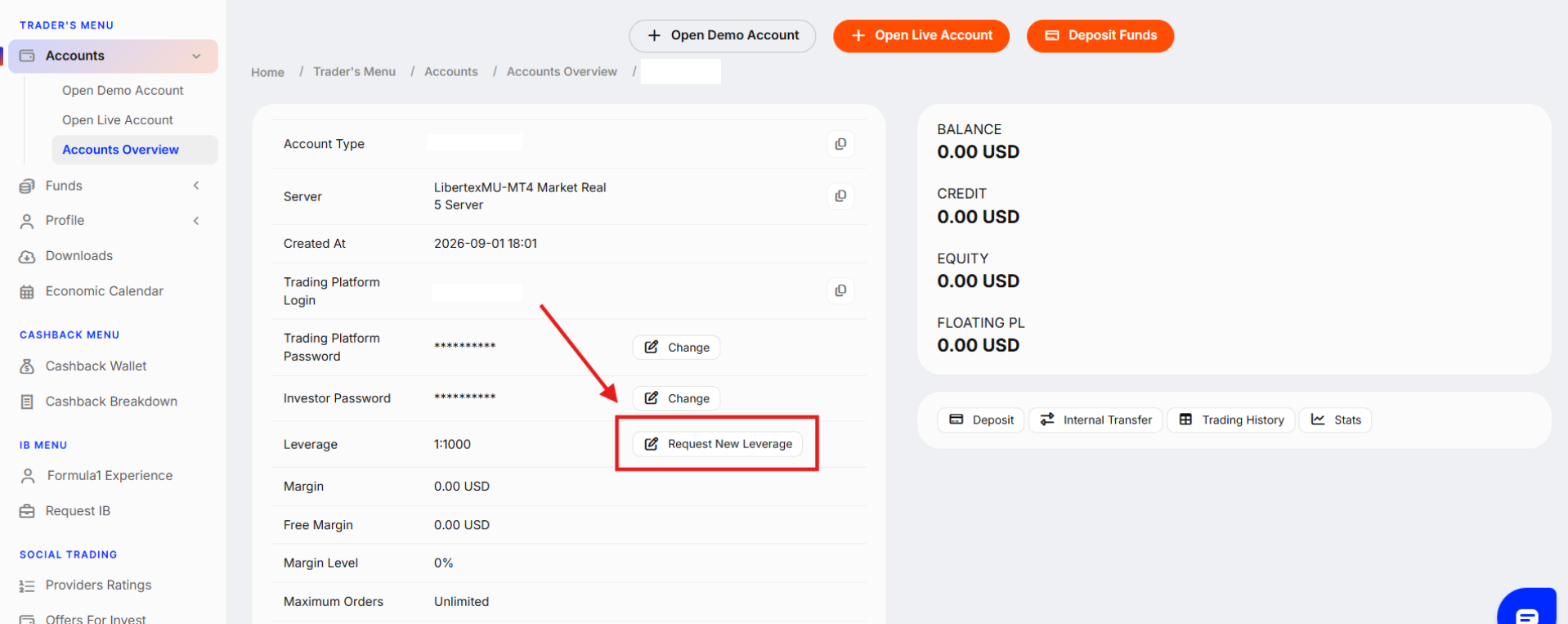
4. Click the "Request New Leverage" button (or "Change" for Demo accounts) to request a leverage change.
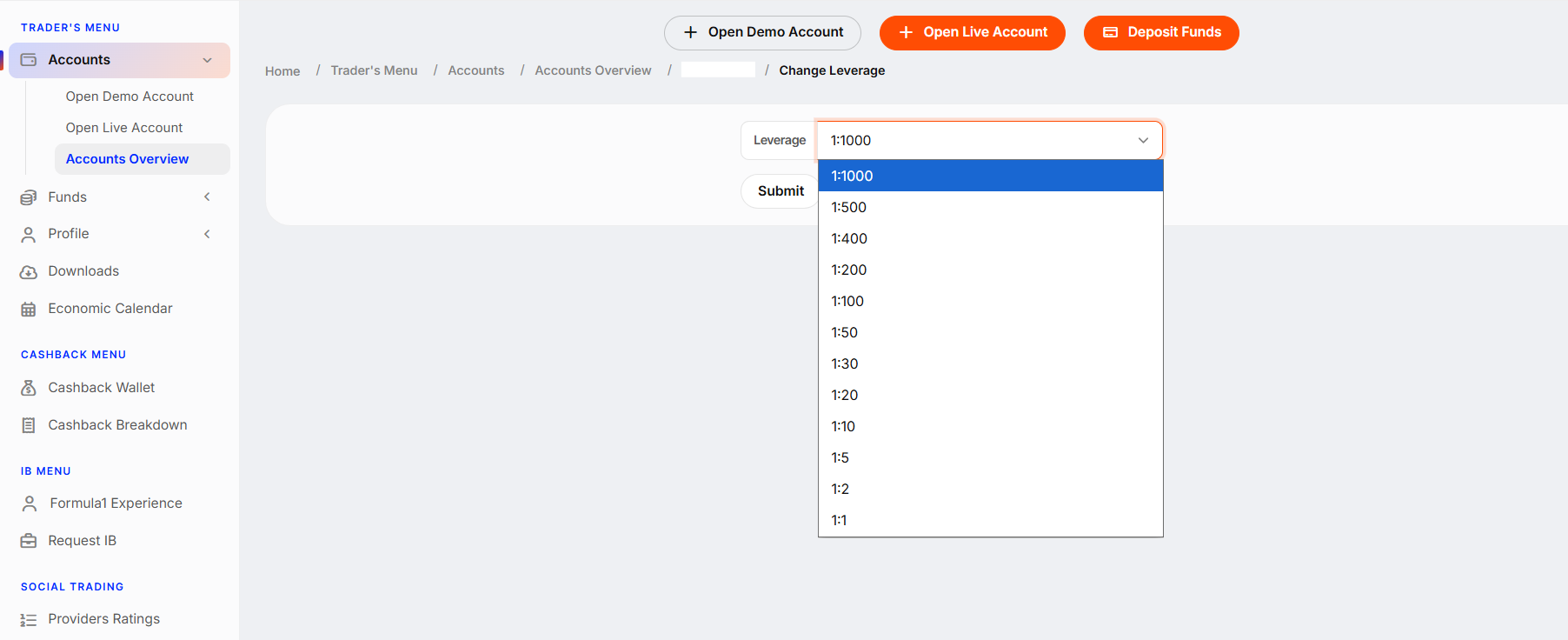
5. Select new leverage from the list and click "Submit".
Requests to change leverage for Real Accounts are typically reviewed by our team and processed within 3 business days. Thank you for your understanding and cooperation!
Was this article helpful?
That’s Great!
Thank you for your feedback
Sorry! We couldn't be helpful
Thank you for your feedback
Feedback sent
We appreciate your effort and will try to fix the article