An Offer is a trading package that a Provider sets up for Followers. It defines how trades are copied and what the terms are — including performance fees, visibility, and more.
To make your strategy available to others, you need to create at least one Offer. You can also create multiple Offers with different settings to attract different types of Followers.
How to create an Offer
Once you’ve become a Provider, follow these steps:
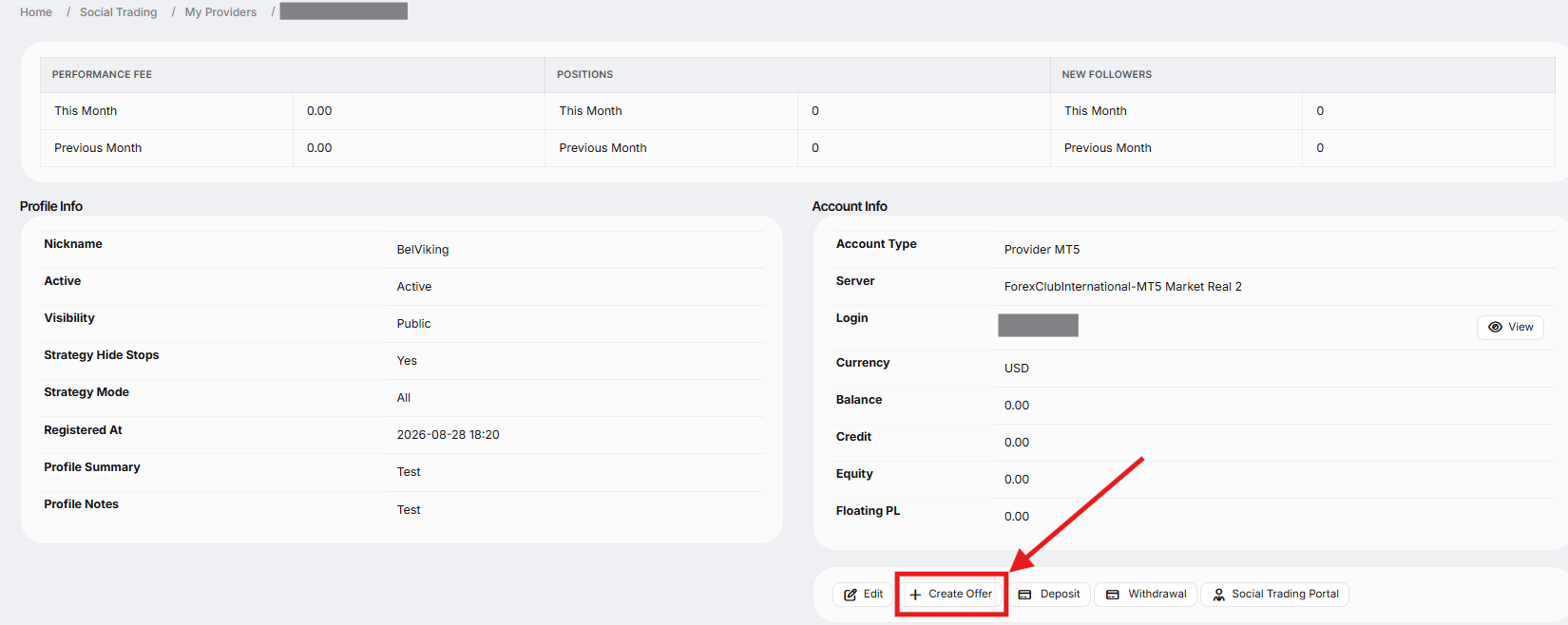
Go to "Social Trading" → "My Providers"
Click "View" next to your Provider name.

Click "Create Offer" and complete the form.
Offer Form details:
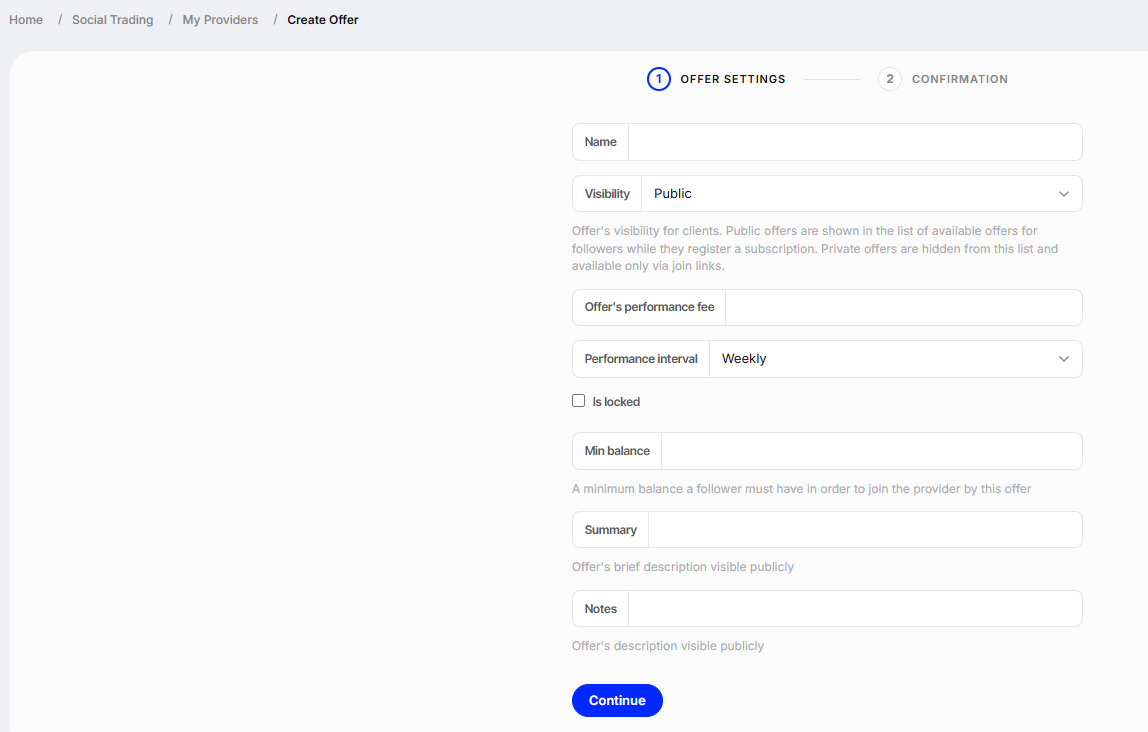
Name – What your Followers will see when choosing an Offer
Visibility
Public – Shown in the Offer list for all Followers
Private – Hidden, only accessible via join link
Performance Fee – A percentage of your Followers’ profits
Interval – Choose how often fees are calculated: weekly or monthly
Is Locked – Locks the chosen interval so it can’t be changed
Minimum Balance – The minimum account balance required to subscribe
Summary – A short public description of the Offer
Notes – Any information you want to share with Followers
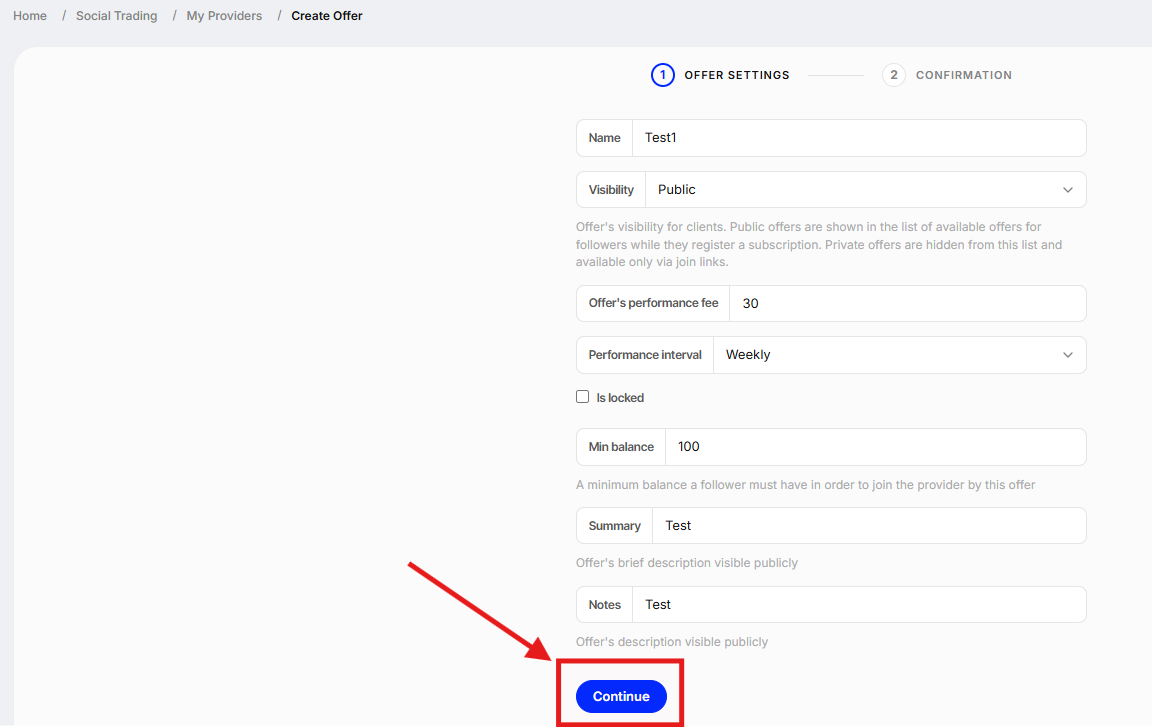
4. Click "Continue" to save your Offer
Tips
- You must create at least one Offer to make your strategy available.
- Each strategy (Provider account) can have multiple offers.
Was this article helpful?
That’s Great!
Thank you for your feedback
Sorry! We couldn't be helpful
Thank you for your feedback
Feedback sent
We appreciate your effort and will try to fix the article