A Real account allows you to trade on live financial markets using real funds. The process to open a Real account is very similar whether you're using the desktop or mobile version of the platform:
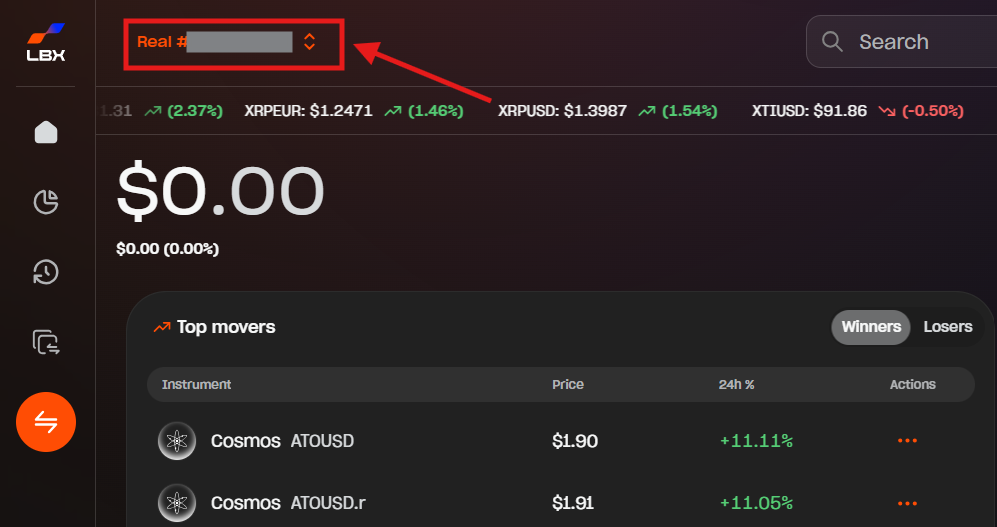
1. Click or tap "Demo" or "Real" at the top of the screen to view your accounts.
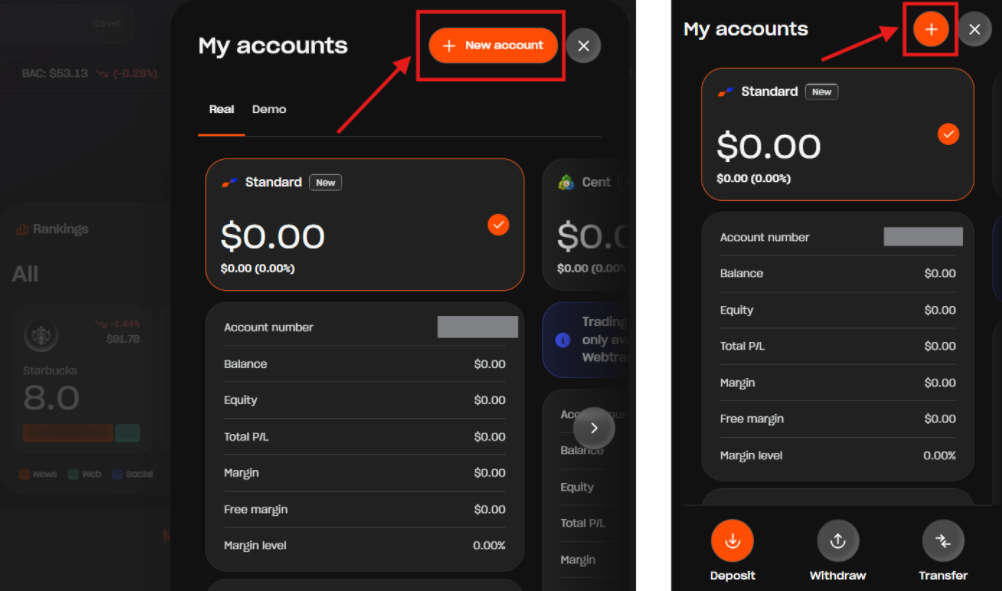
2. Click "+ New account" (on desktop) or tap the "+" icon (on mobile).
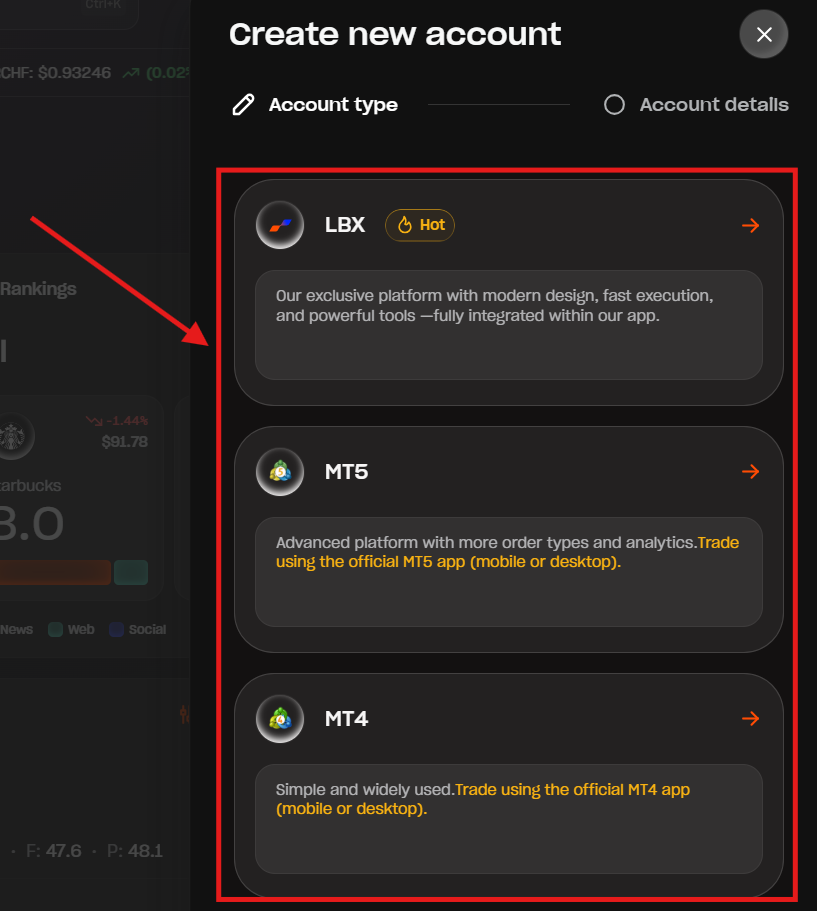
3. Select your desired platform (such as "LBX", "MT5", or "MT4").
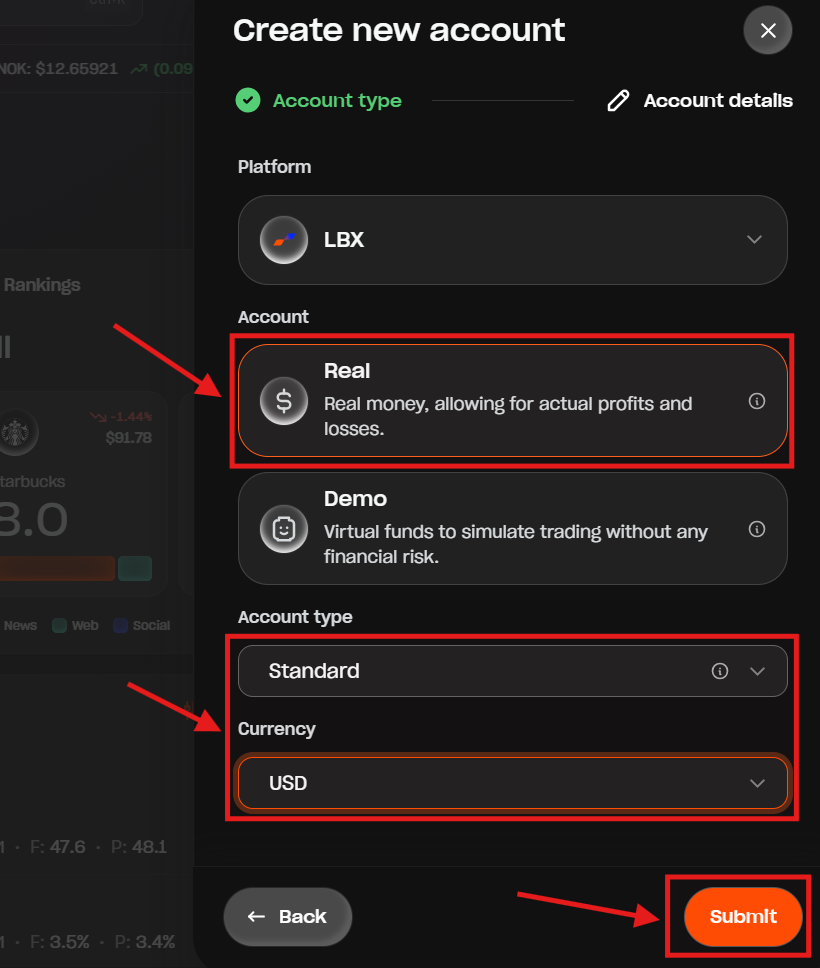
4. Select "Real", choose the account type and currency, and click or tap "Submit".
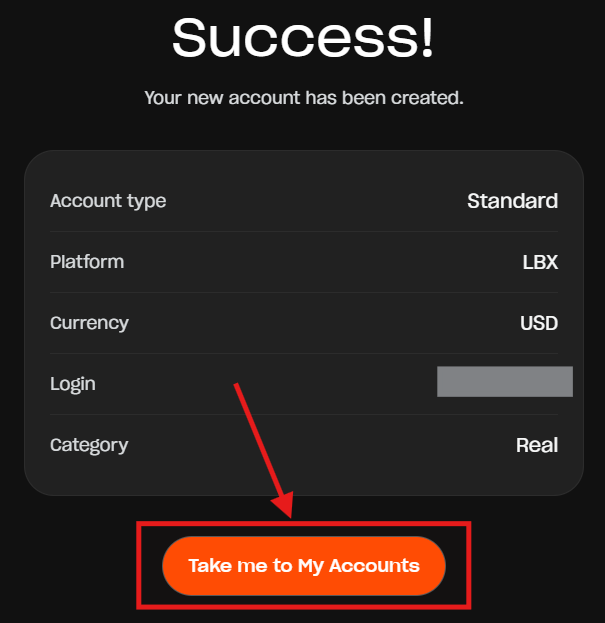
5. You will see a success message confirming your new Real account has been created. Click or tap "Take me to My Accounts" to get started.
Was this article helpful?
That’s Great!
Thank you for your feedback
Sorry! We couldn't be helpful
Thank you for your feedback
Feedback sent
We appreciate your effort and will try to fix the article