Video guide
Walkthrough
Please note that before opening a trading account, it is necessary |
In order to open a trading account, please follow the instructions:
1. Click "Open Live Account" or click "Accounts" and select "Open Live Account" from the dropdown list. .
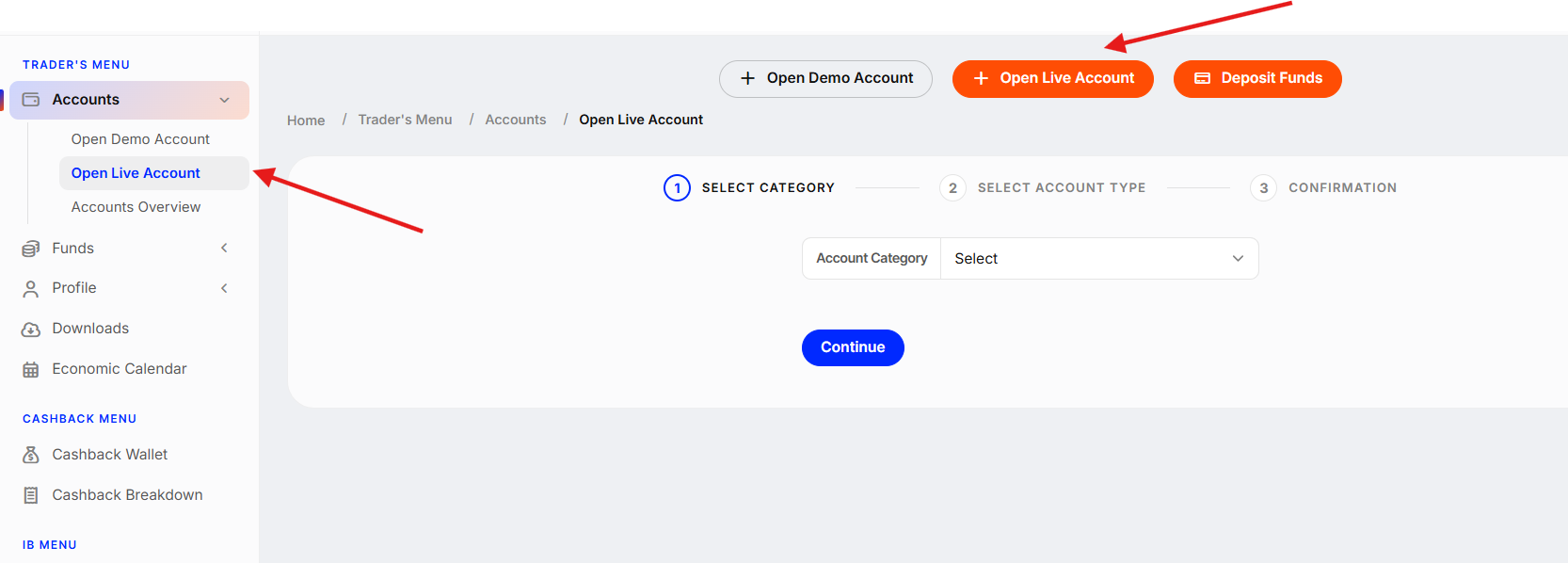
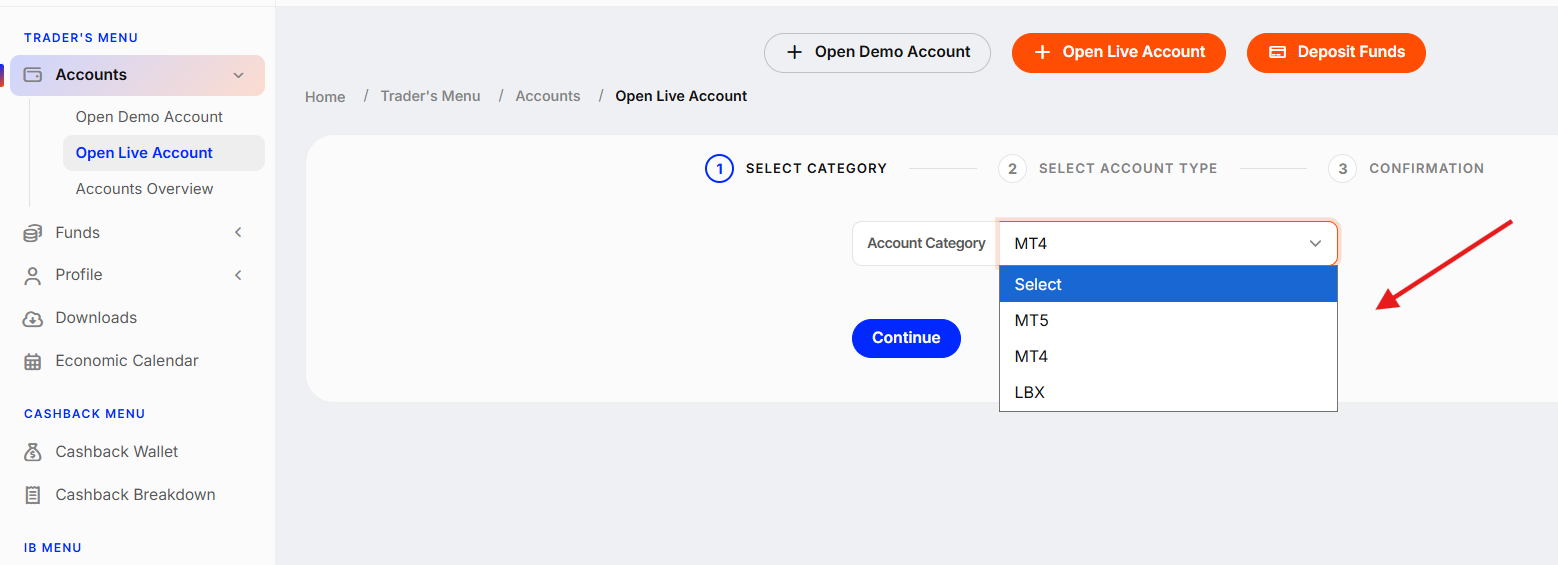
2. Select the account category (MT5 / MT4 / LBX) and click "Continue".
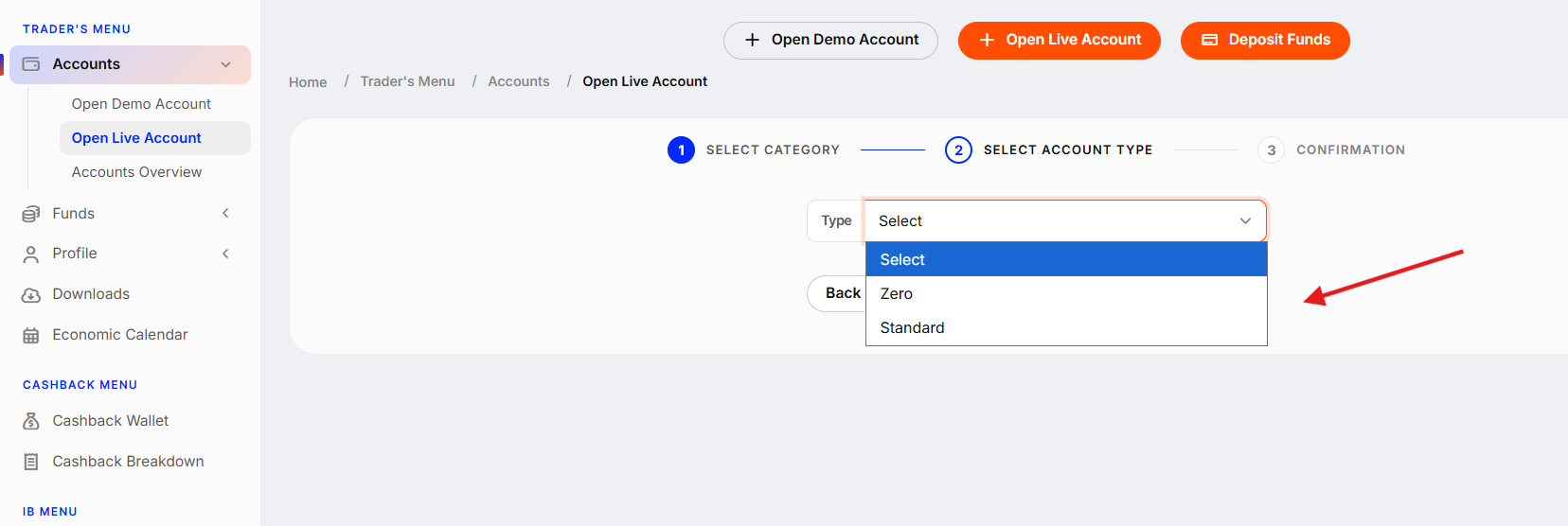
3. Select the account type (Zero / Standart). You can read more about the account types here.
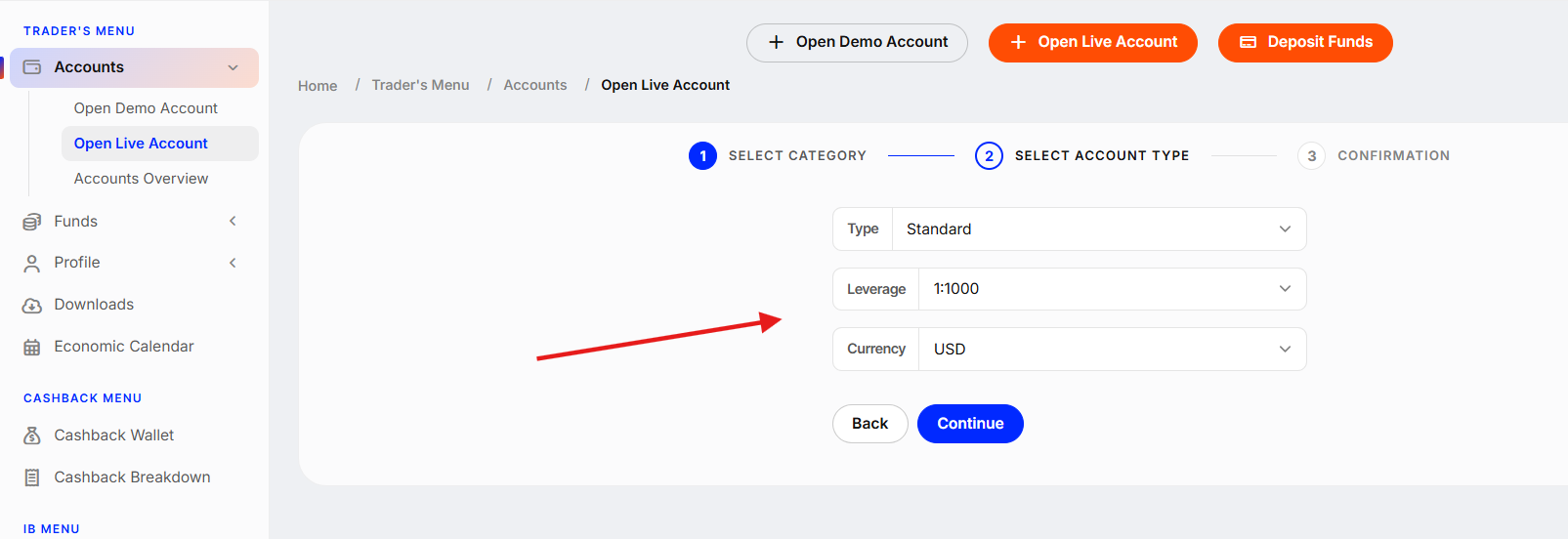
4. Select the account Leverage and Currency and click "Continue".
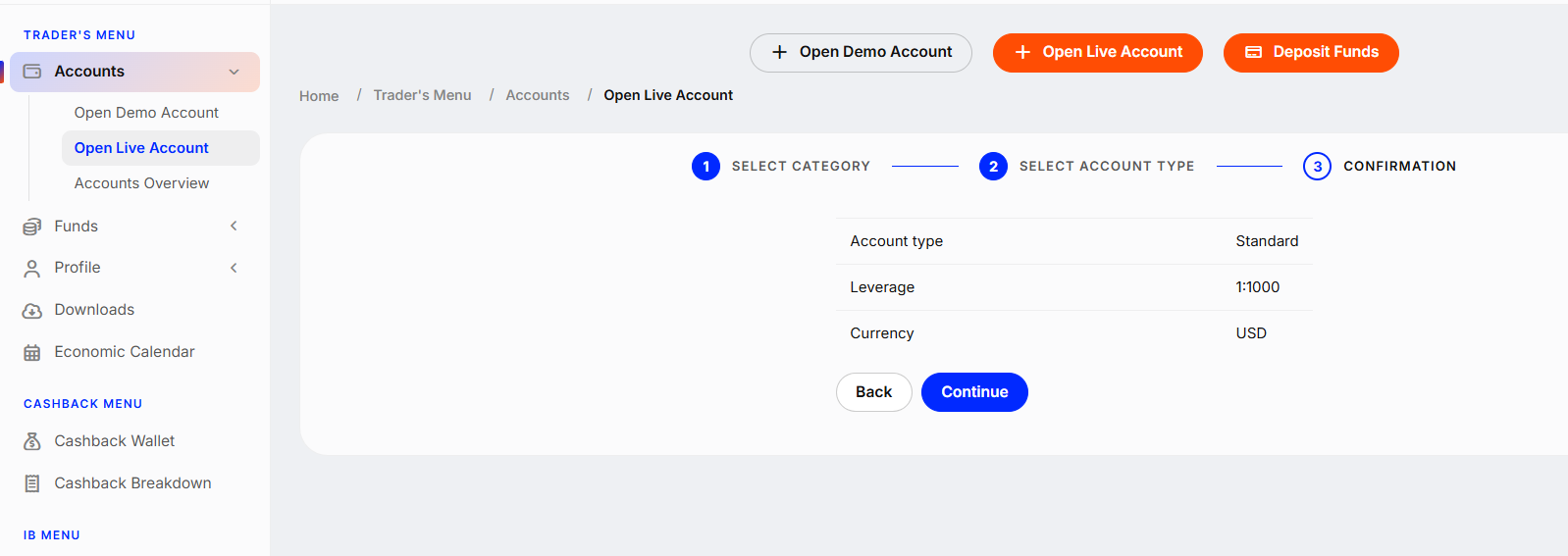
5. Double-check the account details and click "Continue".
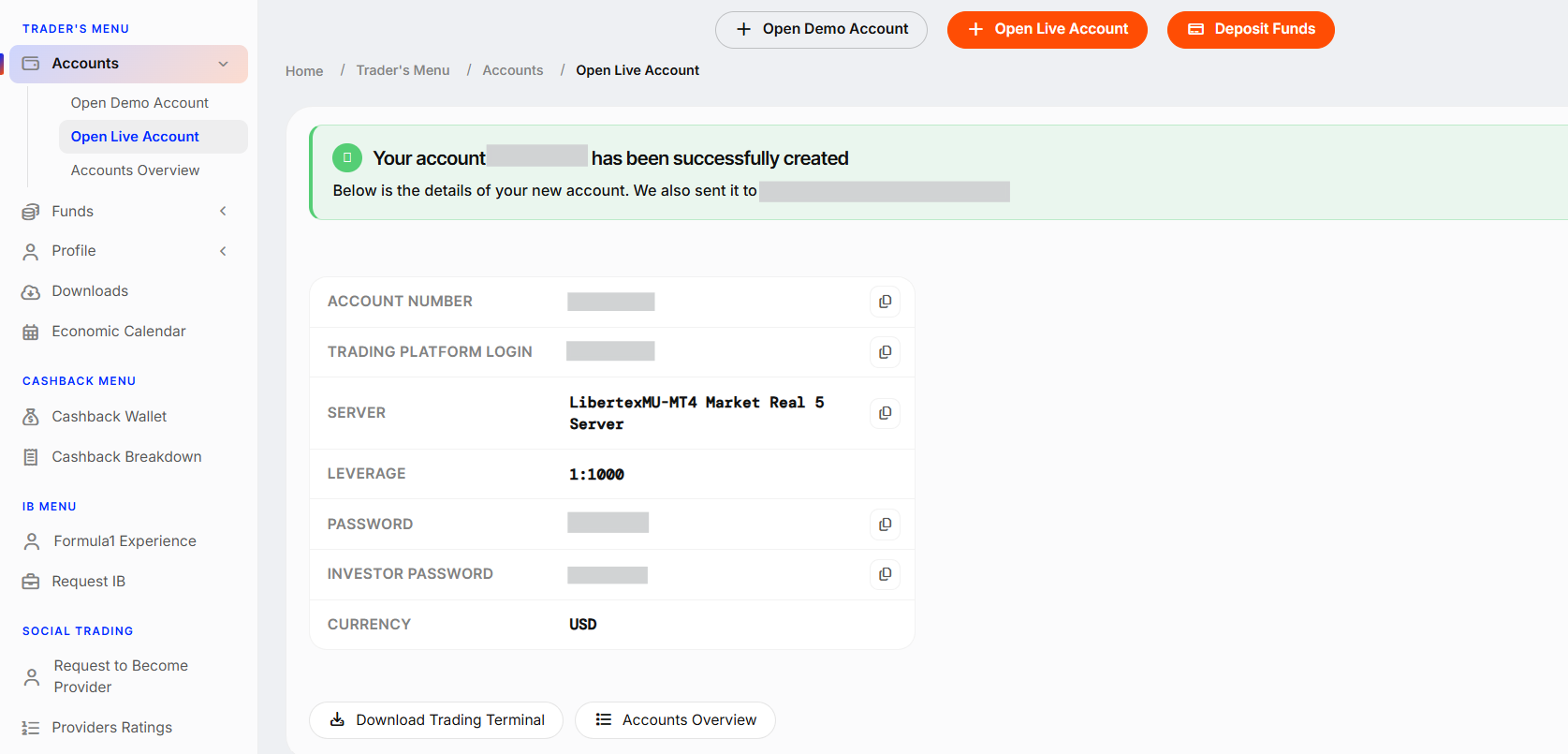
6. You will see all the details for your new Live account after the account is created. We will also send it to your email address.
Was this article helpful?
That’s Great!
Thank you for your feedback
Sorry! We couldn't be helpful
Thank you for your feedback
Feedback sent
We appreciate your effort and will try to fix the article