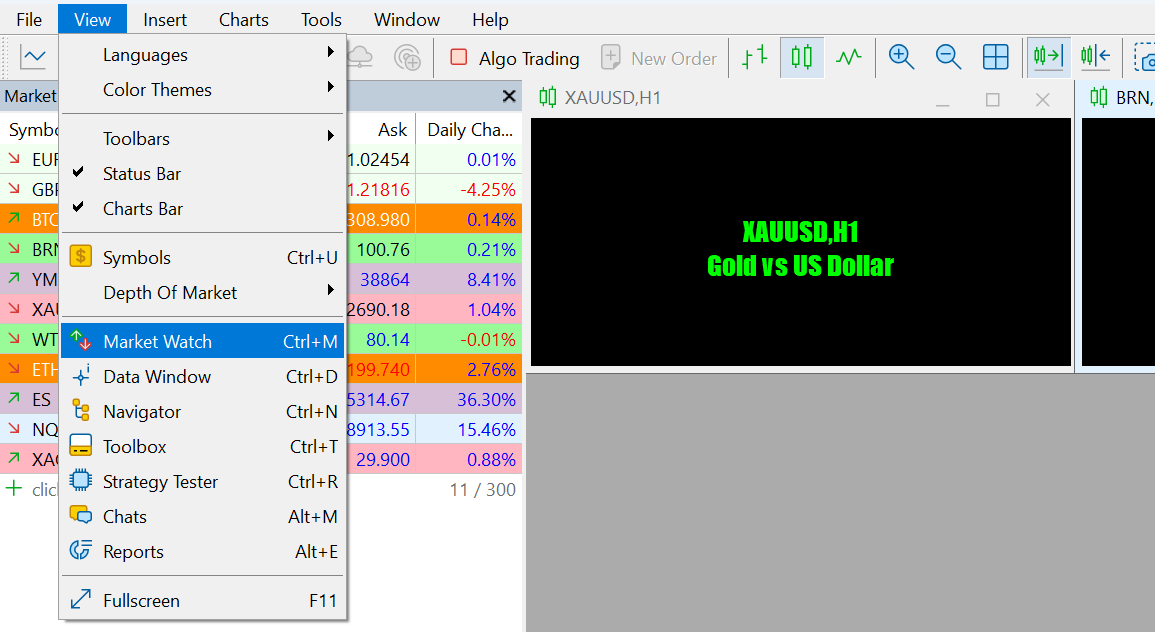
1. Open the "Market Watch" window: Click View > Market Watch, or use the shortcut Ctrl + M.
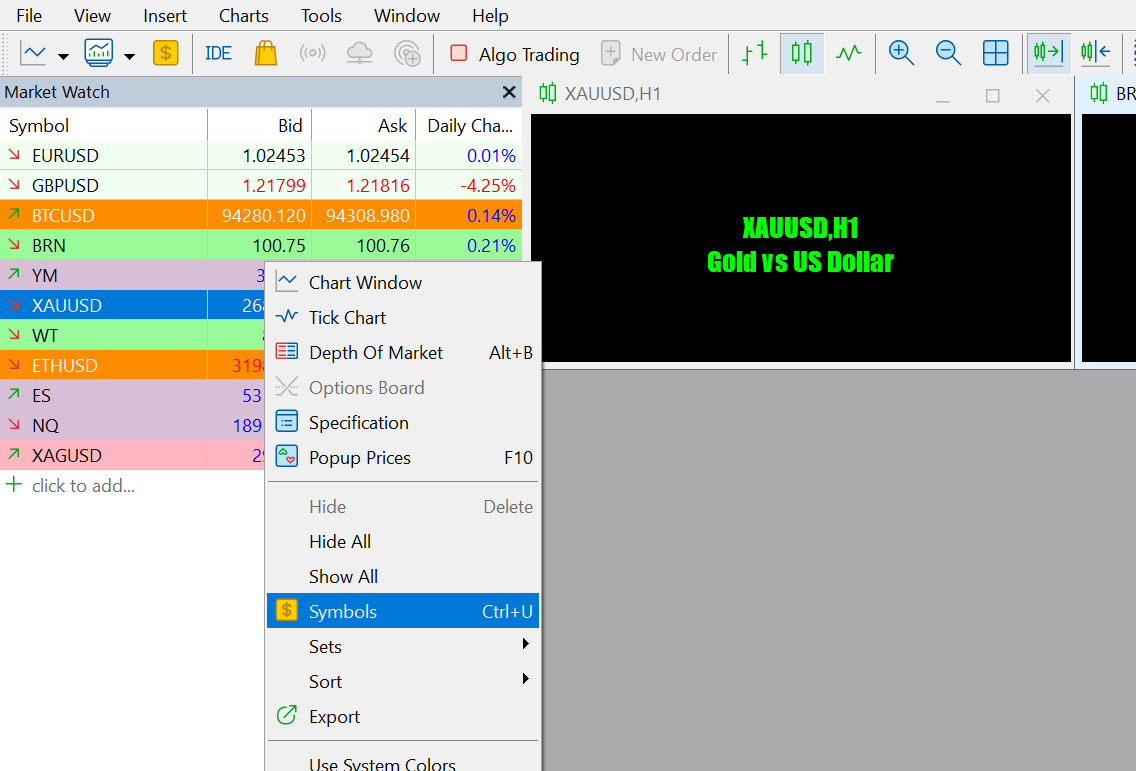
2. In the "Market Watch" window, right-click anywhere.
3. Select "Symbols" from the right-click menu.
4. In the "Symbols" window, select the trading instrument you would like to add and click "Show Symbol".
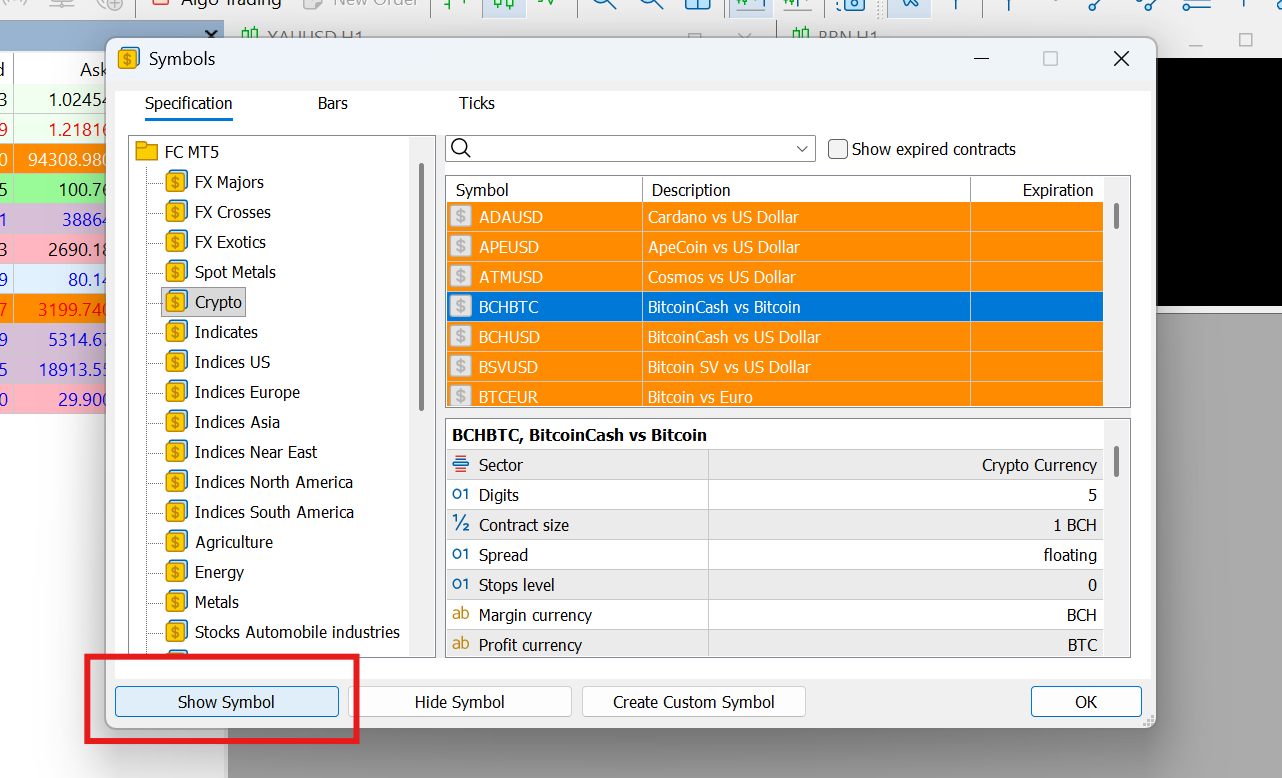
5. After selecting the instrument, close the window.
Useful tips
You can hide or add back the hidden symbols at any time in the "Symbols" window.
Keep the "Market Watch" window clear — it can help to improve trading efficiency.
You can arrange multiple charts using the "Window" tab in the top menu (like Tile or Cascade), or manually resize and drag them. To customize the look (colors and styles), right-click any chart and select "Properties" or use "Templates" to apply the same look to all of them.
Was this article helpful?
That’s Great!
Thank you for your feedback
Sorry! We couldn't be helpful
Thank you for your feedback
Feedback sent
We appreciate your effort and will try to fix the article