1. Open the "Market Watch" window: Click View > Market Watch (or press Ctrl + M).
2. Right-click anywhere within the "Market Watch" area.
3. From the pop-up menu, click on "Spread" or select "Columns" (in MetaTrader5).
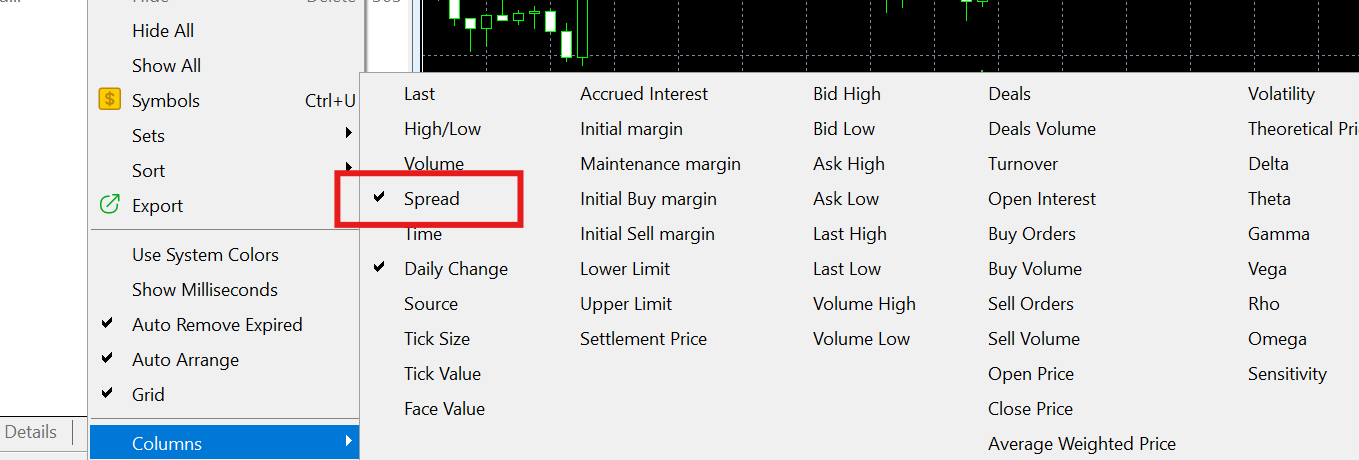
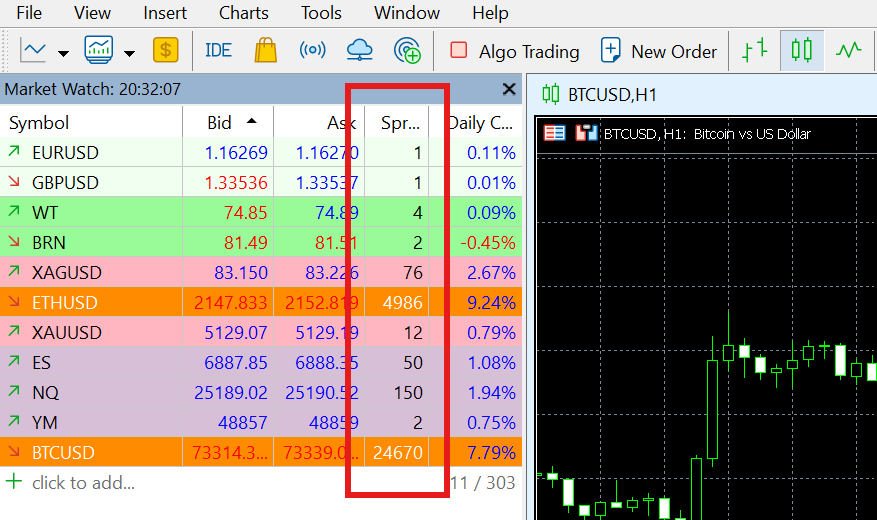
4. Select the "Spread" option for the spread information to be displayed.
Was this article helpful?
That’s Great!
Thank you for your feedback
Sorry! We couldn't be helpful
Thank you for your feedback
Feedback sent
We appreciate your effort and will try to fix the article