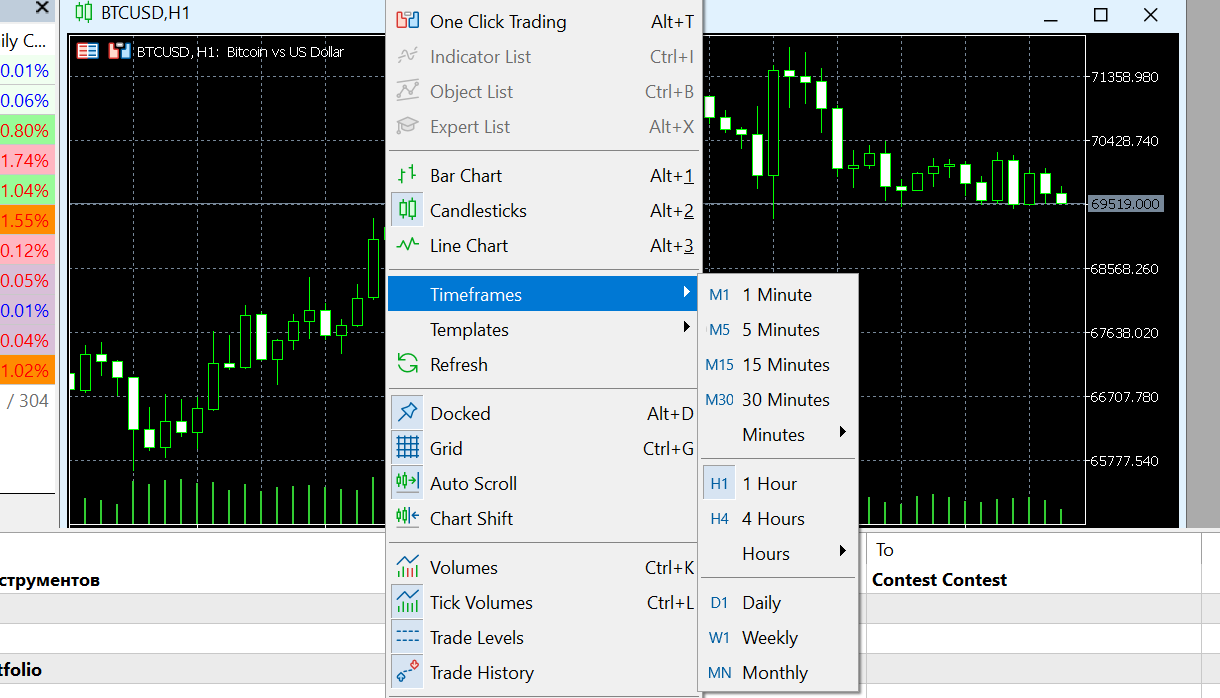
1. Open the chart for the symbol you wish to modify.
2. Right-click anywhere within the chart area.
3. Hover over "Timeframes" and select your preferred interval (e.g., M15, H1, D1) from the list.
Was this article helpful?
That’s Great!
Thank you for your feedback
Sorry! We couldn't be helpful
Thank you for your feedback
Feedback sent
We appreciate your effort and will try to fix the article