You can create multiple trading accounts and switch between them whenever necessary.
How to create a trading account
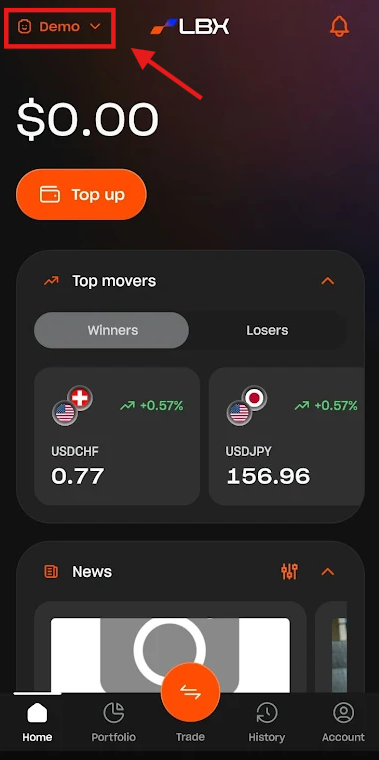
1. Tap "Demo" or "Real" at the top-left of the screen to view your accounts.
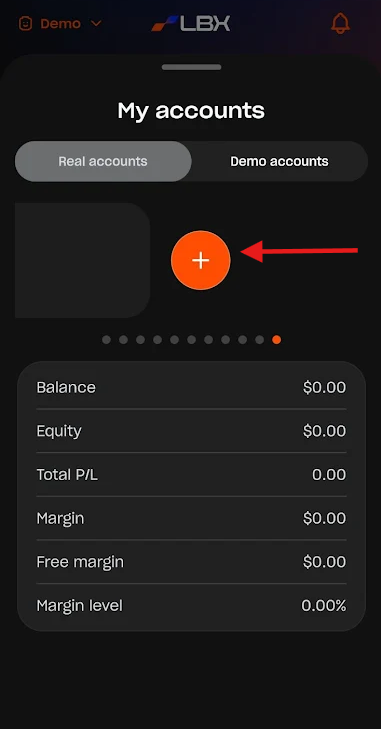
2. Tap "Create an account" if you do not have one yet, or scroll through your account list to the right and tap the "+" button.
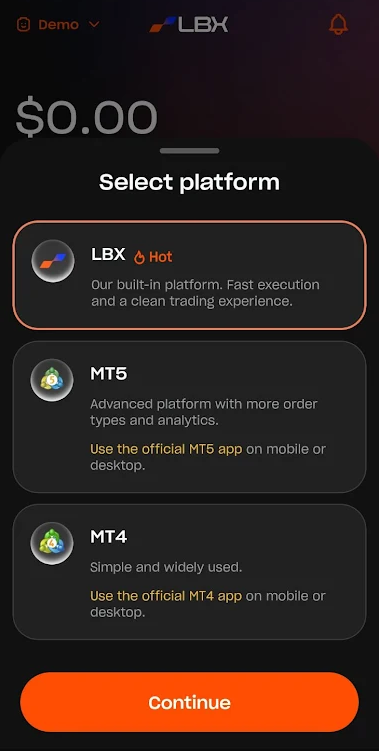
3. Select your preferred platform: We offer native LBX accounts for trading directly within the app, as well as MetaTrader 4 and 5 accounts.
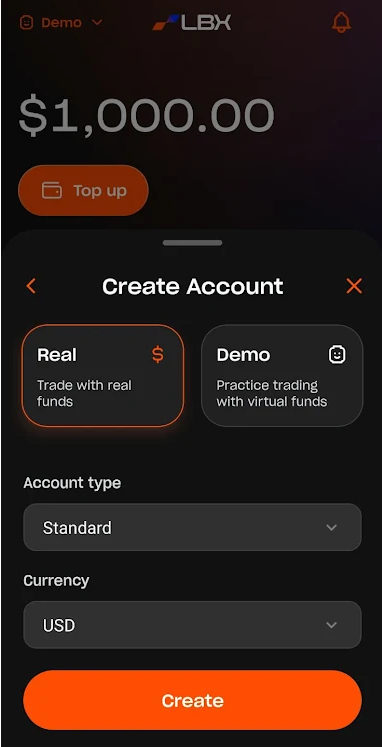
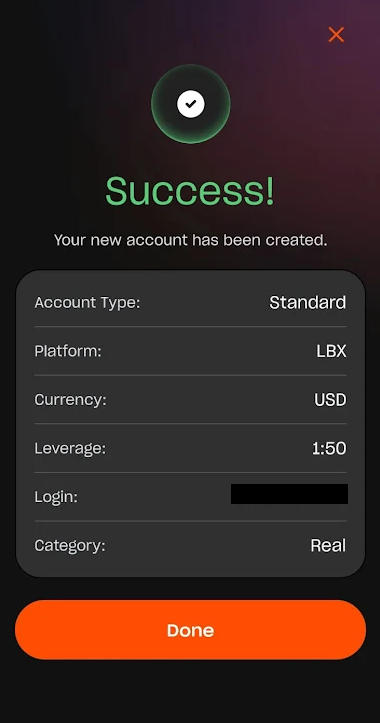
4. Select the account type and currency, then tap "Create".
5. Well done! You have successfully created your trading account.
Was this article helpful?
That’s Great!
Thank you for your feedback
Sorry! We couldn't be helpful
Thank you for your feedback
Feedback sent
We appreciate your effort and will try to fix the article