Whether you are using MetaTrader 4 or MetaTrader 5 with LBX, you can stay informed of every market move without being glued to your laptop. Because these alerts are server-side, you will receive notifications even if your terminal is shut down or your mobile app is closed. For instance, if a trade hits a Stop Loss (SL), Take Profit (TP), or a Stop Out occurs, you will be notified instantly.
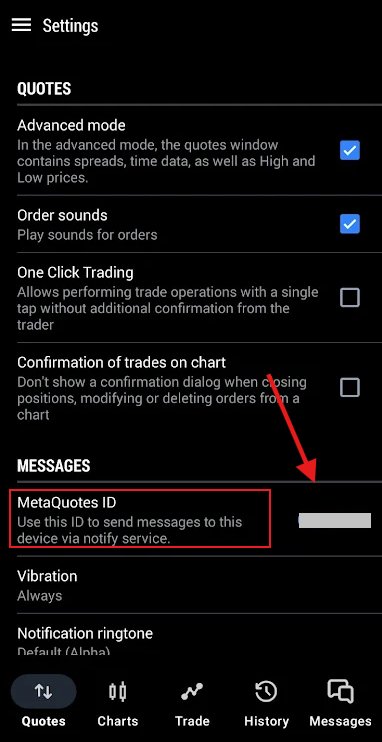
How to find my MetaQuotes ID
1. Open the MT4 or MT5 app on your phone.
2. Go to Settings or Side Menu (depending on the device and app).
3. Find and copy your MetaQuotes ID.
How to link the desktop terminal and enable mobile notifications
Once you have your ID, you need to link the desktop version to the mobile app:
1. Open your MetaTrader terminal on your PC.
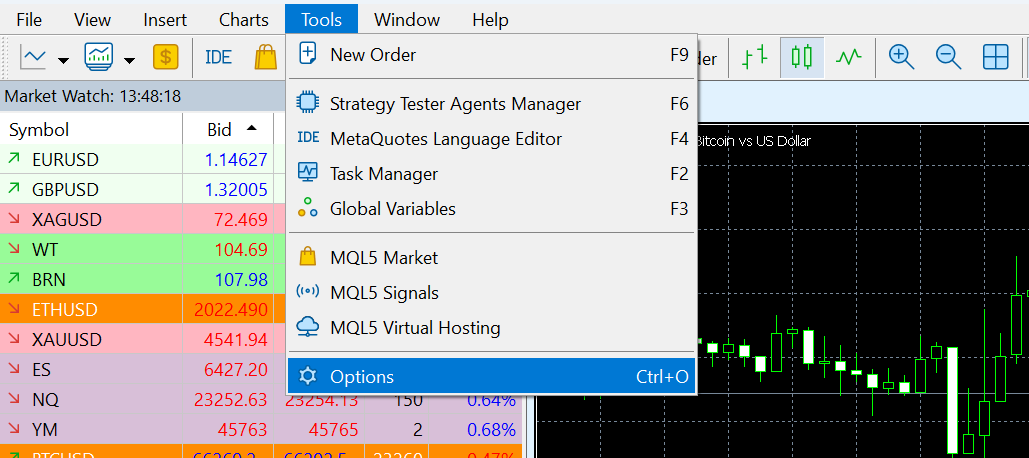
2. Navigate to Tools > Options (or press Ctrl + O).
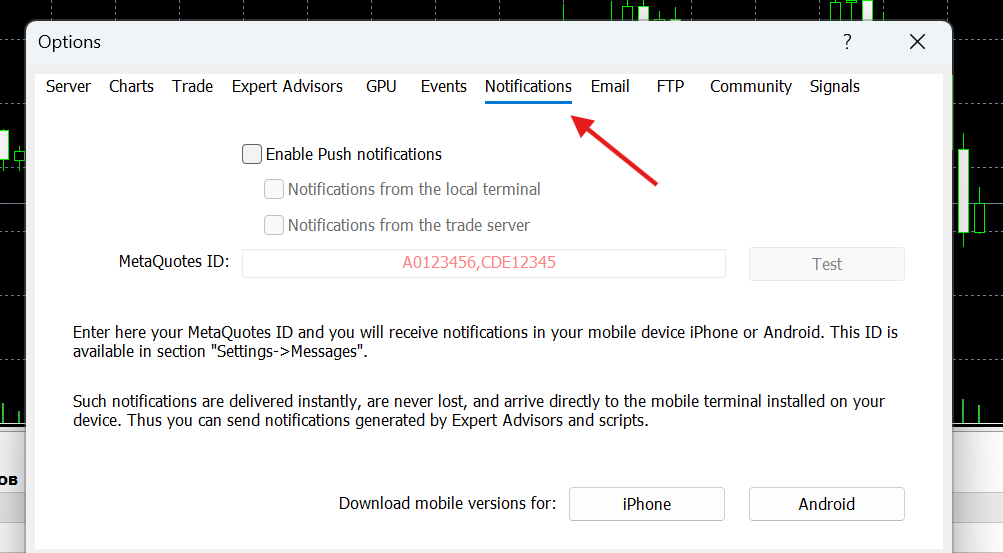
3. Click the Notifications tab.
4. Check the box "Enable Push notifications".
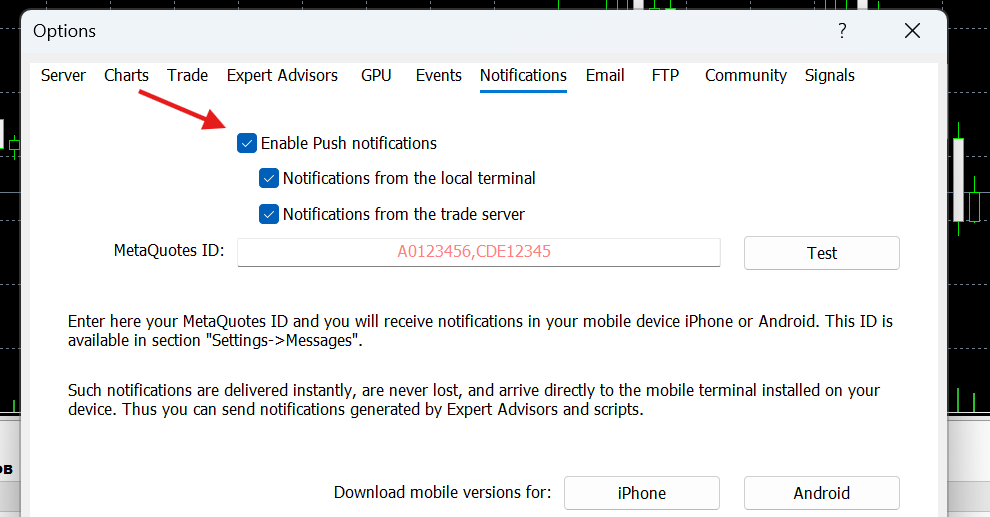
5. Enter your MetaQuotes ID into the field.
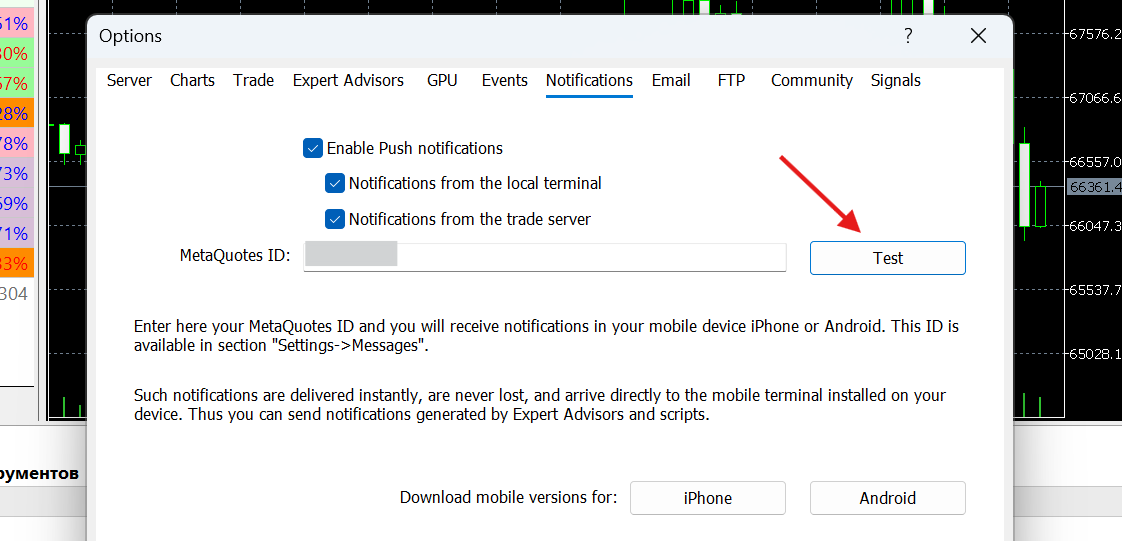
6. Click Test. You should receive a "Hello" notification on your phone.
Note: ensure that your phone’s system settings allow notifications for the MetaTrader app so you never miss an update!
Was this article helpful?
That’s Great!
Thank you for your feedback
Sorry! We couldn't be helpful
Thank you for your feedback
Feedback sent
We appreciate your effort and will try to fix the article