Updating the email address linked to your personal LBX account is a quick and simple process. Follow these steps to ensure your account stays secure and you continue receiving all notifications.
1. Log in with your current email address and password.
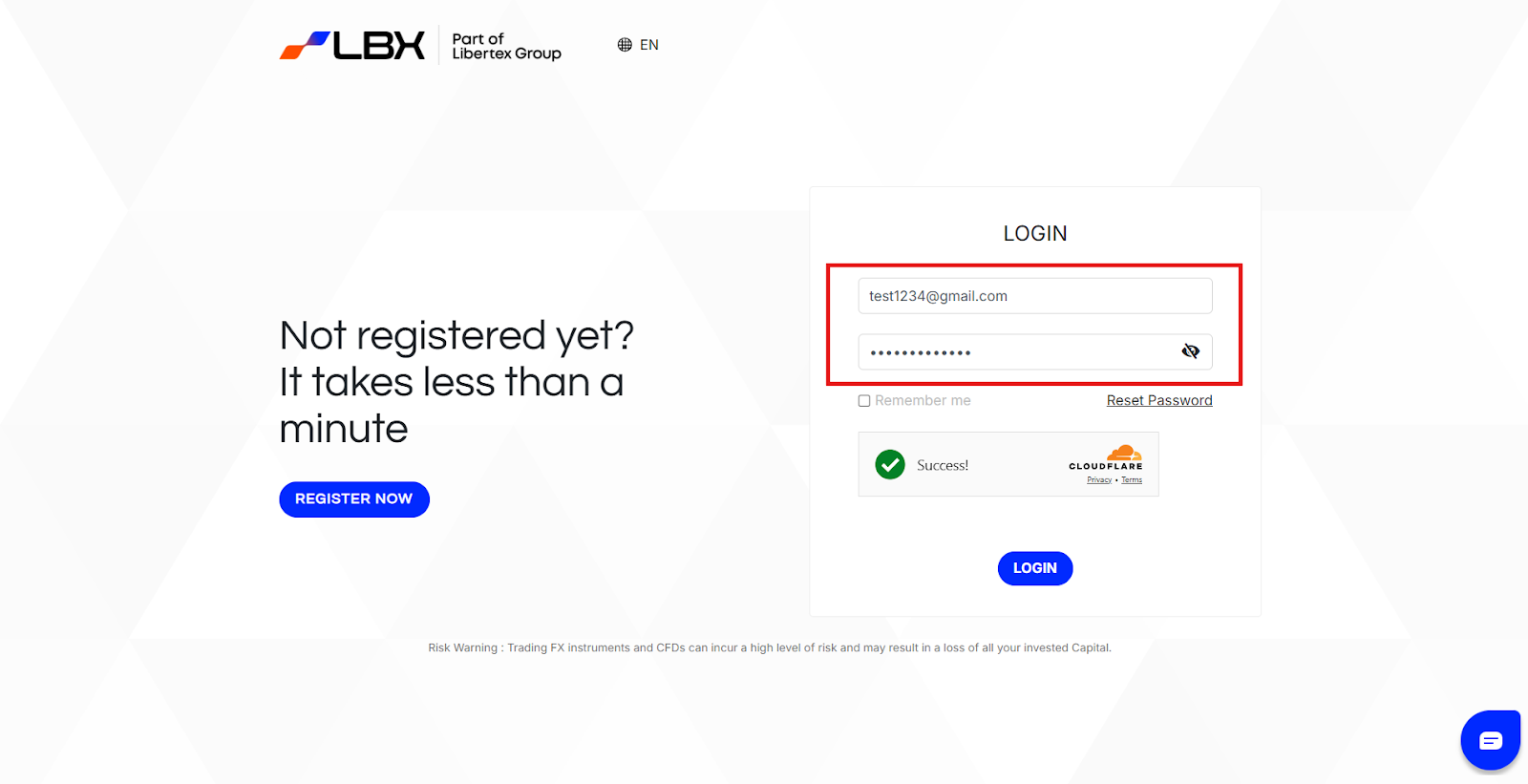
2. Navigate to the "Profile" section.
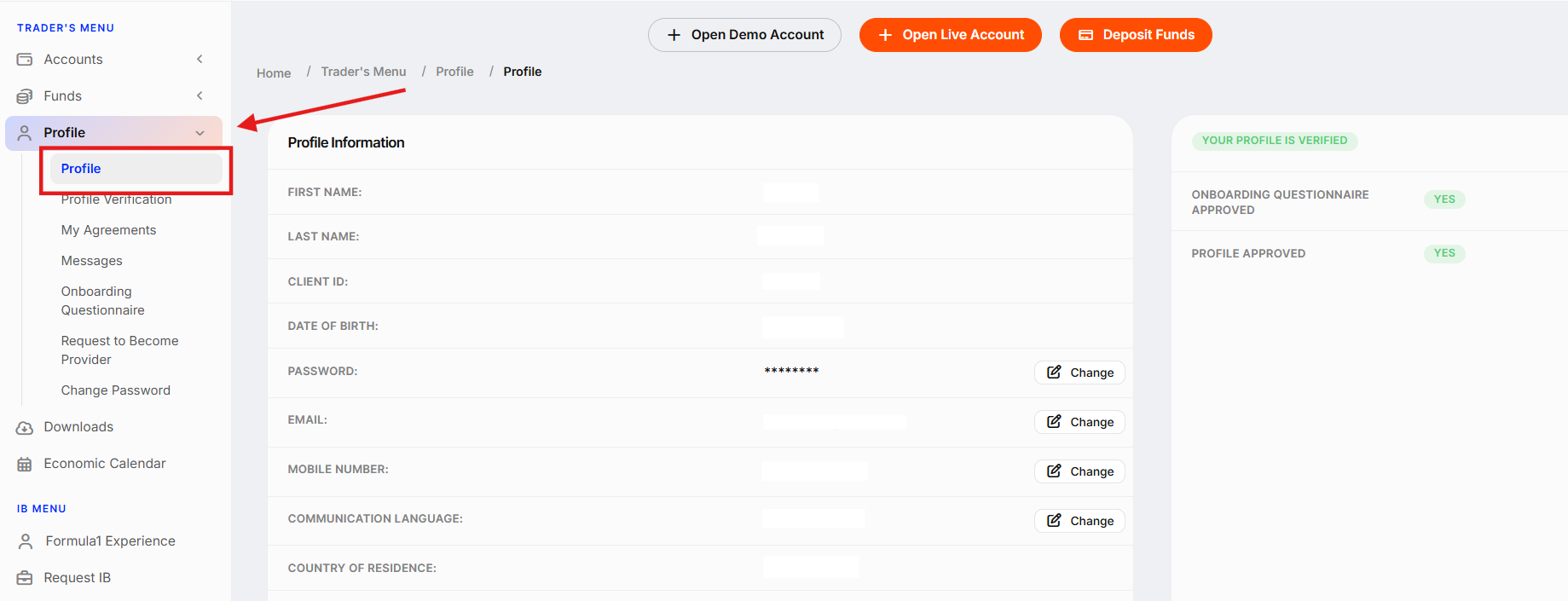
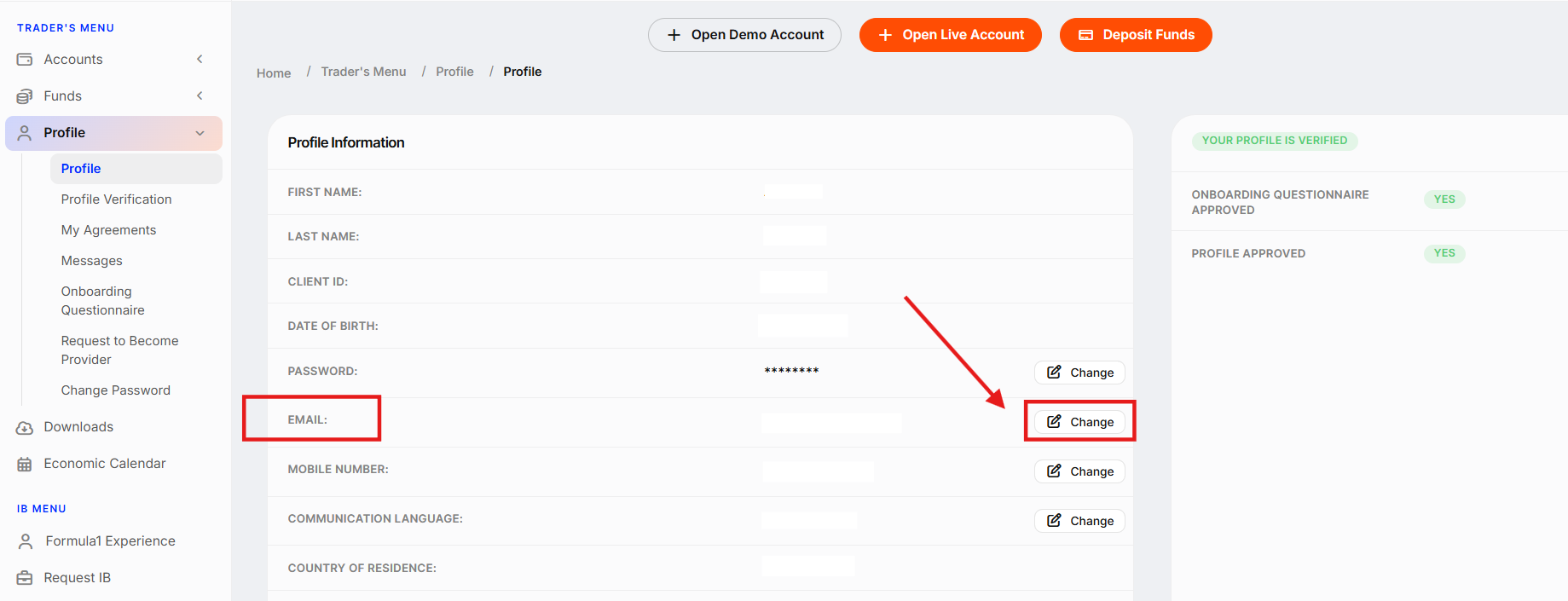
3. Select "Email" and click "Change" to update it.
4. Request a PIN code to be sent to your registered email.
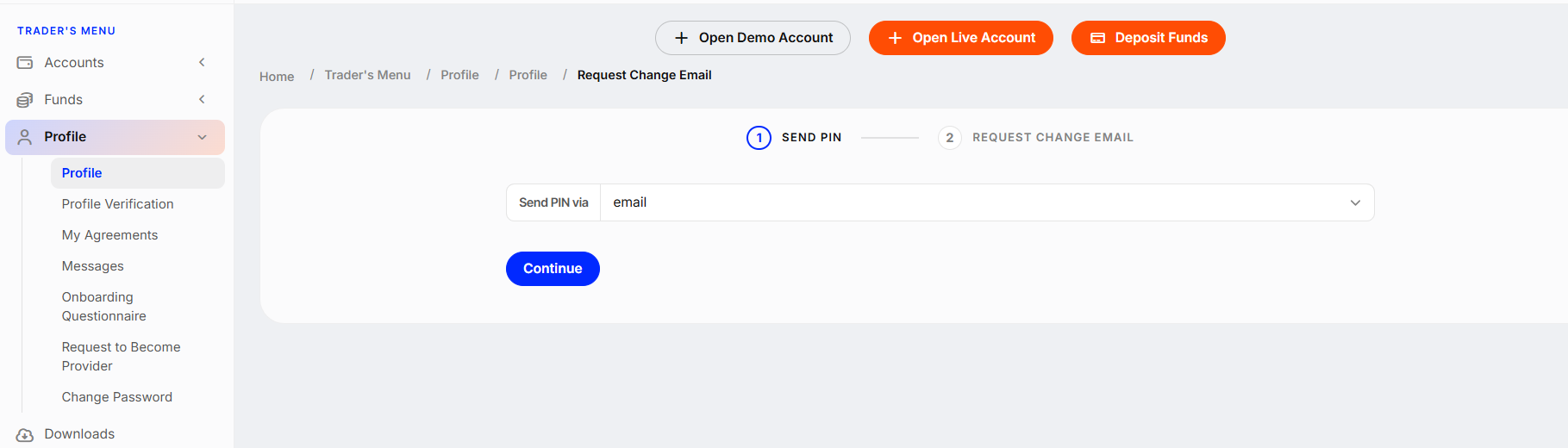
5. After clicking "Continue", check your email for the PIN code. In the next window:
- Enter your new email address
- Provide the reason for changing your email
- Enter the PIN code received by email
- Click "Continue" to submit the request.
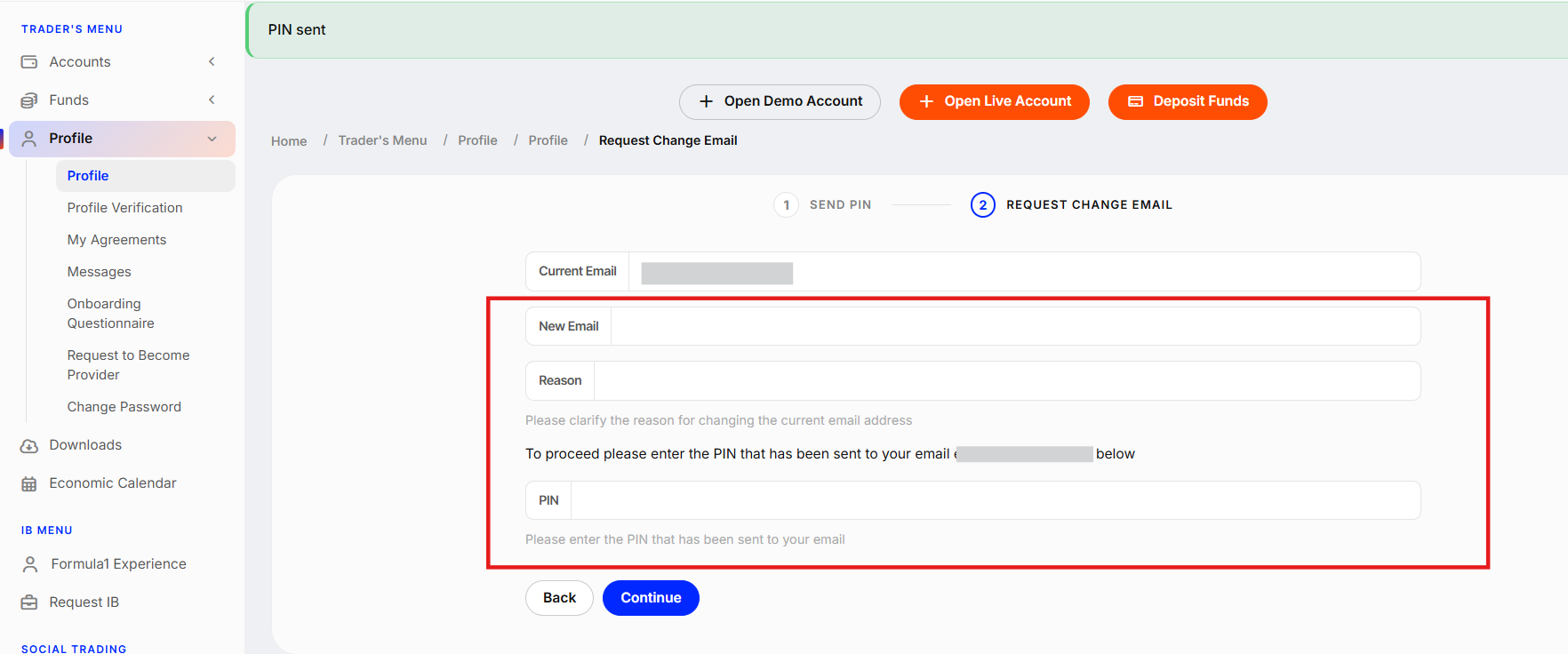
Done! Your request will be reviewed and processed within 3 business days.
If you no longer have access to your old email, you cannot update your account directly from your personal area.
In such case, please send an email from your new address to support@lbx.com. Include your old email, request to update to the new one, and attach a Proof of Identity (ID) + a selfie with ID showing your face, arm, and a document clearly. Make sure the images are full color and uncropped. Our team will process your request within 1 to 3 business days.
Was this article helpful?
That’s Great!
Thank you for your feedback
Sorry! We couldn't be helpful
Thank you for your feedback
Feedback sent
We appreciate your effort and will try to fix the article