Updating the email address linked to your personal LBX account is quick and simple. The process is very similar whether you're using the desktop or mobile version of the platform:
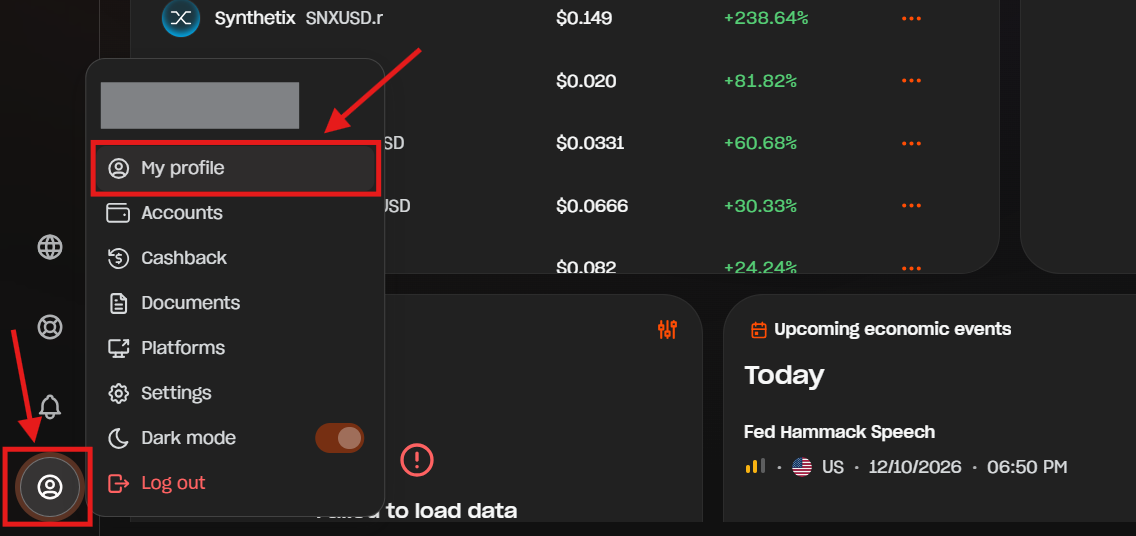
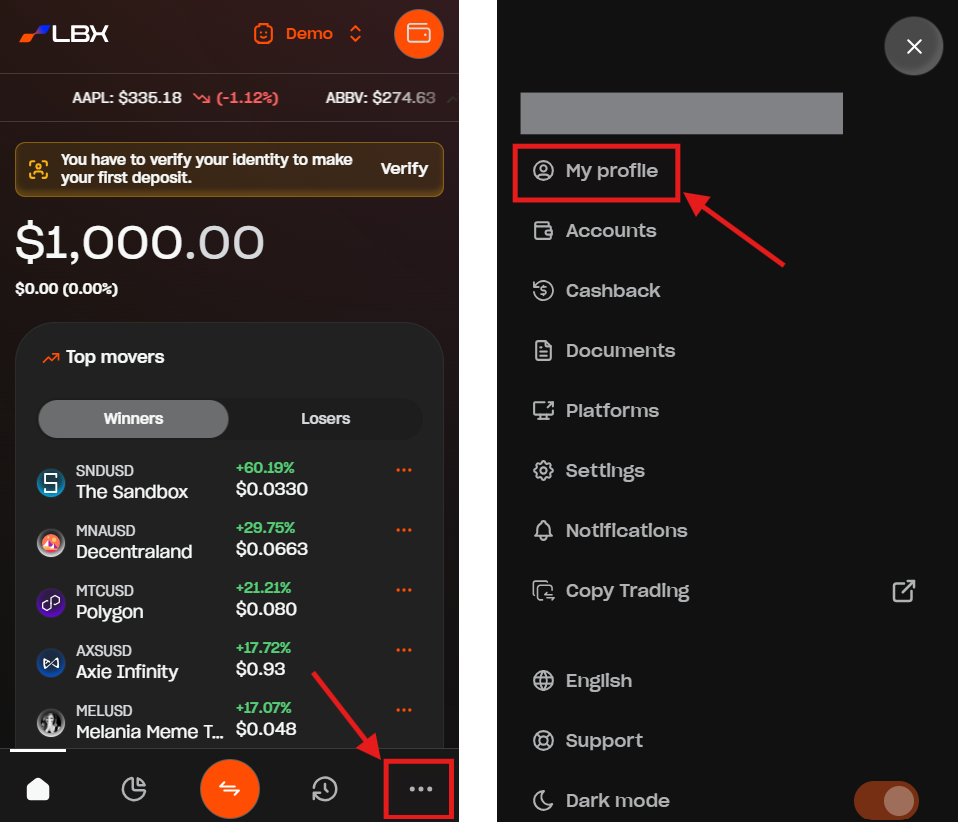
1. Go to the "My profile" section
- On desktop, you can find it by clicking the Profile icon on the bottom left corner and select "My profile".
- On mobile, just tap the three dots icon on the bottom right corner and select "My profile".
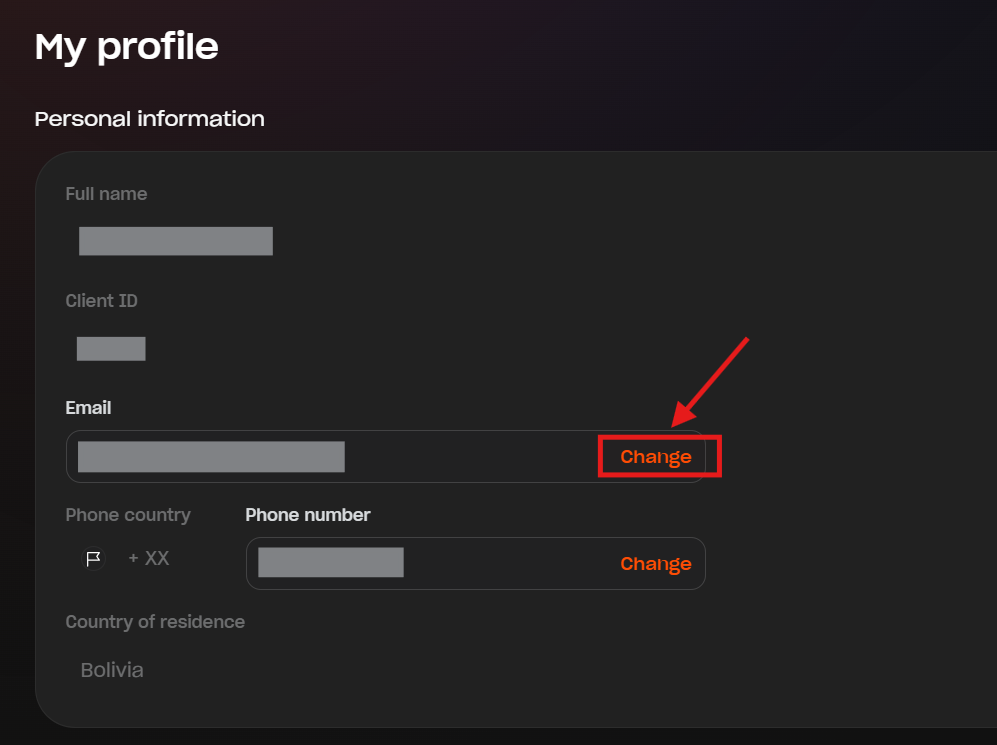
2. Click or tap "Change" next to the email field.
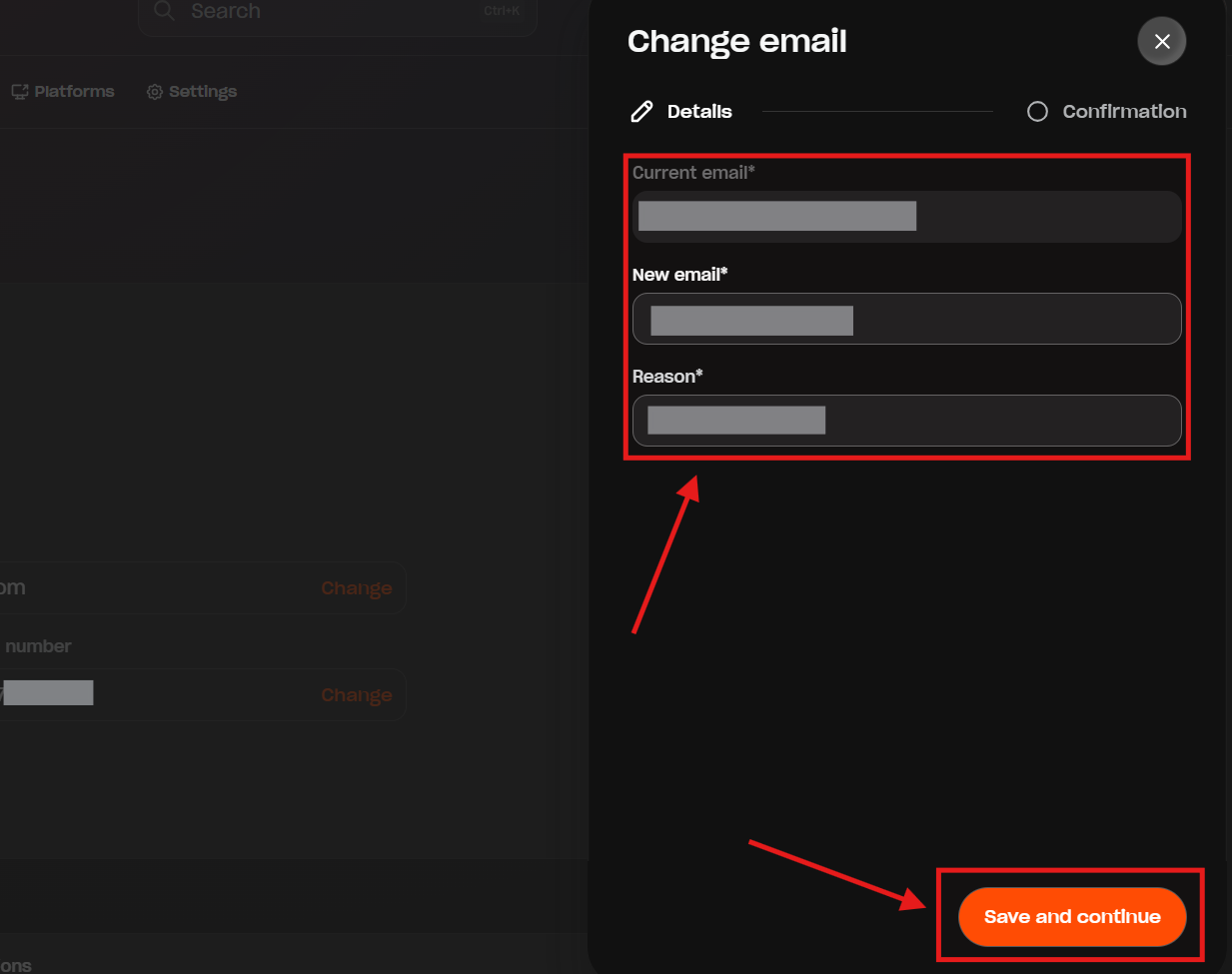
3. Enter your current and new email, provide the reason for changing your email, and click or tap "Save and continue".
4. You will receive an email with a PIN code on your current email address to make sure it's really you. Enter this code in the confirmation screen and click or tap "Save and confirm".
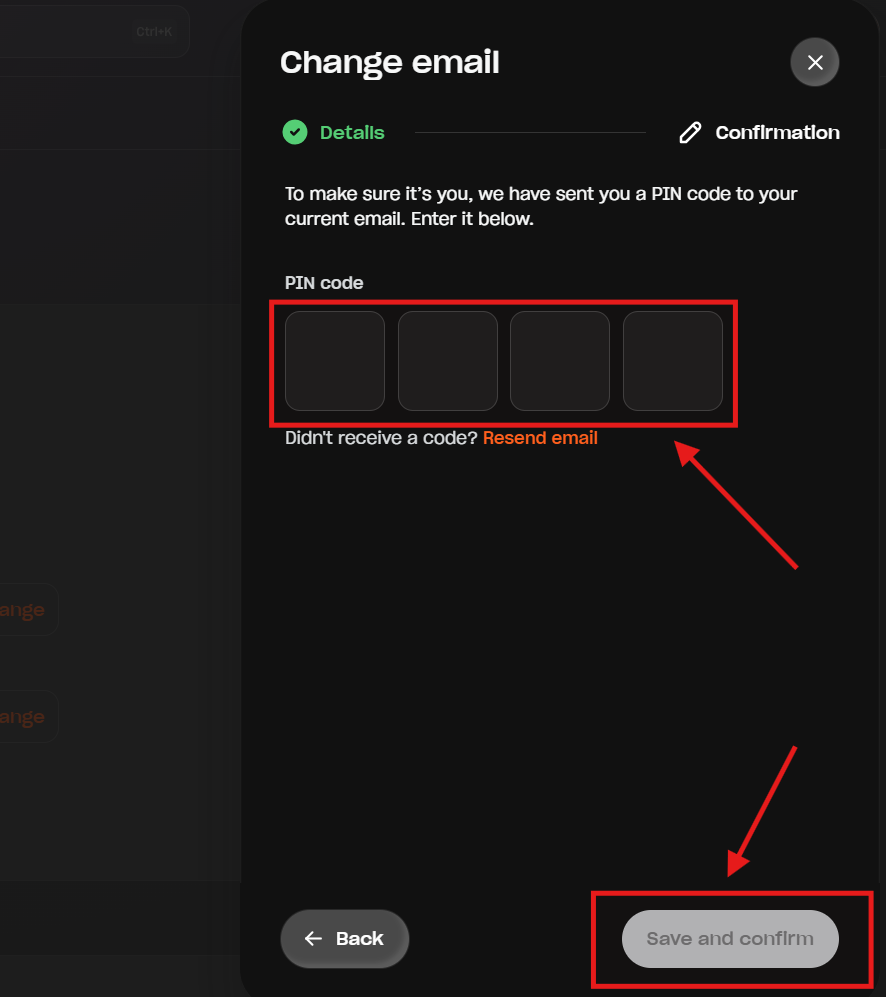
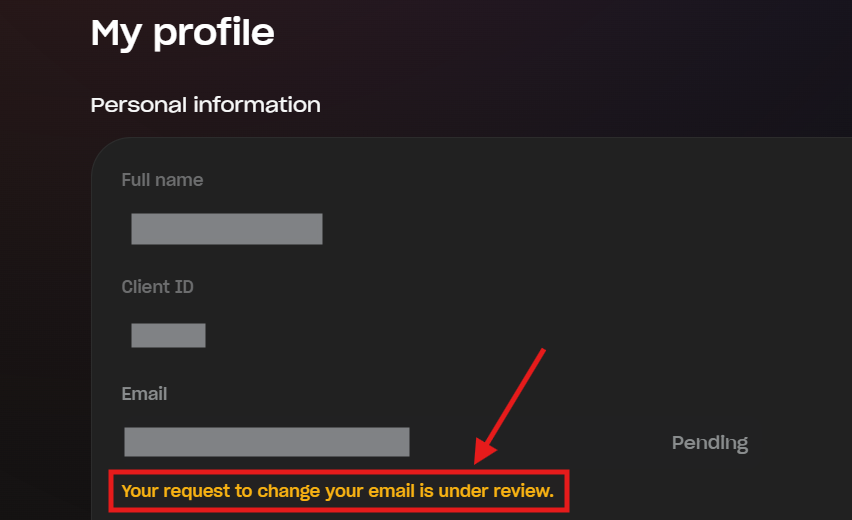
Done! Your request will be reviewed and processed within 3 business days.
What if I cannot access my current email?
If you no longer have access to your current email, you cannot update your account directly from your personal area.
In such case, please send an email from your new address to support@lbx.com. Include your current email, request to update to the new one, and attach a Proof of Identity (ID) + a selfie with ID showing your face, arm, and a document clearly. Make sure the images are full color and uncropped.
Our team will process your request within 1 to 3 business days.
Was this article helpful?
That’s Great!
Thank you for your feedback
Sorry! We couldn't be helpful
Thank you for your feedback
Feedback sent
We appreciate your effort and will try to fix the article