Updating the phone number linked to your personal LBX account is quick and simple. The process is very similar whether you're using the desktop or mobile version of the platform:
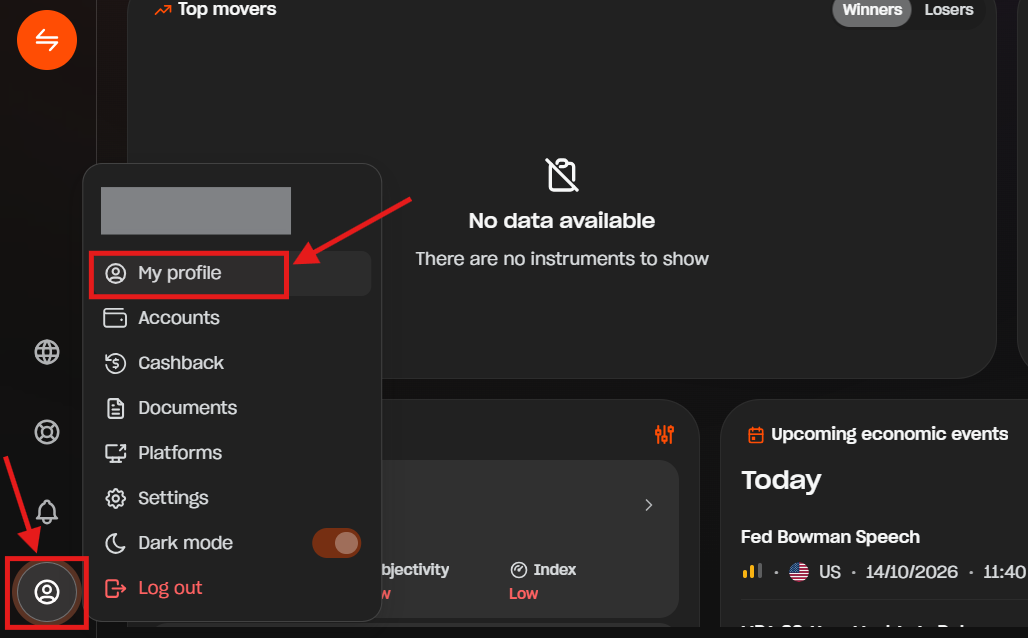
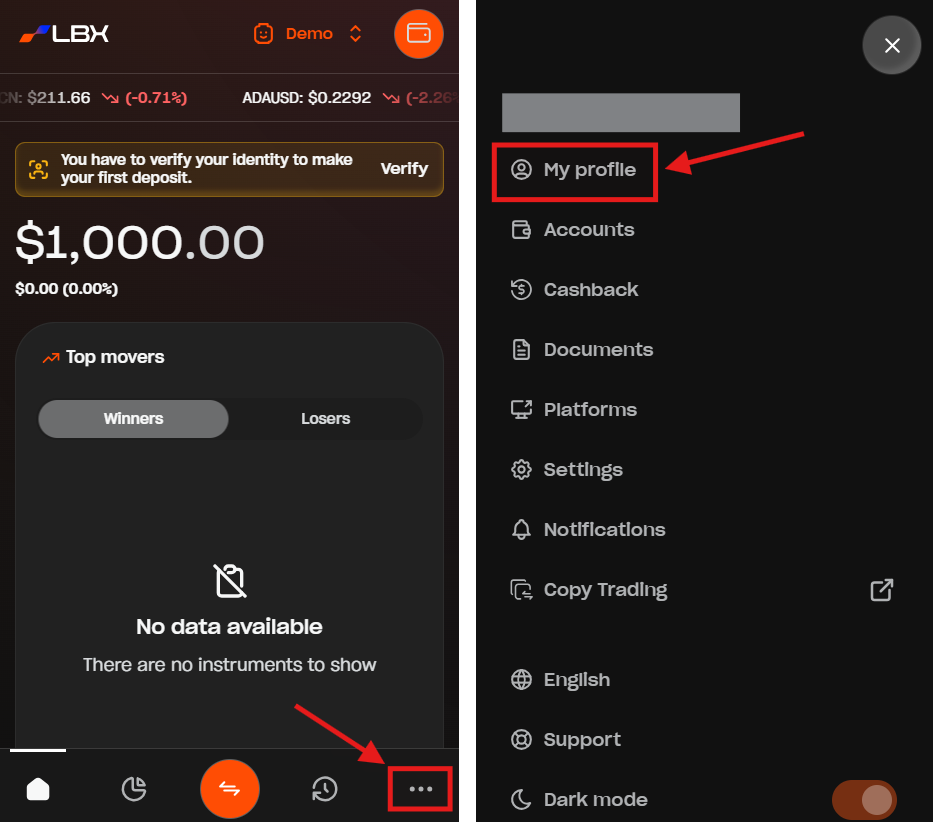
1. Go to the "My profile" section.
- On desktop, you can find it by clicking the Profile icon on the bottom left corner and select "My profile".
- On mobile, just tap the three dots icon on the bottom right corner and select "My profile".
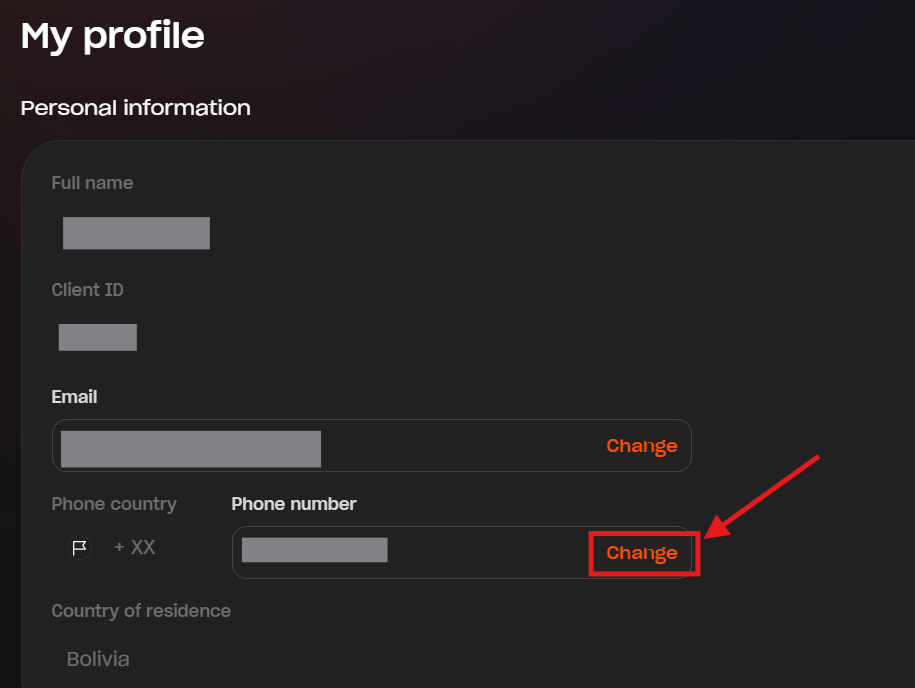
2. Click or tap "Change" next to the phone number field.
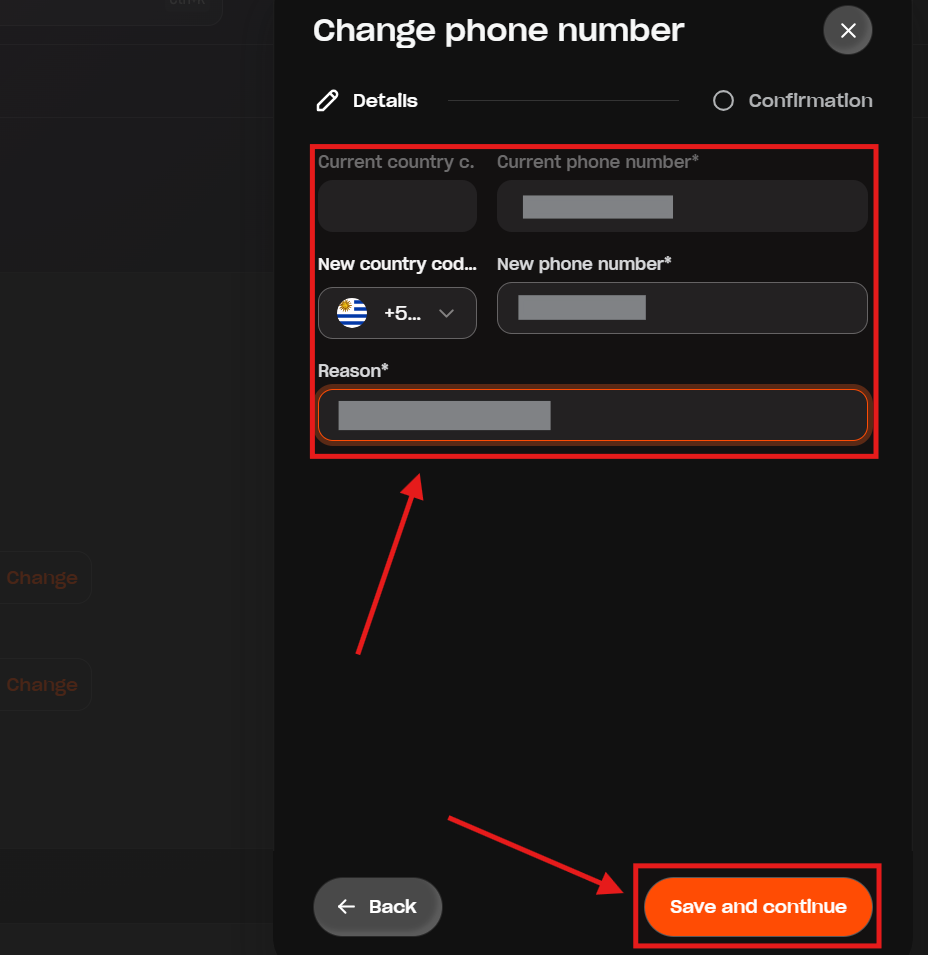
3. Select your new country code, enter your new phone number, provide the reason for changing your number, and click or tap "Save and continue".
4. You will receive an email with a PIN code on your current email address to make sure it's really you. Enter this code in the confirmation screen and click or tap "Save and confirm".
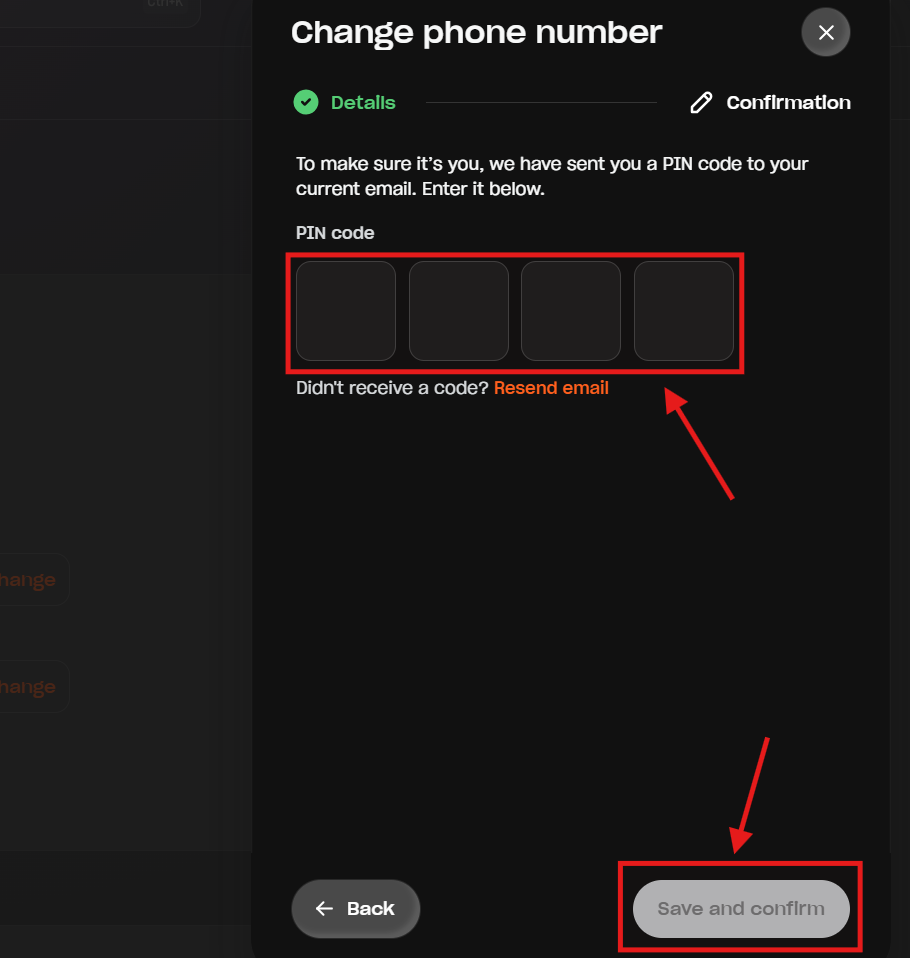
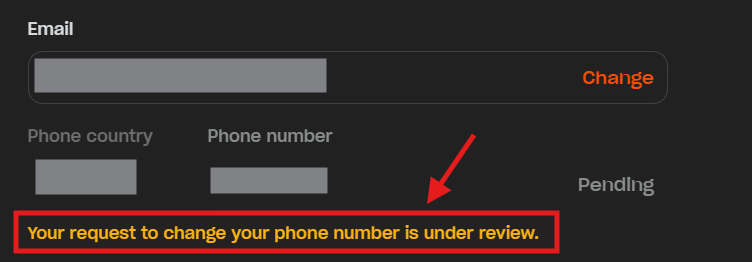
Done! Your request will be reviewed and may take some time to process.
Was this article helpful?
That’s Great!
Thank you for your feedback
Sorry! We couldn't be helpful
Thank you for your feedback
Feedback sent
We appreciate your effort and will try to fix the article