Note: The list of available deposit methods may vary depending on your country of residence. To view all available methods, click here.
How to deposit
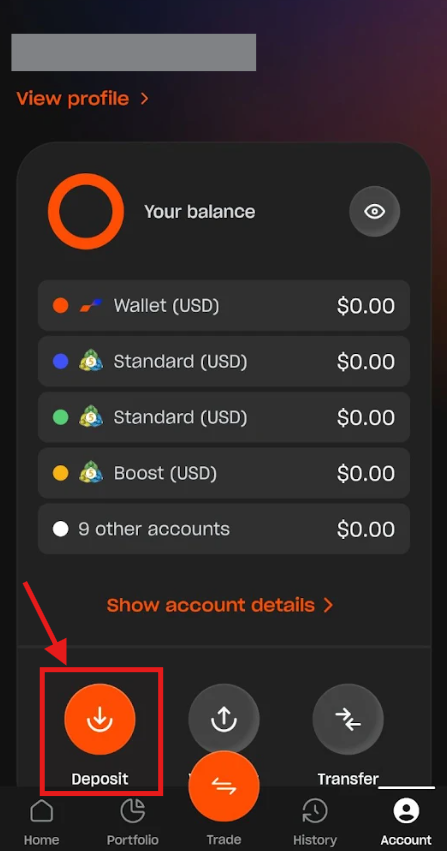
1. Go to the Home section and tap the "Deposit" button.

Alternatively, you can go to the Account section and tap "Deposit".
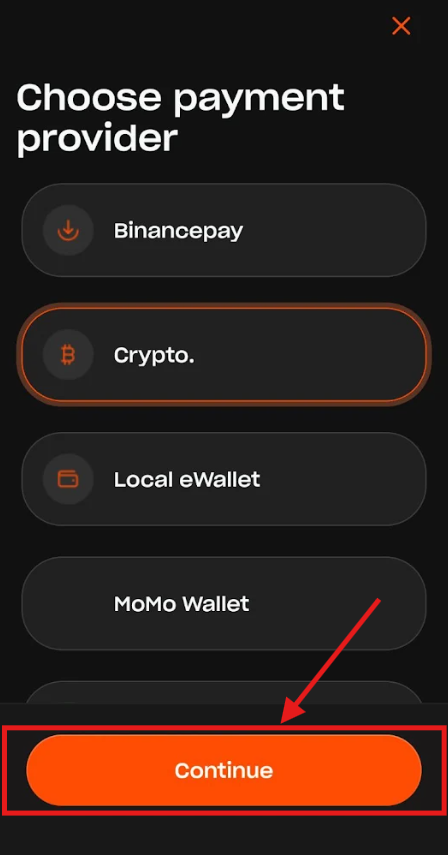
2. On the Choose payment provider screen, select your preferred payment method and tap "Continue".
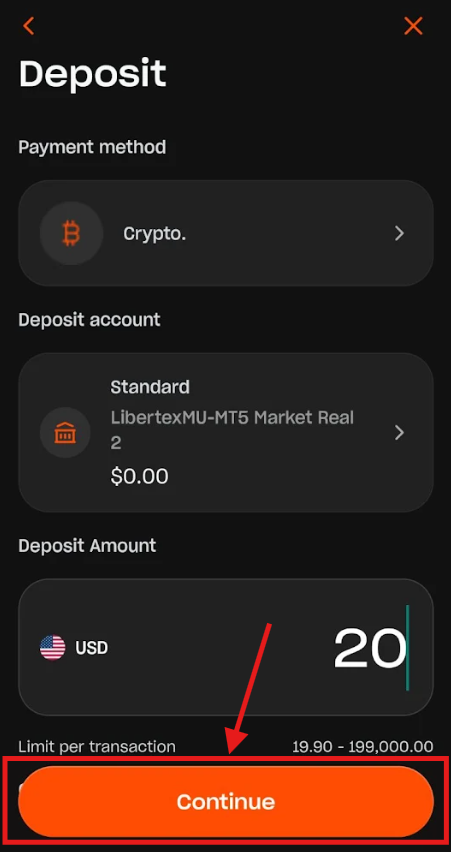
3. On the Deposit screen, select the destination account and enter the amount you wish to add. You can also change your payment method here if needed. You may be required to enter other details depending on the method selected, such as selecting the specific currency for crypto deposits.
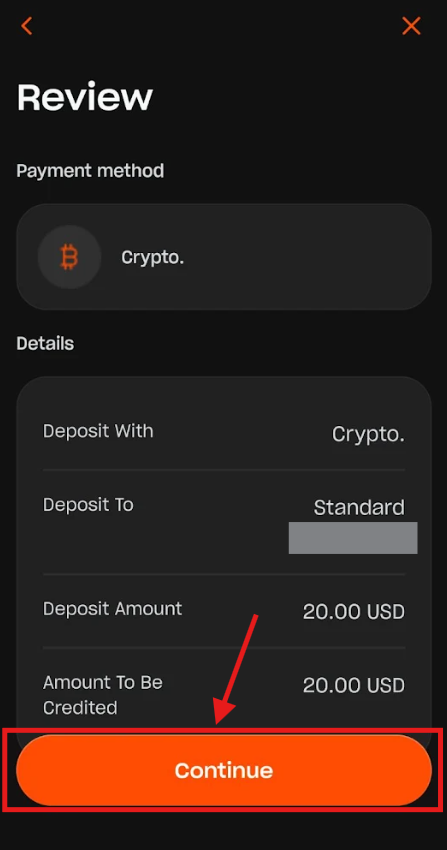
4. On the Review screen, verify your deposit details and tap "Continue".
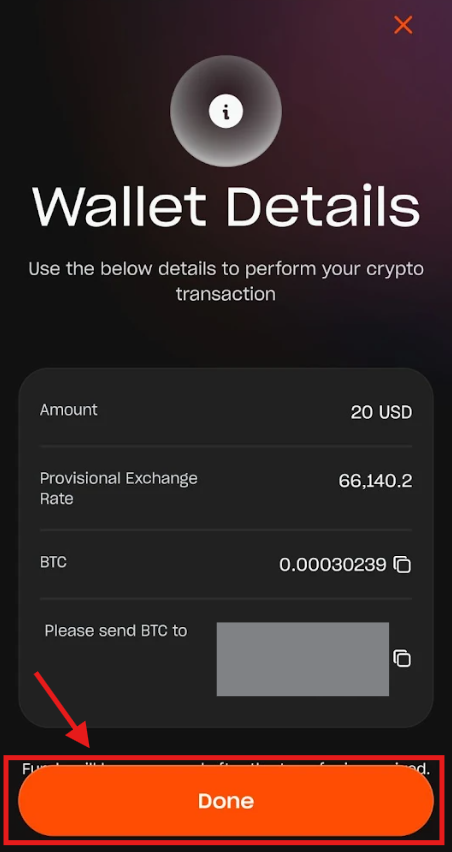
5. Follow the on-screen instructions depending on the method selected to complete the payment. If you chose crypto, for instance, you will be redirected to the Wallet Details screen showing the exact wallet address, exchange rate, and crypto amount to transfer. Once you have transferred your funds, tap "Done".
Was this article helpful?
That’s Great!
Thank you for your feedback
Sorry! We couldn't be helpful
Thank you for your feedback
Feedback sent
We appreciate your effort and will try to fix the article