You can transfer funds between trading accounts or wallets within your Personal Account. To do so, use the Internal transfer feature:
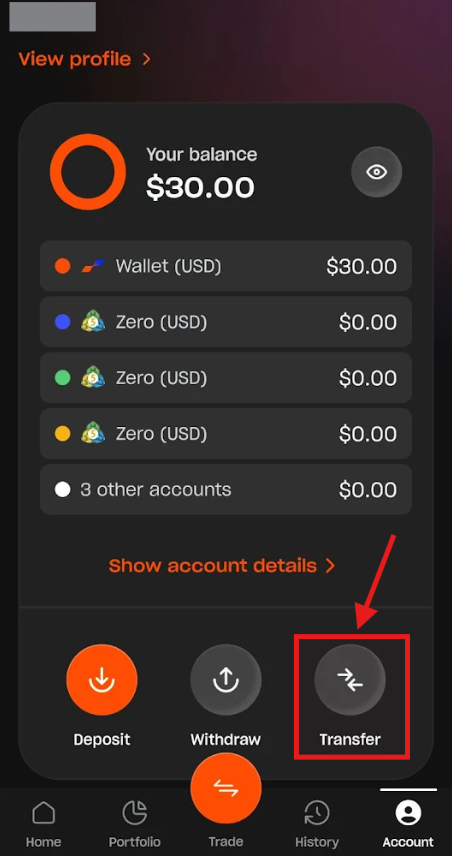
1. Go to the Account section and tap the "Transfer" button.
2. On the Transfer between accounts screen, select the Source account and Deposit account (they can be trading accounts or wallets), enter the amount you wish to transfer, and tap "Continue".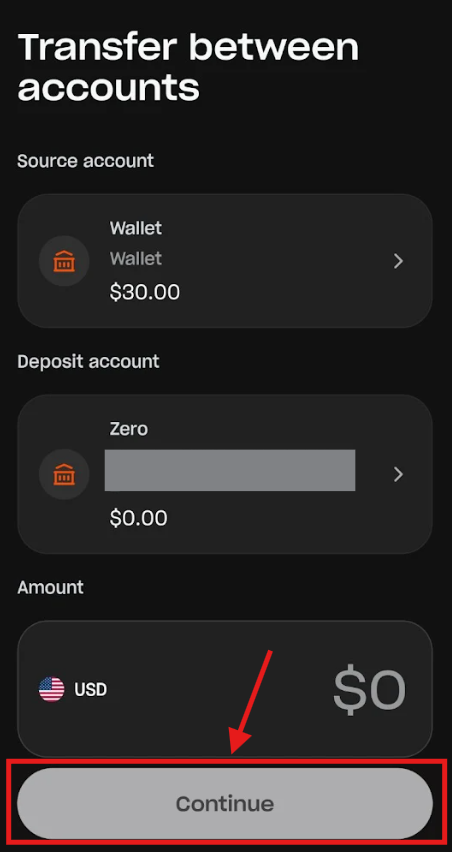
Was this article helpful?
That’s Great!
Thank you for your feedback
Sorry! We couldn't be helpful
Thank you for your feedback
Feedback sent
We appreciate your effort and will try to fix the article