As a regulated company, we are required to verify your identity. Completing verification keeps your account secure, ensures regulatory compliance, and unlocks full access to all platform features.
To complete verification in the LBX app, follow these steps:
1. Go to the Home section and tap "Verify your account". Alternatively, you can tap the same button in the Account section.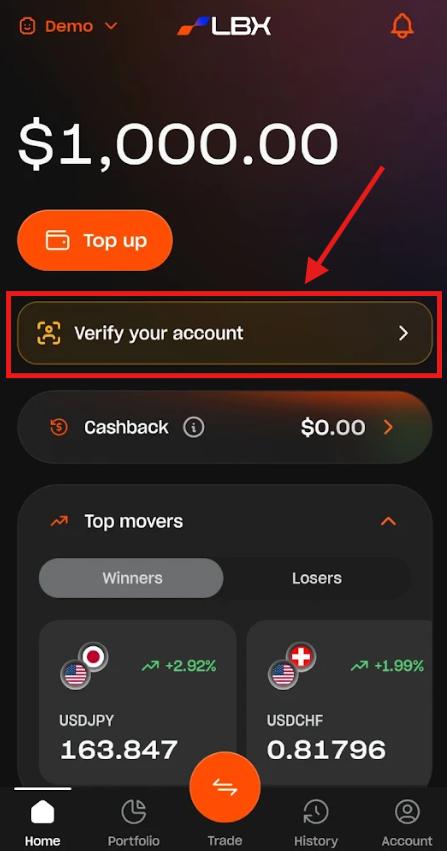
2. Tap "Got it, let's go" to proceed.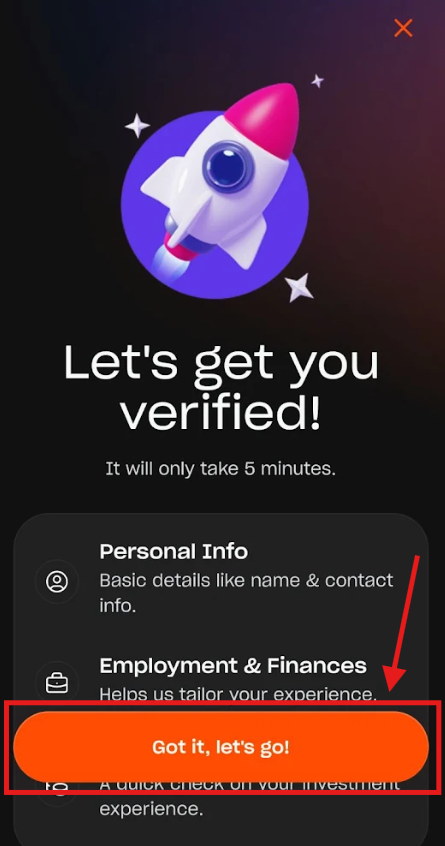
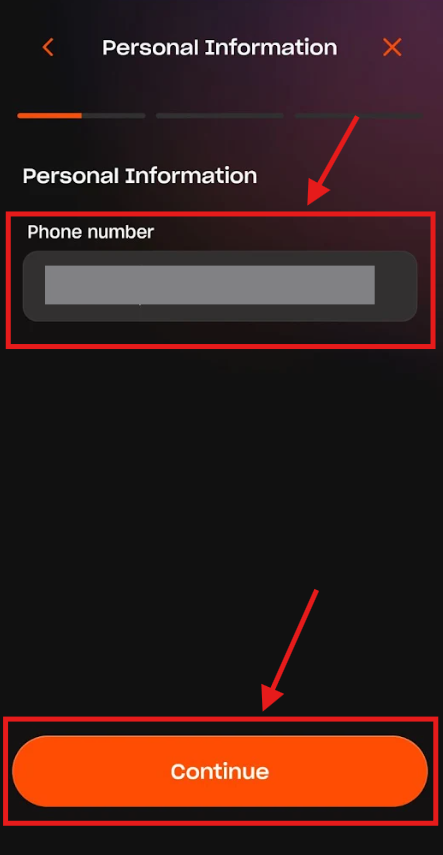
3. Enter all required details across the Personal Information, Employment Information, and Trading Knowledge sections, tapping "Continue" after each screen.
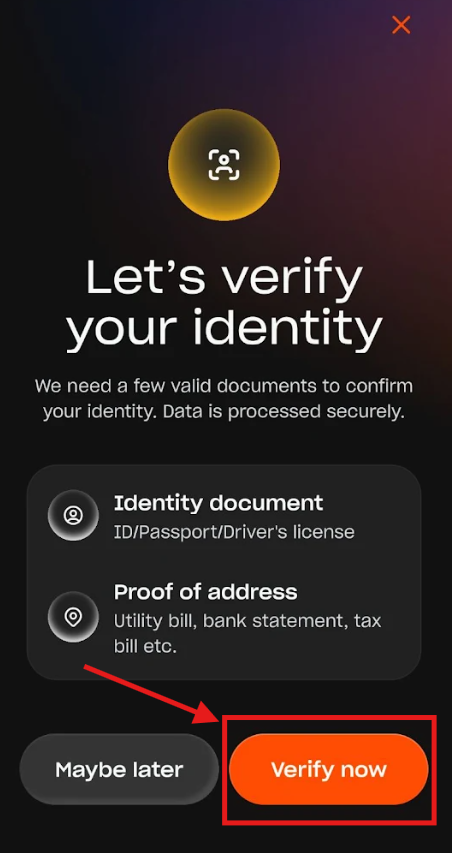
4. On the Let's verify your identity screen, tap "Verify now".
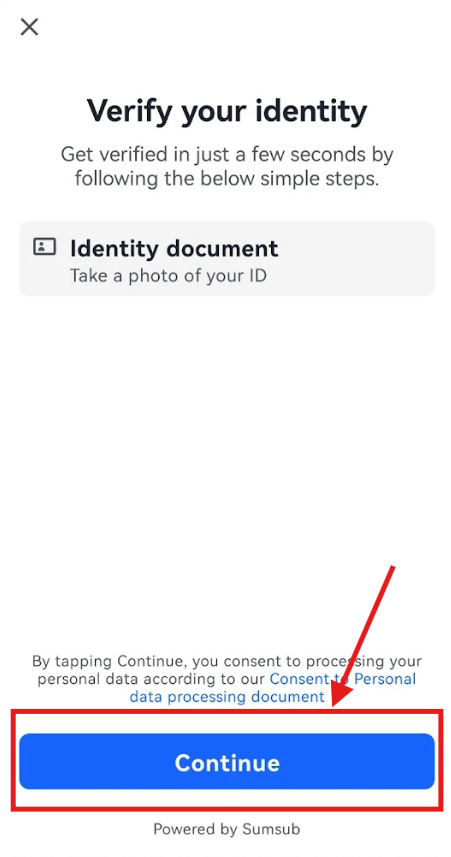
5. When prompted to upload an identity document, tap "Continue".
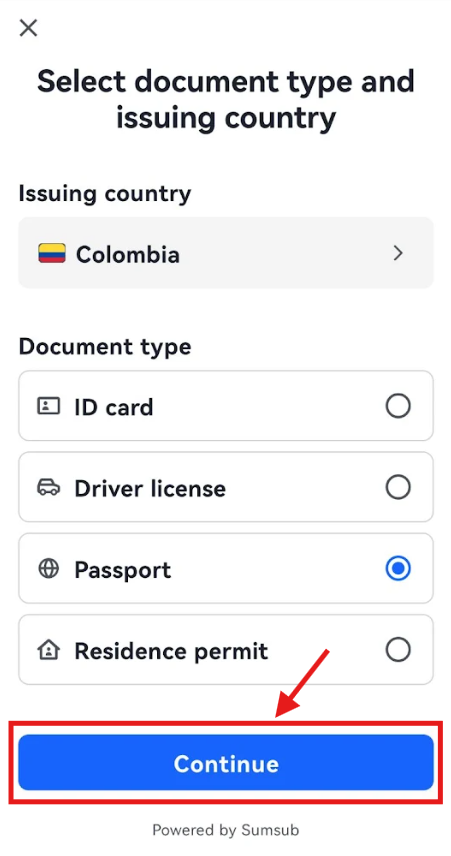
6. Select the issuing country and document type, then tap "Continue".
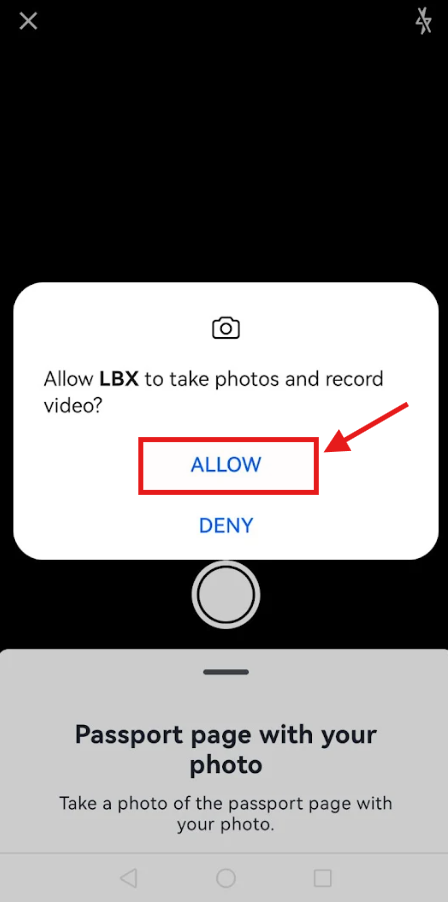
7. Allow LBX to access your device's camera and take a clear photo of your document. Depending on the document type, you may be asked to photograph both sides.
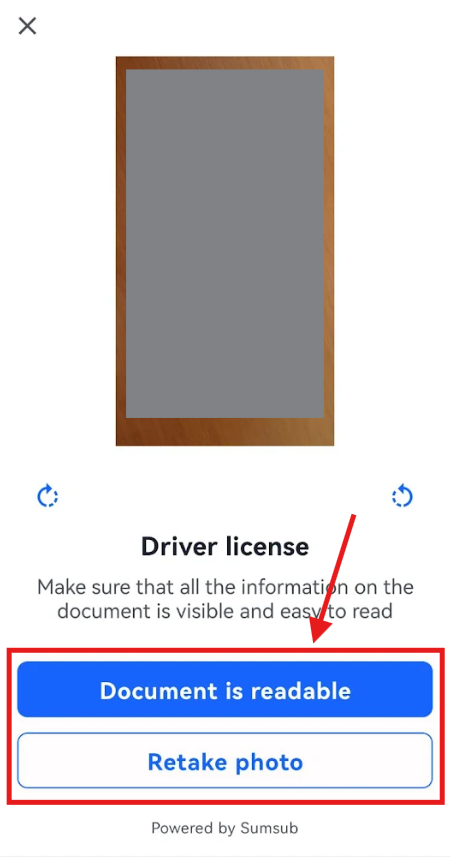
8. If the preview is blurry or unclear, tap "Retake photo" to try again. Once you are satisfied with the photo, tap "Document is readable" and wait for the system to review your document.
9. Next, verify your address using one of two options:
Upload document: Submit an official document (such as a bank statement or utility bill). The system will automatically extract your residence details.
Share your location: Allow the app to detect your location automatically. (Note: VPNs are strictly prohibited, and geolocation services may not be available in all regions).
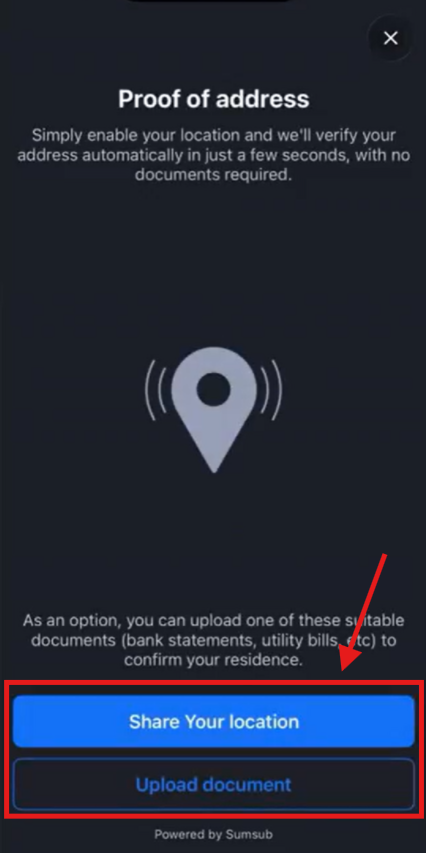
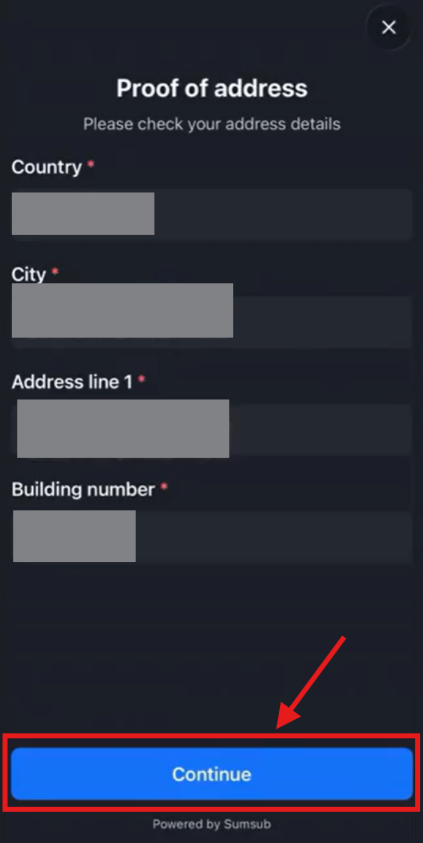
10. Review your address details. You can manually edit the fields if needed before tapping "Continue".
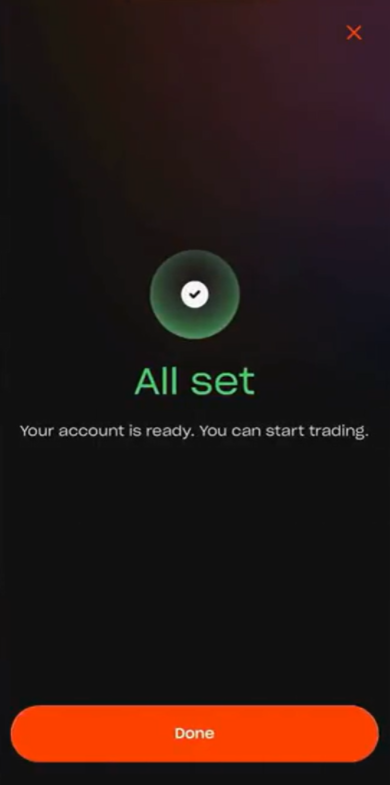
11. Allow the system to complete the final verification checks. Once your account is approved, you will receive an instant notification.
Was this article helpful?
That’s Great!
Thank you for your feedback
Sorry! We couldn't be helpful
Thank you for your feedback
Feedback sent
We appreciate your effort and will try to fix the article