Got a question, request, or need assistance? Submitting a support ticket is one of the fastest ways to get help from our team. You can submit a request using our Help Center or directly via website Chat:
Submitting a ticket via Help Center
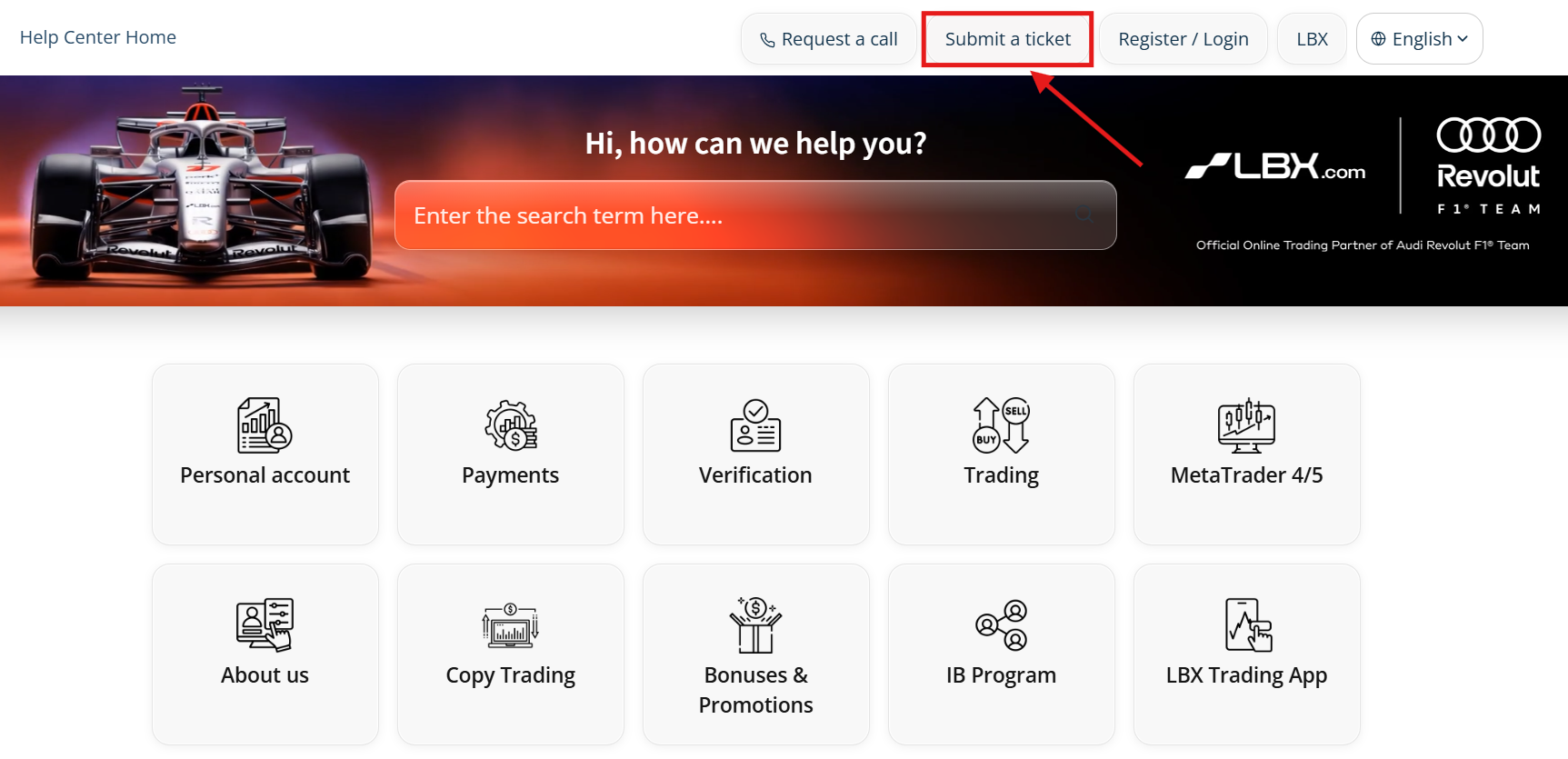
1. Go to the Help Center and click or tap "Submit a ticket".
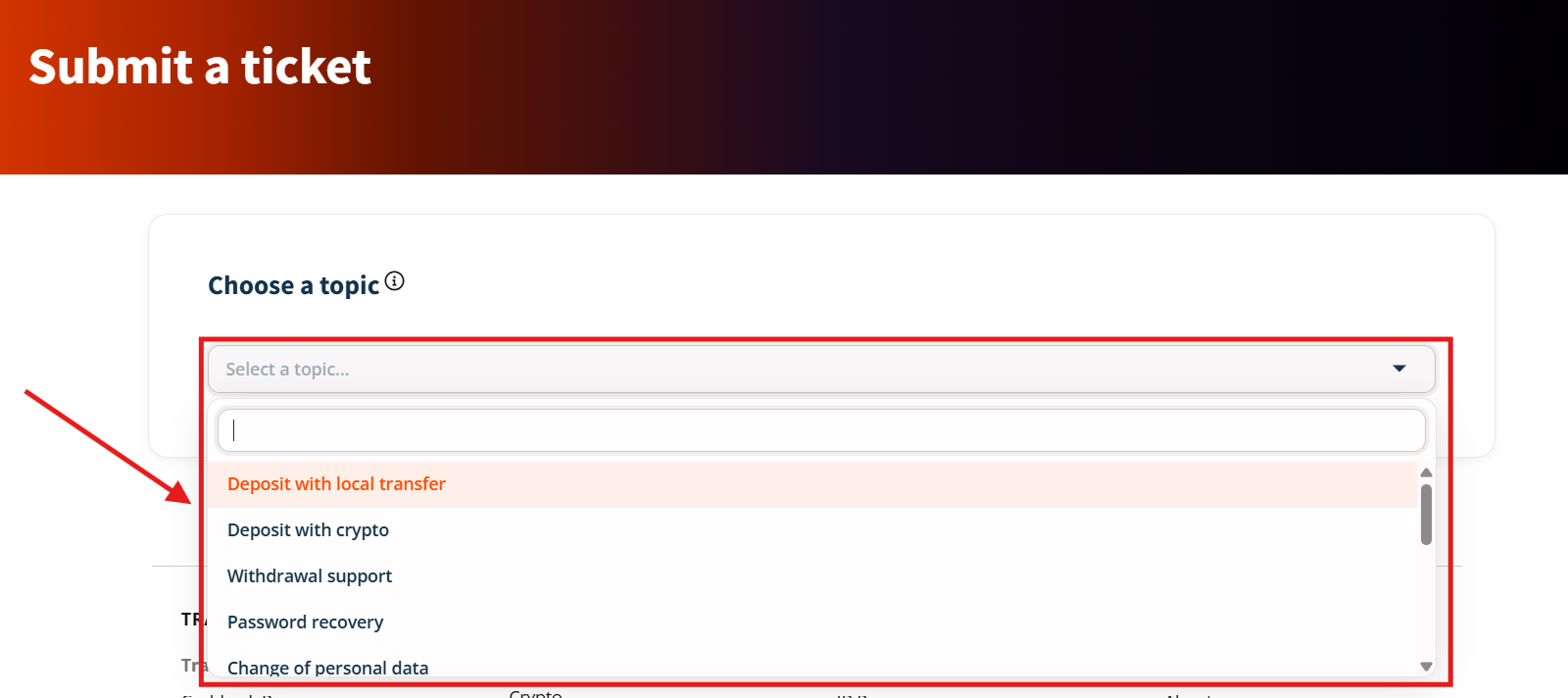
2. Select the relevant topic for your inquiry.
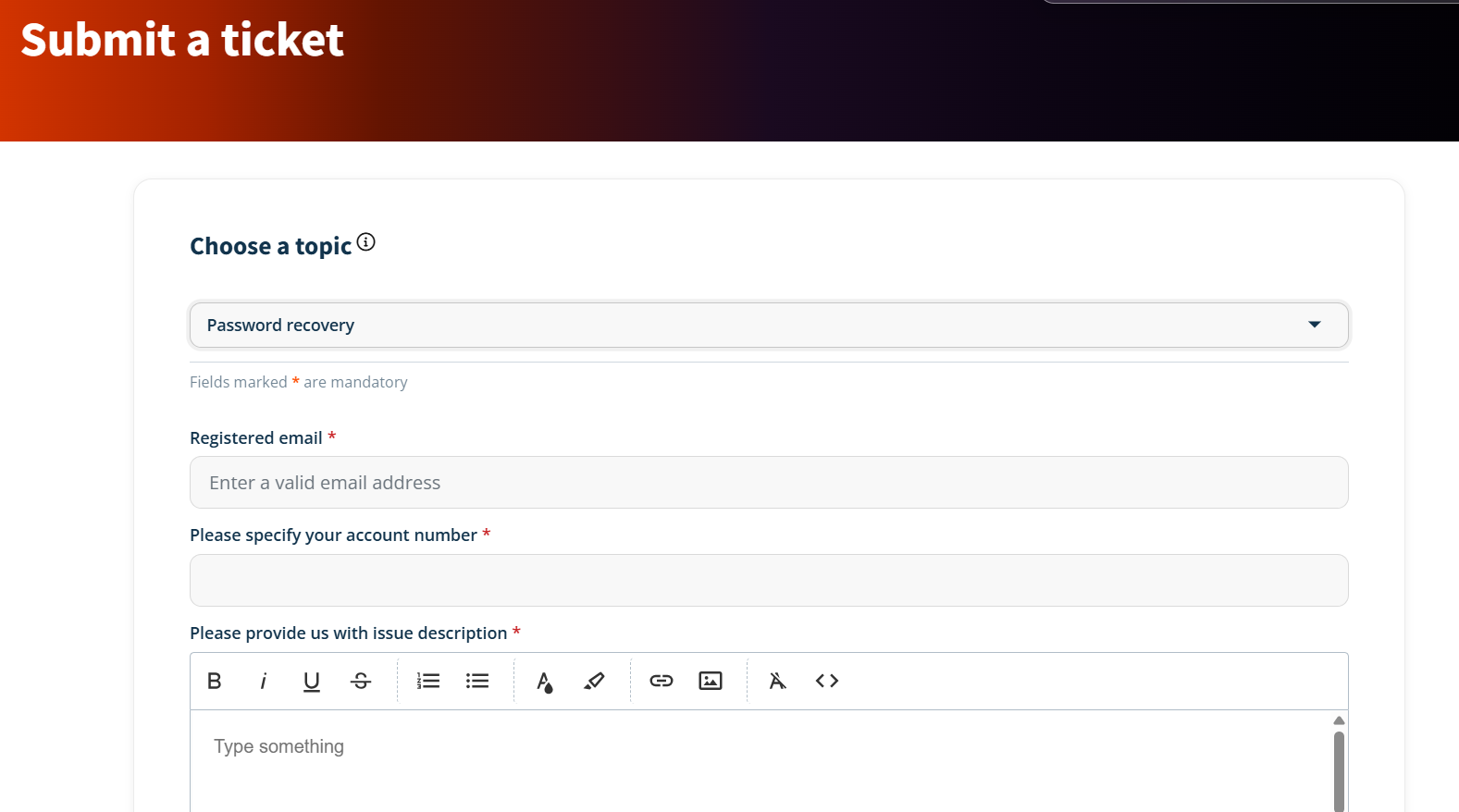
3. Provide all necessary details according to your chosen topic (such as your registered email, account number, issue description, and any supporting attachments or screenshots).
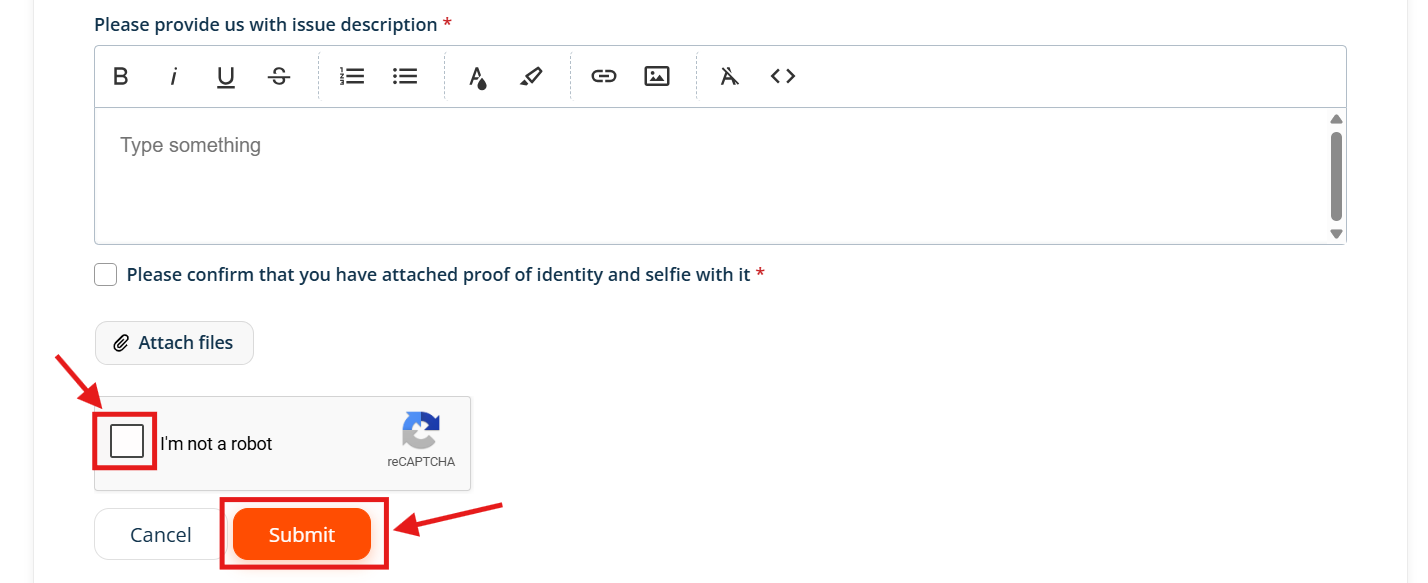
4. Complete the "I'm not a robot" verification check and click or tap "Submit" at the bottom of the page.
Submitting a ticket via Chat
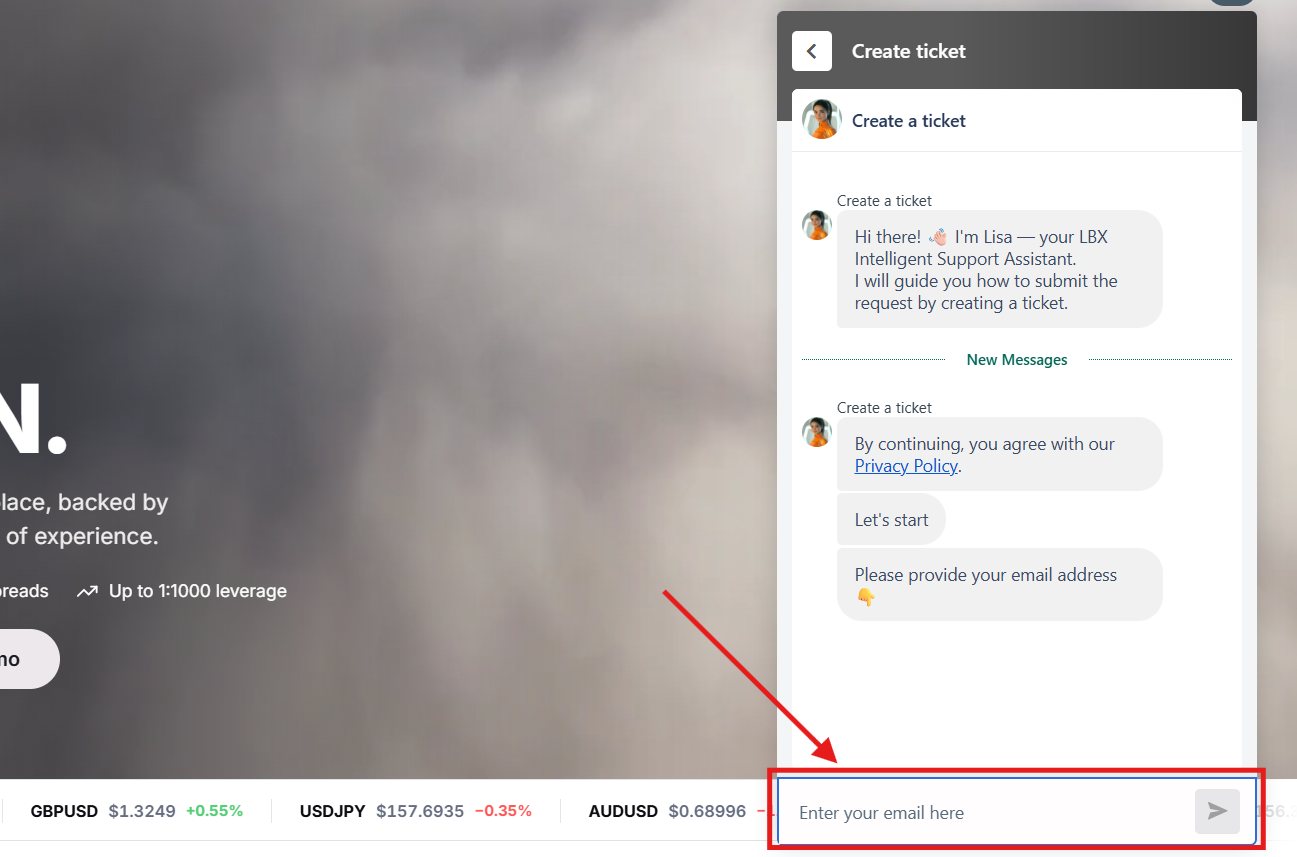
1. Go to the website and click or tap the Chat icon in the bottom right corner of the screen.

2. Select "Create Ticket" from the menu.

3. Follow the chatbot's instructions to provide your details (such as your email address, account info, and issue description).
What happens next?
You will receive a ticket number and confirmation via email. Our Support Team will review your request and reply as soon as possible, usually within 1 to 3 business days (up to 7 days for trading claims). You will be notified of all updates by email.
Was this article helpful?
That’s Great!
Thank you for your feedback
Sorry! We couldn't be helpful
Thank you for your feedback
Feedback sent
We appreciate your effort and will try to fix the article